
Before buying an office chair, you’ll want to measure five key areas: your overall posture and lumbar support needs, your seat height with feet flat and knees at 90 degrees, the seat depth to support your thighs comfortably, armrest height and width for relaxed shoulders, and your desk and foot position to guarantee proper alignment. Getting these measurements right helps you find a chair that fits perfectly and keeps you comfortable all day. Keep going to learn more tips.
Key Takeaways
- Measure your seat height to ensure your feet rest flat and thighs are supported comfortably.
- Assess your seat depth to match your pelvis to knees, allowing a slight gap for circulation.
- Determine your lumbar support height and back curvature for proper lower back support.
- Measure armrest height and width for relaxed shoulder positioning without tension.
- Check desk height and foot positioning to maintain a 90-degree elbow angle and proper posture.
How to Measure Your Body for an Ergonomic Office Chair
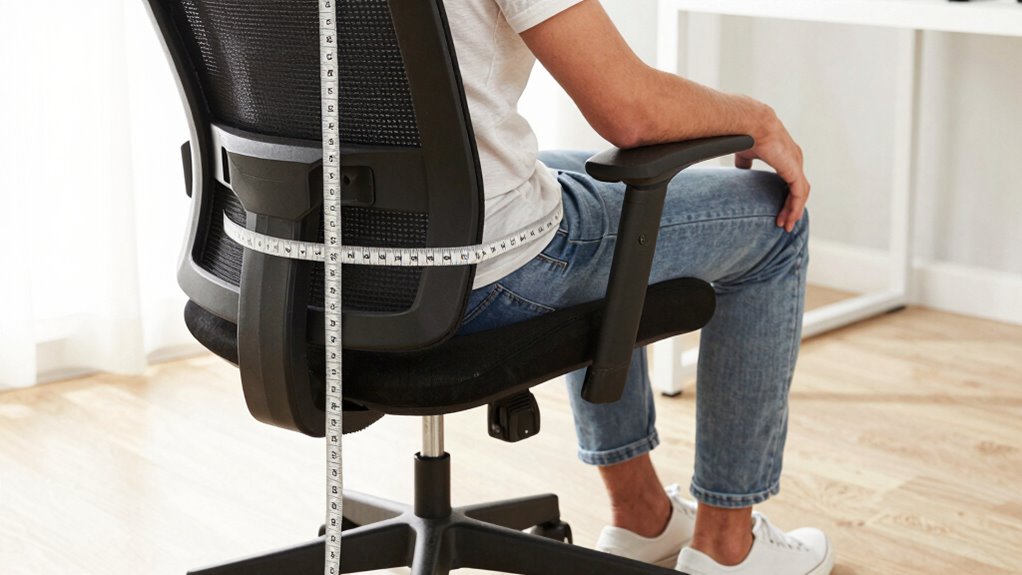
To guarantee your office chair fits comfortably and supports your body correctly, you need to take accurate measurements. Begin with a posture assessment to identify any unevenness or pressure points, which helps determine your ideal ergonomic features. Pay close attention to your lumbar support needs, as this area influences your lower back comfort and spinal alignment. Measure your back’s natural curve and the height where lumbar support should sit to maintain proper posture throughout the day. Make sure your measurements account for your shoulder width and overall torso length to select a chair that promotes good posture and reduces strain. Taking these precise measurements ensures your office chair will support your body properly, helping you stay comfortable and productive during long hours of work. Additionally, understanding ergonomic principles can assist in choosing a chair that minimizes discomfort and enhances overall well-being. Proper body measurements are essential for customizing your ergonomic setup and preventing discomfort, especially when considering factors like adjustability features to tailor the chair to your unique body shape. Being aware of your body proportions can further optimize your ergonomic seat selection for lasting comfort. Moreover, consulting a professional or using measuring tools can improve the accuracy of your measurements and lead to a better ergonomic match.
How to Measure Your Office Chair Seat Height for Comfort
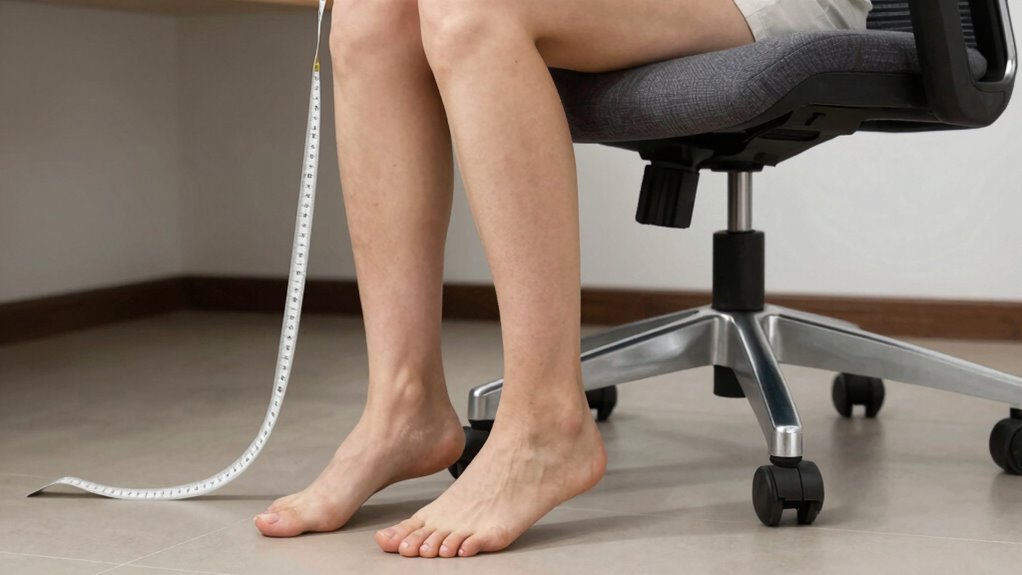
Ensuring your office chair has the right seat height is essential for comfort and proper posture. To measure accurately, sit on your chair with your feet flat on the floor, ensuring your knees are at a 90-degree angle. Your chair cushion should support your thighs comfortably without pressing into the back of your knees. Ideally, your lumbar support aligns with your lower back, promoting good posture. Keeping bolster support in mind can help prevent back strain during long hours of work. Additionally, verifying that your ergonomic setup allows for easy movement and adjustment can contribute significantly to overall comfort. Incorporating adjustable features into your office chair can further enhance comfort and support over time.
How to Measure Seat Depth and Back Support for Proper Fit
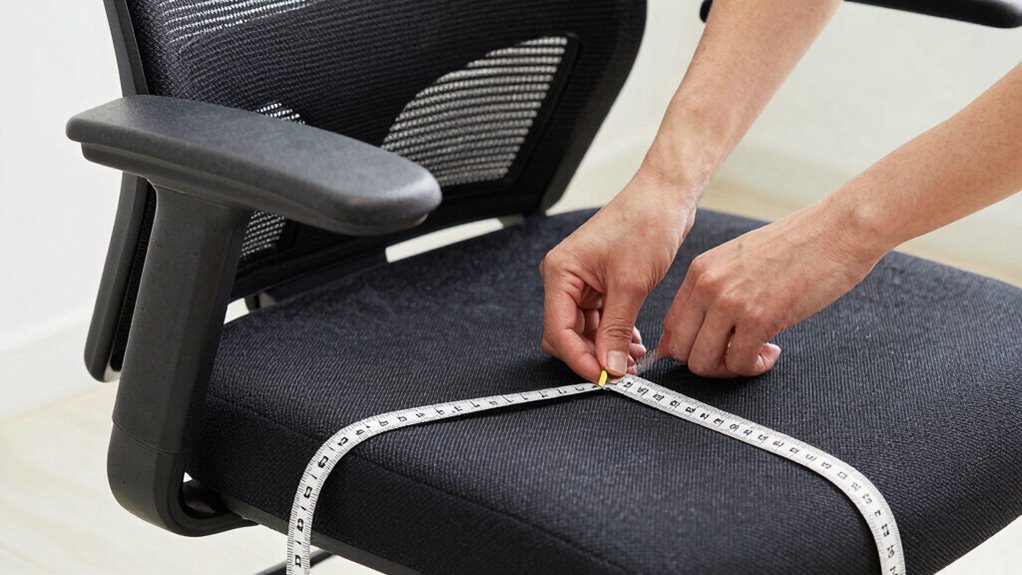
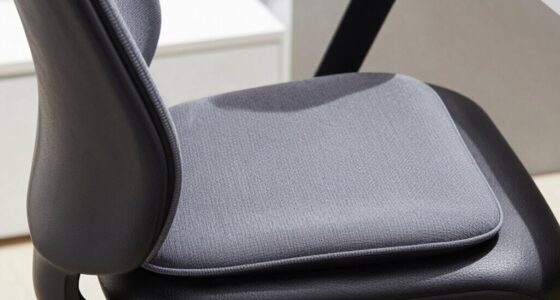
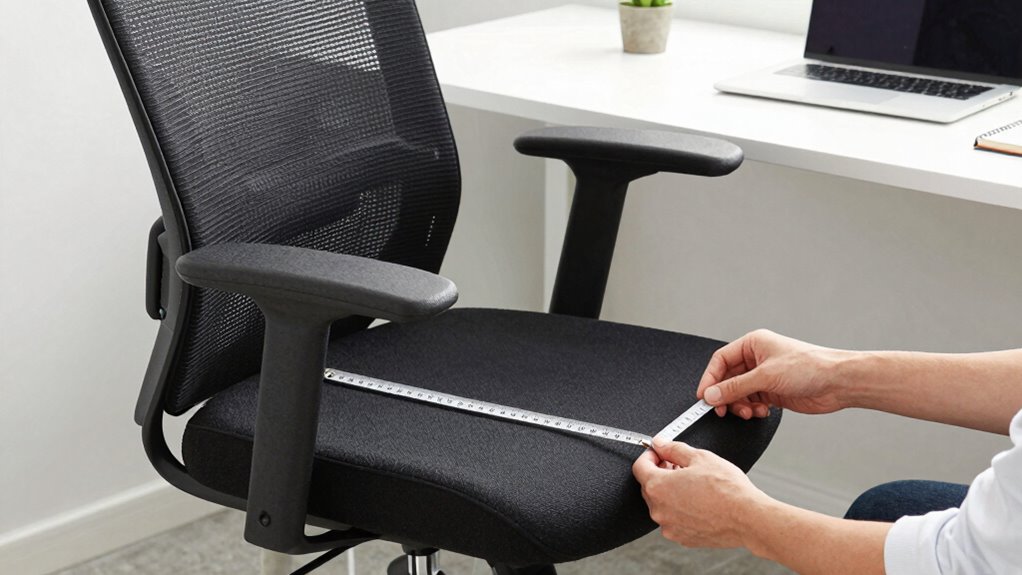
Measuring the seat depth and back support guarantees your office chair fits your body properly and provides ideal comfort. To do this, sit upright and place a ruler or tape measure from the back of your pelvis to the back of your knees—the seat depth should match this length, allowing a slight gap for circulation. When evaluating lumbar support, ensure the chair’s backrest aligns with the natural curve of your lower back; it should support the lumbar region without forcing you forward. The seat contour should distribute your weight evenly, avoiding pressure points. Proper back support and seat depth prevent discomfort and promote good posture. Additionally, understanding ergonomic design and how it influences time perception and how it influences our physical comfort can help you choose ergonomic solutions that support your long-term well-being and productivity. Recognizing the importance of correct measurements ensures that ergonomic principles are effectively applied for maximum comfort and health benefits. Incorporating body measurements can further customize your chair to your unique physique, enhancing overall ergonomic benefits. Taking precise measurements guarantees your chair offers optimal lumbar support and a comfortable seat contour tailored to your body’s needs.
How to Measure Armrest Height and Width for Ergonomic Alignment
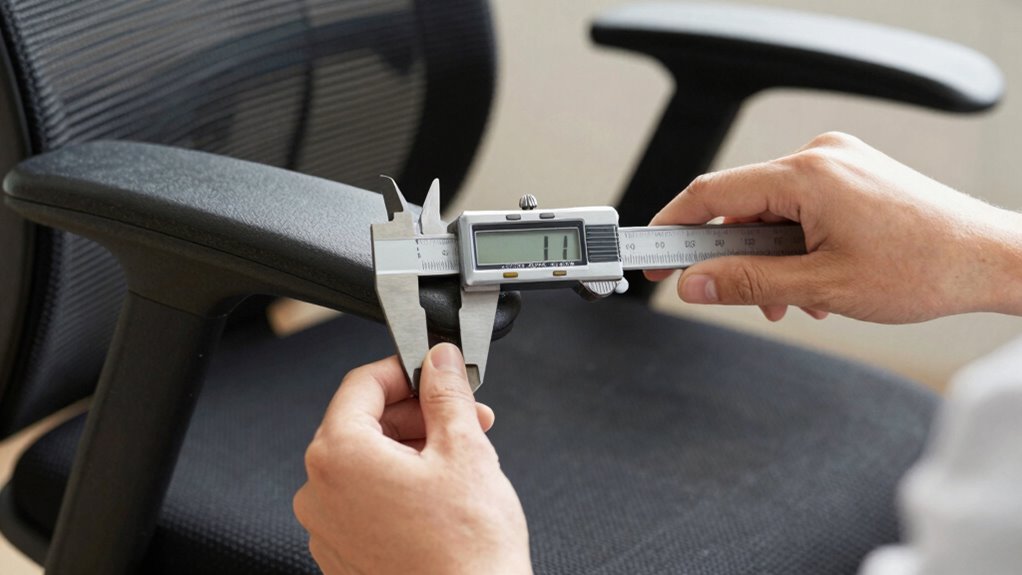
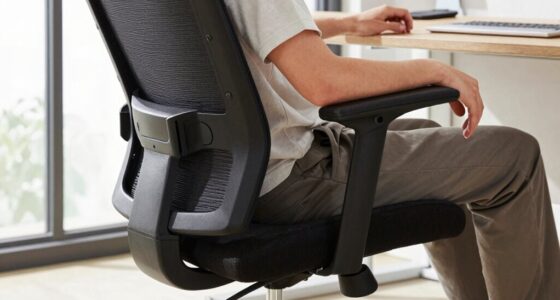
Achieving proper ergonomic alignment requires accurately measuring your armrest height and width. Start by sitting comfortably and placing your arms at a natural, relaxed angle. For armrest ergonomics, your elbows should be close to a 90-degree angle, with your forearms parallel to the ground. Measure the height from the seat cushion to the top of your elbows to determine the ideal armrest height. For width, measure the distance between your outer elbow bones or the widest part of your arms while relaxed. Adjust your armrests so they support your arms without raising or lowering your shoulders. Proper armrest adjustments help reduce tension and strain, promoting comfort and better posture during long work hours. Incorporating ergonomic principles can further enhance your workspace comfort and reduce fatigue. Additionally, understanding the importance of ergonomic design can guide you in selecting the most suitable office chair for your needs. Being aware of body mechanics can also help prevent discomfort and injury over time. Ensuring that your workspace setup follows ergonomic guidelines can significantly improve your overall health and productivity. Remember that well-fitting armrests contribute significantly to posture correction and overall ergonomic health.
How to Check Your Desk and Foot Position to Match Your Chair
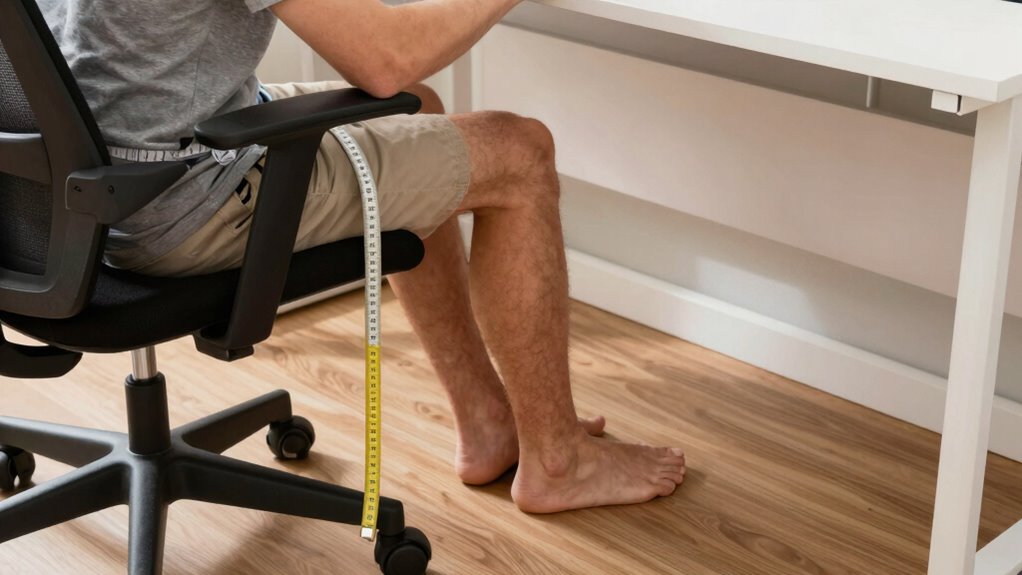
Once you’ve adjusted your armrests properly, it’s important to verify that your desk and foot position support your ergonomic setup. Check your desk height to ensure your elbows are at a 90-degree angle when typing, which promotes comfort and reduces strain. Your feet should rest flat on the floor or on a footrest if needed; proper footrest placement prevents dangling feet and helps maintain good circulation. If your desk is too high, consider raising your chair or lowering the workspace if possible. Conversely, if it’s too low, adjust the chair height or add a footrest to ensure your feet stay supported. Proper alignment between your desk height and footrest placement helps maintain good posture and reduces fatigue during long work hours. Additionally, regularly reviewing your ergonomic setup can help prevent discomfort and promote better health during extended periods of sitting. Ensuring your workspace is ergonomically correct can also minimize the risk of musculoskeletal issues over time. Incorporating proper workstation measurements can further optimize your comfort and productivity. Moreover, taking regular breaks to stretch and reposition supports long-term ergonomic health.
Frequently Asked Questions
What Material Is Best for an Office Chair Seat?
You should choose an office chair seat made of ergonomic fabric or leather, depending on your needs. Ergonomic fabric offers breathability and comfort for long hours, while leather provides durability and a sophisticated look. Consider how much time you’ll spend sitting and your preference for maintenance. Both materials can support your posture effectively, but leather tends to last longer with proper care, while ergonomic fabric keeps you cool and comfortable.
How Often Should I Remeasure My Office Chair?
Imagine sitting comfortably, then realizing your chair feels off—it’s time to remeasure. You should do this every 6 to 12 months, especially when adjusting height or replacing cushions. Regular remeasurement ensures your chair remains ergonomic, supporting your posture and comfort. Keep an eye on how your body changes, and don’t hesitate to adjust or remeasure as needed, maintaining perfect fit and support for your workspace.
Which Features Enhance Long-Term Ergonomic Support?
You can enhance long-term ergonomic support by choosing a chair with adjustable height and lumbar support. Adjustable height helps you maintain proper eye level and arm positioning, reducing strain. Lumbar support keeps your lower back aligned, preventing discomfort over time. Make sure these features are easy to customize, so you can adapt your chair as your needs change, ensuring comfort and support during long work hours.
Can I Customize Office Chair Dimensions After Purchase?
In the age of the Renaissance, you’d find artisans customizing masterpieces, and today, you can do the same with your office chair. Yes, you can personalize it after purchase through ergonomic adjustments like height, tilt, and lumbar support, ensuring comfort. Additionally, many chairs offer aesthetic customization options, such as color and material changes, allowing you to tailor your workspace to reflect your style and meet your ergonomic needs.
What Safety Standards Should I Look for in an Office Chair?
When choosing an office chair, look for safety standards that include adjustable features and lumbar support. Guarantee the chair complies with certifications like BIFMA, which guarantee durability and safety. Check that the adjustability options, such as seat height, armrests, and tilt, are easy to use and secure. Proper lumbar support helps prevent strain, so prioritize chairs with adjustable lumbar support to promote good posture and safety during long hours of use.
Conclusion
Think of choosing an office chair like fitting the perfect puzzle piece—you want every measurement to slot seamlessly. When you get your body and workspace aligned, your comfort and productivity bloom like a well-tended garden. Take the time to measure carefully; it’s your blueprint for a supportive throne that keeps you thriving. With the right fit, your workday flows smoothly, turning your office into a sanctuary where comfort and efficiency grow hand in hand.