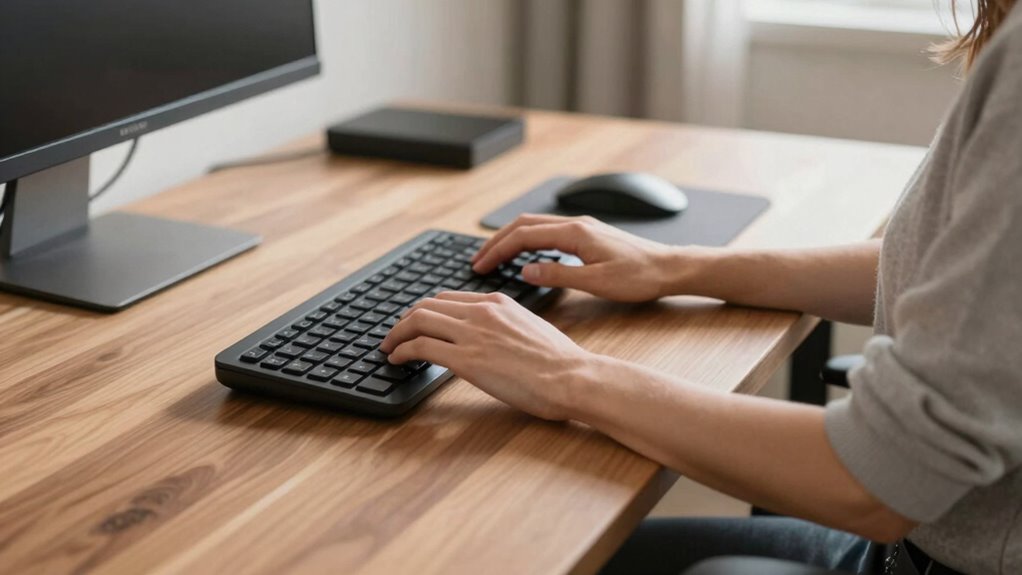

To fix your keyboard position and prevent shoulder shrugs at your standing desk, make sure your keyboard is directly in front of you, with your elbows at a 90° angle and your wrists neutral. Adjust the height of your desk or keyboard tray so your shoulders stay relaxed and aligned, avoiding reaching or hunching. Maintaining proper posture helps reduce strain, and below, you’ll discover simple tips to keep your shoulders healthy and comfortable.
Key Takeaways
- Ensure your keyboard is positioned directly in front of you at elbow height to prevent reaching and shoulder shrugging.
- Use adjustable keyboard trays or stands to maintain a neutral wrist and shoulder position.
- Keep your shoulders relaxed and avoid hunching by adjusting desk height and monitor alignment.
- Practice shoulder shrug exercises regularly to realign shoulders and reduce muscle tension during work.
- Incorporate ergonomic accessories and maintain proper posture to prevent shoulder discomfort and promote optimal body alignment.
How to Properly Position Your Keyboard at a Standing Desk
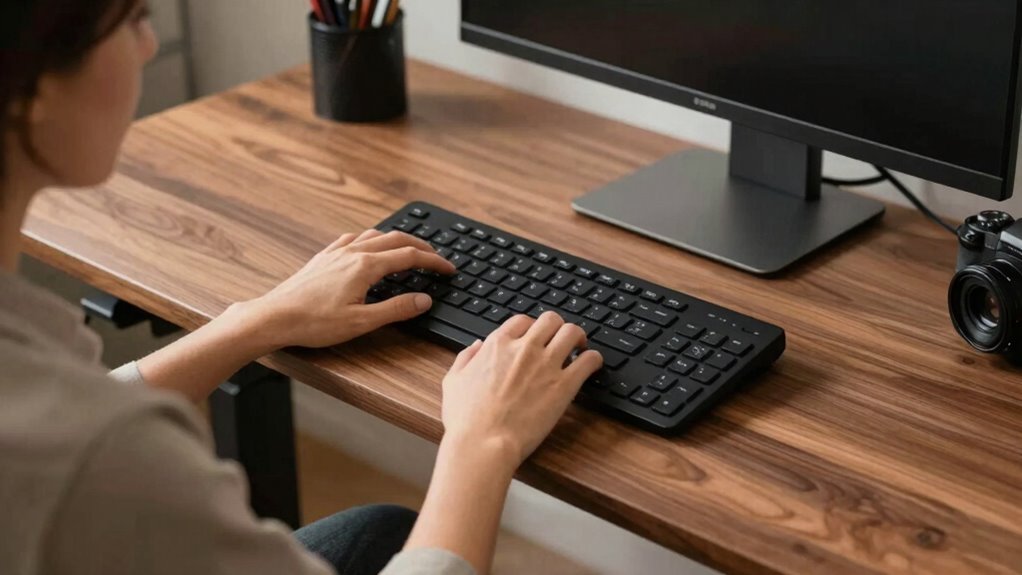
To guarantee comfort and prevent strain, it’s essential to position your keyboard correctly at a standing desk. Start by using ergonomic accessories, like a keyboard tray or an adjustable stand, to help maintain proper placement. Adjust your desk height so your elbows are close to a 90-degree angle, with your forearms parallel to the floor. Your keyboard should be directly in front of you, avoiding reaching forward or downward. Keep your wrists in a neutral position, not bent up or down. Regular desk height adjustments ensure your setup stays ergonomic as you change positions throughout the day. Incorporating ergonomic principles into your workspace setup can further enhance comfort and reduce the risk of strain. Additionally, taking microbreaks to stretch can help prevent tension buildup in your shoulders and neck. Paying attention to keyboard positioning can make a significant difference in preventing discomfort during long work sessions. Proper posture awareness is also crucial to maintain comfort and avoid repetitive strain injuries. Adjusting your setup to promote neutral alignment helps maintain proper ergonomics and minimize fatigue.
Common Posture Mistakes That Cause Shoulder Strain When Standing

Many people unknowingly adopt poor standing postures that lead to shoulder strain, such as leaning forward or hunching their shoulders. These habits disrupt ergonomic arm positioning, causing unnecessary tension. When you don’t keep your shoulders relaxed and aligned, it increases the risk of repetitive strain injuries over time. Avoid crossing your arms or letting your shoulders slump, as these positions can tighten muscles and limit proper movement. Instead, maintain your shoulders down and back, with elbows close to your sides. Ensuring your keyboard and monitor are at appropriate heights supports better posture and reduces shoulder fatigue. Using the right DIY tools and safety tips can help you set up an ergonomic workspace that minimizes strain. Recognizing and correcting these common mistakes helps prevent strain and promotes a healthier, more comfortable standing workspace. Additionally, incorporating ergonomic accessories can further enhance your posture and comfort during long periods of standing. Being mindful of posture awareness and making small adjustments can significantly improve overall comfort. Incorporating proper ergonomic setup principles can further reduce muscle tension and improve your overall standing posture. Paying attention to muscle balance and ensuring even distribution of effort can also prevent fatigue and discomfort.
How the Standing Desk Shoulder Shrug Helps Fix Keyboard and Shoulder Alignment

The standing desk shoulder shrug directly addresses common misalignments that contribute to shoulder strain and poor keyboard positioning. By practicing this movement, you can improve your ergonomic adjustments and promote proper muscle activation. It helps reset your shoulder posture, reducing tension and preventing slouching. Incorporating mindful awareness of body cues can also enhance your understanding of body cues and improve posture habits. Proper muscle activation supports sustained good posture, making your workspace more ergonomic and comfortable. Additionally, car protection accessories can help maintain your equipment in optimal condition, complementing your ergonomic efforts. Key benefits include: – Realigning shoulders to reduce strain – Enhancing muscle engagement for better stability – Encouraging proper keyboard height and position This simple exercise encourages you to lift your shoulders, hold briefly, then relax, which helps correct imbalances. Consistent practice ensures your shoulders stay aligned with your keyboard, decreasing discomfort and promoting a healthier standing workstation. Proper muscle activation supports sustained good posture, making your workspace more ergonomic and comfortable. Engaging in mindful muscle engagement during exercises like the shoulder shrug can further reinforce proper posture habits. Incorporating ergonomic principles from diverse urban pursuits can also inspire more effective workspace setups and movement habits.
Simple Tips to Keep Your Shoulders Relaxed and Posture Healthy

Maintaining relaxed shoulders and good posture begins with mindful habits throughout your workday. Start by using ergonomic accessories like adjustable keyboard trays or supportive chairs to promote proper alignment. Take regular breaks to perform shoulder stretching exercises, which help release tension and prevent stiffness. Keep your shoulders relaxed by consciously avoiding hunching or tensing them while working. Adjust your monitor height so you don’t strain your neck, which can lead to shoulder discomfort. Incorporate simple stretches into your routine, such as rolling your shoulders back and forward or gently pulling your arms across your chest. Being mindful of proper ergonomic setup can significantly improve your comfort and prevent strain. Paying attention to stair proportions and other architectural details in your workspace can also enhance overall ergonomics. Additionally, choosing anti-fatigue mats for standing workstations can reduce fatigue and support better posture during long periods of standing. Incorporating tracking gear such as GPS or Bluetooth devices can also help you stay mindful of your posture and movement throughout the day. Staying aware of your posture and regularly relaxing your shoulders can make a significant difference in preventing pain and maintaining a healthy, comfortable workspace. Remember that implementing air quality and humidity tips can also contribute to overall comfort and well-being in your workspace environment.
When Shoulder Pain Signals a Need for Professional Help

Shoulder pain that persists despite your efforts to adjust posture and incorporate stretches could be a sign that it’s time to seek professional help. Ignoring ongoing discomfort may lead to chronic issues or injury. Consider consulting a healthcare provider if you notice:
- Pain that worsens despite using ergonomic accessories
- Limited shoulder mobility or weakness
- Persistent discomfort after trying shoulder stretches and ergonomic adjustments
A professional can assess for underlying problems and recommend targeted treatments. They might suggest specific shoulder stretches or therapies to aid recovery. Don’t delay seeking help if your pain persists—early intervention can prevent long-term damage and improve your overall shoulder health. Remember, even with proper ergonomic accessories, some issues require expert attention for a safe and effective resolution. Smart locks and office gear can enhance workspace security, but addressing persistent shoulder pain often requires personalized medical strategies. Additionally, understanding template compatibility can help optimize ergonomic setups for better comfort and support. Ensuring proper body alignment during work can also reduce strain and promote faster recovery. Recognizing the role of digital ergonomics is crucial in maintaining shoulder health in today’s technology-driven work environment. Maintaining awareness of posture correction techniques can further support recovery and prevent future discomfort.
Frequently Asked Questions
Can Standing Desk Shoulder Shrugs Prevent Long-Term Shoulder Injuries?
Yes, incorporating shoulder shrugs into your routine can help prevent long-term shoulder injuries by improving shoulder mobility. When you use an ergonomic desk, you maintain proper posture, reducing strain. Shoulder shrugs loosen tight muscles and increase flexibility, which minimizes the risk of chronic pain. Regularly practicing this simple movement keeps your shoulders healthy, especially if you spend long hours at a standing desk, promoting better posture and injury prevention over time.
How Often Should I Perform Shoulder Shrugs During Work Hours?
You should perform shoulder shrugs every 30 to 60 minutes during work hours to combat muscle tension and maintain good posture awareness. Regularly lifting your shoulders helps release built-up tension, preventing stiffness and discomfort. Keep the movements slow and controlled, and pay attention to how your muscles feel. Incorporating these quick breaks into your routine promotes better posture and reduces the risk of long-term shoulder issues.
Are There Specific Stretches to Complement Shoulder Shrugs?
To improve shoulder flexibility, incorporate stretches like shoulder rolls, arm cross stretches, and doorway chest openers into your routine. These stretching routines help release tension, increase mobility, and complement shoulder shrugs effectively. You should perform these stretches gently and regularly throughout your workday to maintain flexibility and prevent stiffness. Consistent practice enhances your overall posture and reduces discomfort, making your work sessions more comfortable and productive.
What Ergonomic Accessories Support Proper Keyboard Positioning?
To support proper keyboard positioning, you should use ergonomic accessories like wrist support to reduce strain and keep your wrists in a neutral position. Adjust your monitor height so your eyes are level, preventing neck and shoulder tension. These accessories help maintain good posture, minimize discomfort, and promote overall ergonomic health. Incorporate a well-positioned keyboard and monitor setup, along with wrist support, to create a more comfortable, productive workspace.
Is There a Recommended Duration for Maintaining Proper Shoulder Posture?
Imagine your shoulders as steady sails on a calm sea—keeping them aligned is essential. You should aim for ergonomic timing of about 20-30 minutes per posture, then take short breaks to reset. Maintaining posture consistency helps prevent strain and fatigue. Listen to your body, and shift your shoulders gently if you feel tension building. Regular adjustments ensure your shoulders stay relaxed, supporting comfort and productivity throughout your workday.
Conclusion
By paying attention to your keyboard position and practicing the standing desk shoulder shrug, you might find that shoulder tension eases just when you least expect it—like catching a breeze on a warm day. When your shoulders feel more relaxed, work becomes smoother, and the pain seems to fade into the background. Remember, small adjustments can lead to big relief, so stay mindful and keep your posture in check—you might just rediscover the joy of comfortable, pain-free workdays.