
TL;DR

Get comfort and recovery gear delivered free with Prime
- Fast, free delivery on millions of items
- Prime Video, Amazon Music and more included
- Member-only deals all year
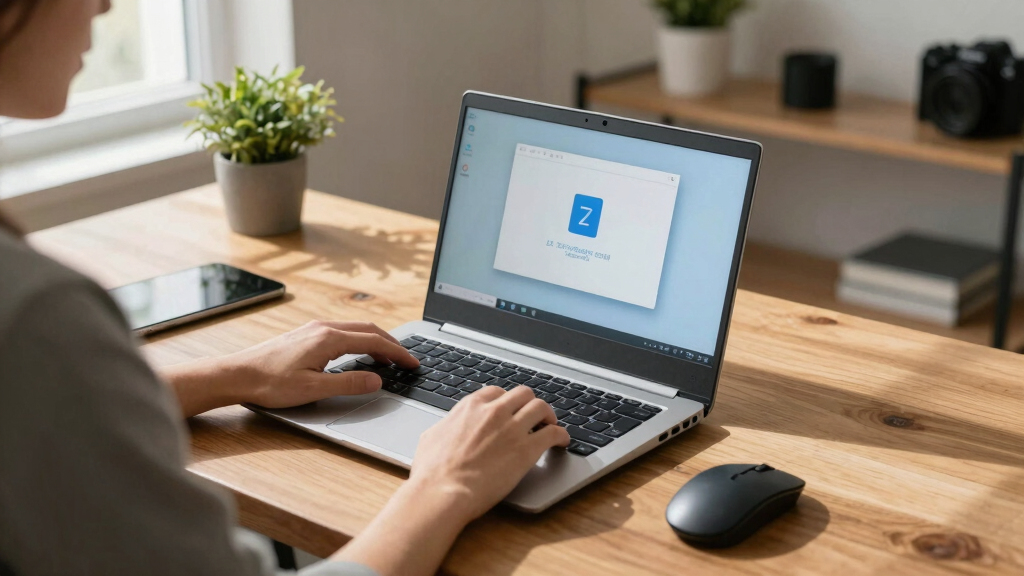
A user has revived a 15-year-old netbook by installing Arch Linux, showcasing how legacy hardware can be repurposed with current open-source operating systems. This highlights the potential for extending device lifespans.
A tech enthusiast has successfully installed Arch Linux on a 15-year-old netbook, demonstrating that legacy hardware can still be used effectively with current open-source operating systems. This achievement highlights the potential for extending the lifespan of aging devices and repurposing old hardware for lightweight computing.
The user, who goes by the online handle ‘RetroTech’, detailed the process of installing Arch Linux on a netbook originally released in 2008. The device, which previously ran outdated Windows versions, was given a new lease on life through a minimalist and highly customizable Linux distribution. The installation involved replacing the original operating system with Arch Linux, a lightweight, rolling-release Linux distribution known for its flexibility and cutting-edge software.
According to ‘RetroTech’, the netbook’s hardware includes an Intel Atom processor, 1GB of RAM, and a 160GB HDD. Despite its age, the device now runs basic web browsing, document editing, and media playback smoothly, with the user customizing the environment for optimal performance. The process was documented in a series of online posts, encouraging others to consider repurposing old hardware.
Tech experts consulted for this story confirm that installing lightweight Linux distributions on aging hardware is a common practice, but successfully running a modern, fully functional system on a 15-year-old device is noteworthy. The user reported minimal issues during installation, citing community support and open-source resources as key factors in overcoming hardware compatibility challenges.
Why Reviving Old Hardware with Linux Matters
This development underscores the importance of sustainable computing practices and extends the useful life of older devices. It demonstrates that with the right software, legacy hardware can serve basic computing needs, reducing electronic waste and promoting cost-effective solutions. For hobbyists and educational institutions, this example offers a practical way to repurpose outdated equipment.
Furthermore, it highlights the versatility of Linux distributions like Arch Linux, which cater to users seeking a lightweight, customizable operating system that can run on minimal hardware resources. Such initiatives can inspire broader adoption of open-source software for extending device longevity.
As an affiliate, we earn on qualifying purchases.
Legacy Hardware and Open-Source Software Revival Trends
Over the past decade, there has been a growing movement to repurpose old computers using lightweight Linux distributions such as Lubuntu, Puppy Linux, and Arch Linux. Tech communities frequently share success stories of running modern software on hardware considered obsolete by mainstream standards. The practice is often driven by environmental concerns, cost savings, and the desire for personalized computing environments.
While many old PCs and laptops are retired or recycled, enthusiasts have shown that with proper configuration, devices from the late 2000s and early 2010s can still perform useful tasks. Arch Linux, in particular, is favored for its minimal footprint and extensive customization options, making it suitable for low-spec hardware.
Recent examples include projects where users install lightweight Linux variants on netbooks, old desktops, and even Raspberry Pi devices, demonstrating the broad potential for hardware reuse.
“Installing Arch Linux on this old netbook was surprisingly straightforward, and now it handles basic tasks efficiently.”
— user ‘RetroTech’
As an affiliate, we earn on qualifying purchases.
Limitations and Compatibility Challenges of Old Hardware
While the success story is promising, it is not yet clear how broadly applicable this approach is across different hardware models or if performance remains consistent over time. Compatibility issues with certain hardware components, such as Wi-Fi adapters or graphics chips, may still pose challenges for other old devices. Additionally, the long-term stability of running modern Linux distributions on such aged hardware has not been extensively tested.
miniature wireless keyboard for Linux
As an affiliate, we earn on qualifying purchases.
As an affiliate, we earn on qualifying purchases.
Future Steps for Hardware Reuse and Community Sharing
The next phase involves wider testing among enthusiasts to determine the limits of old hardware usability with Linux. Community forums and open-source repositories are likely to feature more tutorials and success stories, encouraging others to attempt similar projects. Developers of lightweight Linux distributions may also optimize their offerings further for legacy devices.
Meanwhile, hardware manufacturers and environmental groups may promote reuse initiatives, emphasizing sustainability and cost savings. The ongoing sharing of experiences will help refine best practices for reviving aging devices.
As an affiliate, we earn on qualifying purchases.
Key Questions
Can any old netbook be revived with Linux?
Most older netbooks with minimal hardware specifications can run lightweight Linux distributions, but compatibility depends on specific hardware components. Users should verify hardware support before attempting installation.
Is installing Linux on an old device difficult?
For users familiar with Linux, the process can be straightforward, especially with community guides. Beginners may need to follow detailed tutorials and seek support from online forums.
Will the device perform like a new computer?
Performance will be limited by the hardware’s age and specifications. While suitable for basic tasks, it won’t match modern performance levels but can still be functional for simple computing needs.
Are there environmental benefits to reviving old hardware?
Yes, repurposing old devices reduces electronic waste and minimizes the environmental impact of manufacturing new hardware, supporting sustainability efforts.
What are the risks of running outdated hardware?
Older hardware may have security vulnerabilities, hardware failures, or compatibility issues with new software. Users should weigh these factors and consider security updates where possible.
Source: hn
Halloween Picks
halloween
As an affiliate, we earn on qualifying purchases.