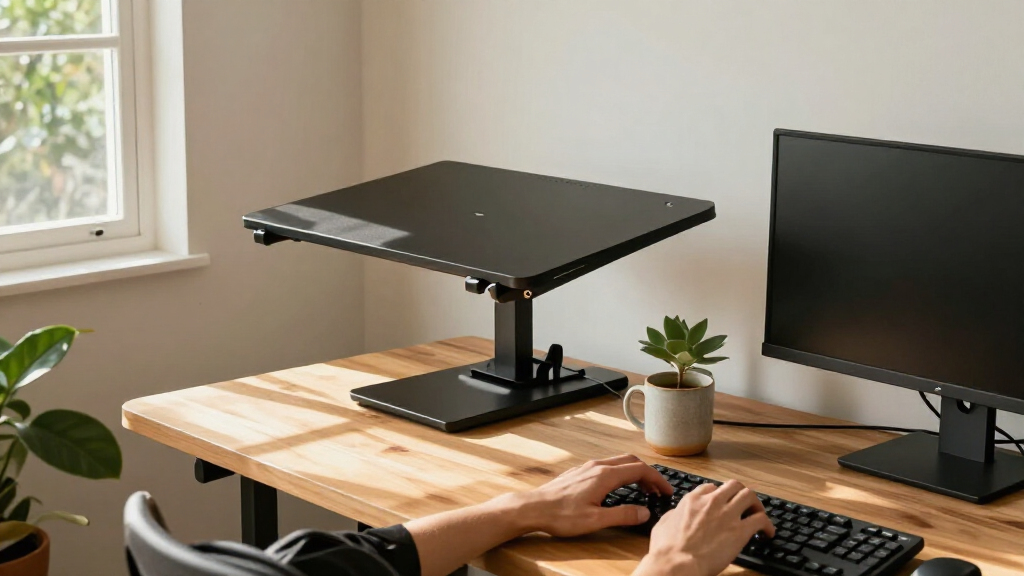
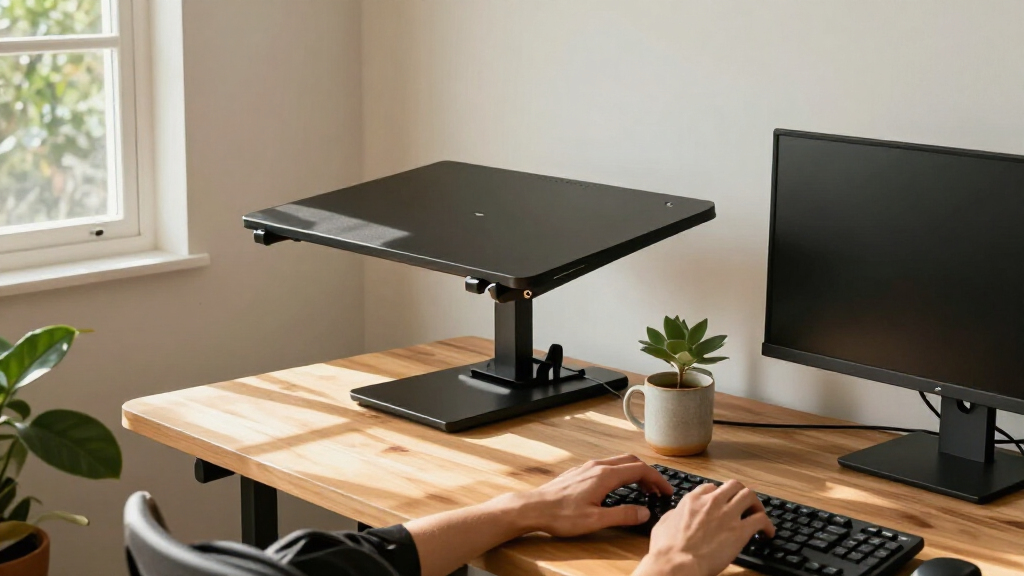
Adjustable standing desk converters add sit-stand flexibility on top of an existing desk, but the right choice depends on how much room you have and what you need to lift. I’d put the FLEXISPOT 40-Inch Height-Adjustable Converter first for its broad work surface and keyboard tray, while the Rocelco 46-Inch model stands out for larger setups and the VIVO 32-Inch risers suit tighter work areas. Across these options, the main tradeoffs are desktop size, lift mechanism, keyboard comfort, and the space needed when the platform is raised. A larger surface offers more room for monitors but may overwhelm a small desk; electric lift can reduce effort but adds complexity. Read on for the full comparison and guidance on choosing a converter that fits your workspace.

Get comfort and recovery gear delivered free with Prime
- Fast, free delivery on millions of items
- Prime Video, Amazon Music and more included
- Member-only deals all year
Complete the kit



Key Takeaways
- Surface width changes the shortlist: the 46-inch Rocelco models offer room for broader setups, while the 29- and 32-inch choices make more sense where desk space is limited.
- Electric lift is a distinct convenience choice: VIVO’s 36-inch electric converter and VERSADESK PowerPro 40-inch model stand apart from the manual options, but their added mechanism may not matter to buyers who adjust height infrequently.
- Keyboard trays affect posture as much as platform size: models with separate trays can place the keyboard lower than the monitor surface, while single-top designs prioritize simplicity and a smaller footprint.
- Corner desks have a purpose-built option: Rocelco’s 46-inch corner converter is shaped for corner workspaces rather than serving as a general substitute for a rectangular riser.
- Compact and spacious picks solve different problems: ANTHOSPACE’s 23.6-by-13.4-inch surface favors a minimal setup, while the FLEXISPOT and Rocelco wide platforms suit users with more equipment to arrange.
| FLEXISPOT 40-Inch Height-Adjustable Standing Desk Converter with Keyboard Tray |  | Best for a Spacious, Quick Setup | Brand: FLEXISPOT | Model: LB | Desktop dimensions: 24.9 x 40 x 19.6 inches | VIEW LATEST PRICE | See Our Full Breakdown |
| VIVO 32-Inch Height-Adjustable Standing Desk Riser |  | Best for Beginners | Brand: VIVO | Model: DESK-V000S | Surface dimensions: 31.5 x 15.8 inches | VIEW LATEST PRICE | See Our Full Breakdown |
| VIVO 42-Inch Height-Adjustable Standing Desk Converter, Black (DESK-V042KB) |  | Best for Dual Monitors | Brand and model: VIVO DESK-V042KB | Desktop dimensions: 42 x 15.7 inches | Keyboard tray dimensions: 42 x 11.8 inches; 10.2 inches at center | VIEW LATEST PRICE | See Our Full Breakdown |
| Perfect Posture Height-Adjustable Standing Desk Converter with 32-Inch Monitor Riser |  | Best for Adjustable Lift Tension | Brand and model: Perfect Posture RWS032 | Overall dimensions: 16 x 31.5 x 4.5 inches | Upper platform dimensions: 8.5 x 32 inches | VIEW LATEST PRICE | See Our Full Breakdown |
| Rocelco 46-Inch Height-Adjustable Standing Desk Converter with Retractable Keyboard Tray, White |  | Best for Large, Heavy Workstations | Brand and model: Rocelco R DADRW-46 | Work surface: 45.75 in W x 23.25 in D | Keyboard tray: 25.75 in W x 11.25 in D; retractable | VIEW LATEST PRICE | See Our Full Breakdown |
| JOYSEEKER 42-Inch Height-Adjustable Standing Desk Converter with Keyboard Tray |  | Best for a Wide Two-Monitor Setup | Work surface: 42 × 15.7 inches | Keyboard tray: 42 × 11.8 inches | Height range: 4.7–19.3 inches | VIEW LATEST PRICE | See Our Full Breakdown |
| VIVO DESK-V036KB 36-Inch Standing Desk Converter |  | Best for a Dependable Manual Lift | Work surface: 36 × 15.7 inches | Keyboard tray: 36 × 11.8 inches | Height adjustment range: 4.5–20 inches | VIEW LATEST PRICE | See Our Full Breakdown |
| VIVO DESK-VE36B Electric Desk Converter, 36-Inch, Black |  | Best Electric Pick for a Compact Desk | Desktop dimensions: 36 × 15.7 inches | Keyboard tray depth: 12 inches | Height range: 5.7–19.5 inches | VIEW LATEST PRICE | See Our Full Breakdown |
| Rocelco 46″ Height Adjustable Corner Standing Desk Converter with Gas Spring Assist and Large Keyboard Tray – Black |  | Best for a Deep Corner Workstation | Work surface: 45.5 × 23.25 inches | Keyboard tray: 40 × 14 inches | Height range: 5–18 inches above desktop | VIEW LATEST PRICE | See Our Full Breakdown |
| TechOrbits 32-Inch Standing Desk Converter with Keyboard Tray |  | Best for Quick, Simple Setup | Work surface width: 31.5 inches | Overall dimensions: 31.5 × 24.4 × 4.3 inches | Height range: 4.3–19.7 inches | VIEW LATEST PRICE | See Our Full Breakdown |
| VIVO 32-Inch Standing Desk Converter with Keyboard Tray |  | Best Balanced Pick | Top surface: 31.5 x 15.7 inches | Keyboard tray: 31.3 x 11.8 inches | Height adjustment range: 4.2 to 19.7 inches | VIEW LATEST PRICE | See Our Full Breakdown |
| ANTHOSPACE Adjustable Standing Desk Converter, 23.6 x 13.4 Inches |  | Best Compact Pick | Platform size: 23.6 x 13.4 inches (dimensions reported inconsistently in product description) | Height range: 2.4 to 15.7 inches | Weight capacity: 88 pounds (40 kg) | VIEW LATEST PRICE | See Our Full Breakdown |
| VIVO Black 29″ Single Top Standing Desk Converter |  | Best for Simple Setups | Surface dimensions: 29.3 x 17.8 inches | Adjustment range: 1.8 to 16.2 inches | Load capacity: 22 pounds | VIEW LATEST PRICE | See Our Full Breakdown |
| VERSADESK PowerPro 40-Inch Electric Standing Desk Converter |  | Best Electric Pick | Width: 40 inches | Maximum load: 80 pounds | Material: Carbon steel | VIEW LATEST PRICE | See Our Full Breakdown |
| FLEXISPOT 36-Inch Standing Desk Converter, Black |  | Best for a Deeper Work Surface | Desktop dimensions: 36 x 24.9 inches | Height: 19.6 inches | Desktop weight capacity: 33 pounds | VIEW LATEST PRICE | See Our Full Breakdown |
| adjustable standing desk converter | Height range | Warranty |
|---|---|---|
| FLEXISPOT 40-Inch Height-Adjus | — | — |
| VIVO 32-Inch Height-Adjustable | 4.9–19.7 inches | 3 years |
| VIVO 42-Inch Height-Adjustable | 4.5–20 inches | 3 years |
| Perfect Posture Height-Adjusta | 4.5–19 inches | — |
| Rocelco 46-Inch Height-Adjusta | 5–20 inches | 1 year against manufacturing defects |
| JOYSEEKER 42-Inch Height-Adjus | 4.7–19.3 inches | — |
| VIVO DESK-V036KB 36-Inch Stand | — | 3 years |
| VIVO DESK-VE36B Electric Desk | 5.7–19.5 inches | 3 years |
| Rocelco 46" Height Adjustable | 5–18 inches above desktop | 1-year limited |
| TechOrbits 32-Inch Standing De | 4.3–19.7 inches | — |
| VIVO 32-Inch Standing Desk Con | — | 3 years |
| ANTHOSPACE Adjustable Standing | 2.4 to 15.7 inches | — |
| VIVO Black 29" Single Top Stan | — | — |
| VERSADESK PowerPro 40-Inch Ele | — | Lifetime |
| FLEXISPOT 36-Inch Standing Des | — | — |
More Details on Our Top Picks
FLEXISPOT 40-Inch Height-Adjustable Standing Desk Converter with Keyboard Tray
The 40-inch work surface gives this FLEXISPOT room for a monitor and extra desk essentials, while its separate keyboard tray keeps typing equipment off the main platform. Compared with the VIVO 32-Inch Riser, it offers more width for a multi-device setup, though it does not provide a stated height range for checking how far it will rise. A mechanical spring lift handles adjustment, and the converter arrives nearly assembled, making setup simpler than the assembly-required VIVO 42-inch model. Its reinforced steel frame and 33-pound desktop capacity suit a typical workstation, but the keyboard tray’s 4.4-pound limit leaves little room for heavier peripherals. I’d choose it for width and straightforward setup, not for a heavy keyboard or accessories on the tray.
Pros:- 40-inch desktop provides more width than the VIVO 32-Inch Riser
- Mechanical spring lift allows height adjustment
- Nearly assembled, reducing setup work
- Reinforced steel frame supports the workstation
Cons:- Keyboard tray capacity is limited to 4.4 pounds
- No height-adjustment range is provided in the product data
- 33-pound desktop capacity may limit heavier equipment setups
Best for: Desk workers who want a wide, nearly assembled converter for a monitor, laptop, and everyday accessories.
Not ideal for: People with heavy keyboards or multiple accessories on the keyboard tray, which is limited to 4.4 pounds, or buyers who need a specified height range before choosing.
- Brand:FLEXISPOT
- Model:LB
- Desktop dimensions:24.9 x 40 x 19.6 inches
- Desktop load capacity:33 lbs
- Keyboard tray load capacity:4.4 lbs
- Materials:Engineered wood and reinforced steel
- Adjustment:Mechanical spring lift
- Assembly:Nearly assembled
Our verdict“Choose this FLEXISPOT for a wide work surface and quick setup, provided your keyboard tray load stays light.”
VIVO 32-Inch Height-Adjustable Standing Desk Riser
The VIVO 32-Inch Riser is a practical starting point for a first sit-stand setup: its pneumatic lift spans 4.9 to 19.7 inches, and minimal assembly keeps setup approachable. Its keyboard tray rises with the desktop, so the typing position changes along with the monitor platform. Compared with the wider VIVO 42-Inch Converter, this model takes up less desk width but gives up room for dual-monitor layouts and larger accessories. The 31.5 x 15.8-inch surface and 26-pound capacity fit a restrained workstation, not a heavy or crowded one. I’d rank it for straightforward adjustment and a defined height range, while buyers who need broad monitor space should step up to a larger model.
Pros:- Pneumatic lift adjusts from 4.9 to 19.7 inches
- Keyboard tray rises with the desktop
- Minimal assembly makes initial setup simpler
- Steel frame and laminated surface suit everyday workstation use
Cons:- 31.5 x 15.8-inch surface limits space for multiple devices
- 26-pound load capacity is lower than the 33-pound VIVO 42-Inch Converter
- Compact platform may feel restrictive for larger keyboards or accessories
Best for: First-time sit-stand users with a single-monitor setup who want a defined height range and minimal assembly.
Not ideal for: Dual-monitor users or people with heavier equipment, since the surface is compact and the total capacity is 26 pounds.
- Brand:VIVO
- Model:DESK-V000S
- Surface dimensions:31.5 x 15.8 inches
- Height range:4.9–19.7 inches
- Load capacity:26 lbs
- Material and finish:Alloy steel; laminated surface
- Item weight:11.4 kg
- Assembly:Minimal
- Warranty:3 years
Our verdict“Pick this VIVO as a manageable first converter for a lighter, single-monitor workstation.”
VIVO 42-Inch Height-Adjustable Standing Desk Converter, Black (DESK-V042KB)
Among these options, the VIVO 42-Inch Converter is the clearest fit for a wide, dual-monitor workstation: its 42-inch desktop and matching-width keyboard tray make room across the setup, while the surface supports up to 33 pounds. The manual lift adjusts from 4.5 to 20 inches, giving buyers a stated range that the FLEXISPOT 40-inch model’s product data does not provide. Compared with the Rocelco 46-Inch Converter, it has a narrower work surface and lower listed capacity, but still offers substantial width with a defined adjustment range. Minimal assembly is needed, although it is not as ready to use as the Rocelco, which arrives fully assembled. The main constraint is the tray’s 4.4-pound capacity, so heavier typing gear belongs elsewhere.
Pros:- 42-inch desktop provides space for a dual-monitor arrangement
- Height adjusts from 4.5 to 20 inches
- Keyboard tray rises with the desktop
- 33-pound desktop capacity and alloy-steel frame support a substantial setup
Cons:- Keyboard tray capacity is limited to 4.4 pounds
- Assembly is required, unlike the fully assembled Rocelco 46-Inch Converter
- 33-pound desktop limit is below the Rocelco model’s 45-pound capacity
Best for: Dual-monitor users who need a wide desktop, a full-width keyboard tray, and a stated sit-stand range.
Not ideal for: People with heavy keyboards or peripherals on the tray, or those seeking a fully assembled converter with the largest listed capacity.
- Brand and model:VIVO DESK-V042KB
- Desktop dimensions:42 x 15.7 inches
- Keyboard tray dimensions:42 x 11.8 inches; 10.2 inches at center
- Height range:4.5–20 inches
- Desktop capacity:33 lbs
- Keyboard tray capacity:4.4 lbs
- Materials:Alloy steel frame and engineered wood top
- Assembly:Required; instructions included
- Warranty:3 years
Our verdict“Choose this VIVO for a wide dual-monitor setup when its light-duty keyboard tray and assembly needs are acceptable.”
Perfect Posture Height-Adjustable Standing Desk Converter with 32-Inch Monitor Riser
The adjustable-tension gas-spring X-frame is the defining feature here: buyers can tune the lift for their setup, while the two-tier design separates monitors from the keyboard tray. It arrives mostly assembled, with only four screws needed to attach the tray, making it less involved than the VIVO 42-Inch Converter, which requires assembly. Its 32-inch upper platform is more compact than that VIVO’s 42-inch surface, so it suits a smaller workstation rather than a broad dual-monitor layout. Product information says it can hold two 24-inch monitors or a 17-inch laptop and a 24-inch monitor, but it also lists an unusually low five-pound item weight and inconsistent monitor-capacity details. I’d treat the fit claims cautiously and confirm the loaded setup before choosing it.
Pros:- Gas-spring X-frame offers adjustable lift tension
- Two-tier layout separates the upper platform and keyboard tray
- Mostly assembled, requiring only four screws for the tray
- Height adjusts from 4.5 to 19 inches
Cons:- Product information gives inconsistent monitor-capacity details
- Listed five-pound item weight raises questions for a loaded workstation
- 32-inch platform is narrower than the VIVO 42-Inch Converter
Best for: Buyers seeking a compact two-tier converter with a gas lift whose tension can be adjusted to suit their setup.
Not ideal for: People who need clear, consistent capacity information or a well-documented support limit for a heavy monitor arrangement.
- Brand and model:Perfect Posture RWS032
- Overall dimensions:16 x 31.5 x 4.5 inches
- Upper platform dimensions:8.5 x 32 inches
- Height range:4.5–19 inches
- Listed item weight:5 lbs
- Materials:Alloy steel base and engineered wood top
- Shelves:2
- Monitor capacity information:Two 24-inch monitors, or a 17-inch laptop and a 24-inch monitor; product details are inconsistent
- Assembly:Attach keyboard tray with 4 screws
Our verdict“Consider this compact option for its tunable gas lift, but verify capacity details before loading it with multiple monitors.”
Rocelco 46-Inch Height-Adjustable Standing Desk Converter with Retractable Keyboard Tray, White
The 45.75-inch-wide surface and 45-pound capacity make this Rocelco the strongest fit in this group for a large, equipment-heavy desktop setup. Its gas-assisted lift covers 5 to 20 inches, and the retractable keyboard tray lets the typing area move out of the way when it is not needed. Compared with the VIVO 42-Inch Converter, Rocelco offers more work-surface depth and a higher stated capacity, and it arrives fully assembled rather than requiring assembly. The tradeoff is its size: this broad converter needs a suitable existing desk, unless paired with an optional floor stand. A cable-management grommet helps organize cords, but the one-year manufacturing-defect warranty is shorter than the VIVO model’s three-year warranty.
Pros:- 45.75 x 23.25-inch work surface offers generous room for multiple monitors
- 45-pound capacity exceeds the listed limits of the VIVO 42-Inch Converter
- Gas-assisted adjustment covers 5 to 20 inches
- Arrives fully assembled and includes a cable-management grommet
Cons:- Requires an existing desk unless paired with an optional floor stand
- Large footprint may not suit compact desks
- One-year warranty is shorter than the VIVO 42-Inch Converter’s three-year warranty
Best for: Users with a sturdy existing desk who need room and capacity for multiple monitors and heavier workstation equipment.
Not ideal for: People with small desks, buyers seeking a compact converter, or anyone who needs a longer stated warranty than one year.
- Brand and model:Rocelco R DADRW-46
- Work surface:45.75 in W x 23.25 in D
- Keyboard tray:25.75 in W x 11.25 in D; retractable
- Height range:5–20 inches
- Weight capacity:45 lbs
- Adjustment:Gas piston assist
- Color:White
- Assembly:No assembly required
- Warranty:1 year against manufacturing defects
Our verdict“Choose the Rocelco for a large, heavier setup when you have enough desk space and value ready-to-use assembly.”
JOYSEEKER 42-Inch Height-Adjustable Standing Desk Converter with Keyboard Tray
The JOYSEEKER makes the most sense when desktop width matters more than a high load rating. Its 42-inch surface gives two monitors room to sit side by side, while the full-width keyboard tray keeps typing gear below the screens. The pneumatic lift adjusts from 4.7 to 19.3 inches with a single lever, and the built-in device slot offers a handy place for a phone or tablet. Compared with the VIVO DESK-V036KB, this model gives you more width but supports less weight: 28.7 pounds versus 33. That difference calls for checking the combined weight of monitors and accessories before choosing it. It also weighs 30.8 pounds, so it is better left in place than moved often. Minimal assembly helps get it set up on an existing desk quickly.
Pros:- 42-inch-wide surface accommodates a side-by-side monitor setup.
- Full-width keyboard tray keeps the typing area separate from the main surface.
- Pneumatic lift adjusts through a broad height range with a single lever.
- Built-in device slot and minimal assembly add everyday convenience.
Cons:- 28.7-pound capacity is lower than the VIVO DESK-V036KB’s 33-pound desktop capacity.
- Its 30.8-pound weight can make repositioning awkward.
Best for: People using two lighter monitors who want a wide surface and a full-width keyboard tray on an existing desk.
Not ideal for: Buyers with heavy monitor arms or equipment near or above 28.7 pounds, or anyone who needs to move a converter frequently.
- Work surface:42 × 15.7 inches
- Keyboard tray:42 × 11.8 inches
- Height range:4.7–19.3 inches
- Weight capacity:28.7 pounds
- Lifting mechanism:Pneumatic
- Frame:Heavy-duty steel
- Item weight:30.8 pounds
- Color:Black
Our verdict“Choose the JOYSEEKER if you need a wide, two-monitor layout and your equipment stays within its 28.7-pound capacity.”
VIVO DESK-V036KB 36-Inch Standing Desk Converter
The VIVO DESK-V036KB is a balanced manual option for buyers who want a coordinated keyboard tray and a clear warranty without stepping up to an electric riser. Its synchronized tray rises with the desktop, so the keyboard stays in a consistent position as you change height. The 36-by-15.7-inch surface suits a monitor-and-laptop arrangement, and the converter adjusts from 4.5 to 20 inches. Compared with the VIVO DESK-VE36B, it has a slightly higher maximum height but gives up electric adjustment and the electric model’s 50-pound capacity. Its 33-pound desktop limit is a meaningful constraint for heavier equipment. Partial assembly is required, though the included three-year warranty offers a longer stated coverage period than the Rocelco model’s one-year limited warranty.
Pros:- Synchronized keyboard tray stays aligned with the desktop during height changes.
- 36-by-15.7-inch surface fits a monitor-and-laptop arrangement.
- Height range reaches 20 inches above the existing desk.
- Three-year warranty is stated in the product specifications.
Cons:- Desktop capacity is limited to 33 pounds, below the VIVO DESK-VE36B’s 50 pounds.
- Partial assembly is required.
- Manual adjustment may be less convenient than an electric converter for frequent changes.
Best for: Home-office workers who want a manual converter with a synchronized keyboard tray, a 36-inch surface, and a stated three-year warranty.
Not ideal for: People with heavy monitor setups, or buyers who want push-button height adjustment and minimal setup.
- Work surface:36 × 15.7 inches
- Keyboard tray:36 × 11.8 inches
- Height adjustment range:4.5–20 inches
- Desktop weight capacity:33 pounds
- Keyboard tray capacity:4.4 pounds
- Frame material:Alloy steel
- Top material:Engineered wood
- Warranty:3 years
Our verdict“Pick this VIVO for a straightforward manual setup with a synchronized tray and stated three-year warranty, provided your equipment stays under 33 pounds.”
VIVO DESK-VE36B Electric Desk Converter, 36-Inch, Black
This VIVO earns its place for buyers who want electric height adjustment without moving to a wider converter. A quiet motor raises the 36-inch workstation from 5.7 to 19.5 inches, and the synchronized keyboard tray keeps the typing area moving with the desktop. Its 50-pound capacity is a notable advantage over the manual VIVO DESK-V036KB, which supports 33 pounds on the desktop; that extra headroom can suit a heavier monitor arrangement. The tradeoff is a lower minimum height and a maximum that falls just short of the V036KB’s 20 inches. The 36-by-15.7-inch top fits many monitor or laptop setups, but buyers needing the deeper, wider platform of the Rocelco 46-inch corner converter should look elsewhere. It requires an existing desk, and its mixed plastic, particle-board, and melamine top is not a solid-wood surface.
Pros:- Electric motor adjusts height without manual lifting.
- 50-pound capacity exceeds the VIVO DESK-V036KB’s 33-pound desktop limit.
- Synchronized keyboard tray moves with the main surface.
- Minimal assembly is required.
Cons:- Maximum height is 19.5 inches, slightly below the VIVO DESK-V036KB’s 20 inches.
- The 36-by-15.7-inch surface is less spacious than the Rocelco 46-inch corner model.
- Requires an existing desk and uses a mixed-material top.
Best for: Desk workers who change sitting and standing positions often and want an electric 36-inch converter with capacity for heavier equipment.
Not ideal for: Buyers without an existing desk, those needing a very high lift, or anyone seeking a deep corner workstation.
- Desktop dimensions:36 × 15.7 inches
- Keyboard tray depth:12 inches
- Height range:5.7–19.5 inches
- Weight capacity:50 pounds
- Lifting mechanism:Electric motor
- Frame material:Alloy steel
- Top material:Plastic, particle board, and melamine
- Warranty:3 years
Our verdict“Choose the DESK-VE36B if you want electric adjustment and a higher load capacity in a 36-inch footprint, and already have a desk to support it.”
Rocelco 46″ Height Adjustable Corner Standing Desk Converter with Gas Spring Assist and Large Keyboard Tray – Black
The Rocelco is the lineup’s choice for a deep, wide workspace, not for a compact desk or easy portability. Its 45.5-inch width and 23.25-inch depth give two large monitors and a laptop more room than the 36-inch VIVO converters, while the 40-by-14-inch keyboard tray leaves space for a broad typing setup. Gas-spring assistance raises the platform through a 5-to-18-inch range and supports up to 40 pounds. That capacity exceeds the JOYSEEKER’s 28.7 pounds, but the Rocelco stops lower than the JOYSEEKER’s 19.3-inch maximum. The generous footprint comes with a real handling cost: at 40 pounds, this converter is cumbersome to reposition. Its stated tilt angle is limited to 10 degrees, which may restrict monitor positioning, and its one-year limited warranty is shorter than the three-year coverage listed for both VIVO models.
Pros:- 45.5-by-23.25-inch surface provides more depth than the 36-inch VIVO converters.
- 40-by-14-inch keyboard tray offers generous typing space.
- Gas-spring assist supports loads up to 40 pounds.
- Grommet hole provides a route for cable management.
Cons:- At 40 pounds, it is relatively difficult to move.
- 18-inch maximum height is lower than the JOYSEEKER’s 19.3-inch maximum.
- 10-degree maximum tilt and one-year limited warranty may not suit every setup.
Best for: People with a spacious existing desk who need a deep platform for two large monitors, a laptop, and a roomy keyboard area.
Not ideal for: Small-desk users, anyone who needs frequent repositioning, or workers who need a lift above 18 inches or more monitor-tilt flexibility.
- Work surface:45.5 × 23.25 inches
- Keyboard tray:40 × 14 inches
- Height range:5–18 inches above desktop
- Maximum load:40 pounds
- Lifting mechanism:Gas-spring assisted
- Base material:Alloy steel
- Top material:Engineered wood
- Item weight:40 pounds
- Warranty:1-year limited
Our verdict“Choose the Rocelco when a deep corner-style workspace and large keyboard tray matter more than portability or a taller lift.”
TechOrbits 32-Inch Standing Desk Converter with Keyboard Tray
The TechOrbits is the most compact choice here for someone who wants a mostly assembled manual converter and a basic keyboard tray without dedicating a 36- or 46-inch area to the riser. Its 31.5-inch-wide surface and included dual monitor stand support a computer setup, while the pneumatic lift adjusts from 4.3 to 19.7 inches. That maximum sits above the Rocelco’s 18-inch limit, though the Rocelco offers far more depth and a larger keyboard tray. The TechOrbits supports up to 33 pounds, comparable to the manual VIVO DESK-V036KB, but its particle-board top is a more basic material choice. Setup is limited to attaching the keyboard tray, which is convenient, but the tray still needs assembly. This is a practical fit for a modest workstation rather than a deep, multi-device platform.
Pros:- 31.5-inch width takes up less space than the 36-inch VIVO converters.
- Pneumatic lift offers a 4.3-to-19.7-inch height range.
- Mostly assembled; only the keyboard tray needs to be attached.
- Includes a dual monitor stand and keyboard tray.
Cons:- Particle-board work surface may not suit buyers seeking a more durable top material.
- Keyboard tray still requires assembly.
- Its 31.5-inch width and 24.4-inch depth need to fit the existing desk.
Best for: Buyers with limited desk width who want a mostly assembled pneumatic converter for a straightforward computer setup.
Not ideal for: People needing a deep surface for several large devices, or those who prefer a work surface made from a more durable material than particle board.
- Work surface width:31.5 inches
- Overall dimensions:31.5 × 24.4 × 4.3 inches
- Height range:4.3–19.7 inches
- Maximum weight capacity:33 pounds
- Lifting mechanism:Pneumatic
- Top material:Particle board
- Frame material:Aluminum
- Included components:Dual monitor stand and keyboard tray
- Assembly:Mostly assembled; attach keyboard tray
Our verdict“Pick the TechOrbits for a compact-width, mostly assembled pneumatic setup, but choose a larger model if you need generous workspace depth.”
VIVO 32-Inch Standing Desk Converter with Keyboard Tray
The VIVO 32-Inch earns this spot by pairing a separate keyboard tray with a lift that raises the keyboard and work surface together. That synchronized movement helps keep your typing position consistent as you stand, unlike the single-surface VIVO Black 29″ Single Top, which has no dedicated tray. Its 31.5-inch-wide top can fit a dual-monitor setup, though the 33-pound load limit means heavier screens and accessories need a careful weight check. The 15.7-inch depth is also less generous than the FLEXISPOT 36-Inch’s 24.9-inch desktop, so there is less room for items behind the monitors. A 4.2-to-19.7-inch adjustment range, mostly assembled setup, and three-year warranty make it a well-rounded choice for everyday desk use, but not for a deep, heavily loaded workstation.
Pros:- Keyboard tray rises with the main surface to preserve the relative typing position
- 31.5-inch-wide work surface can accommodate dual monitors
- Lift assist and height locking support sitting and standing adjustments
- Mostly assembled and covered by a three-year manufacturer warranty
Cons:- 33-pound maximum recommended load limits heavier monitor setups
- 15.7-inch surface depth leaves limited room behind monitors
Best for: Home-office users who want a dedicated keyboard tray and room for two lighter monitors without a complicated setup
Not ideal for: People with deep monitors, substantial desk accessories, or a setup that exceeds the 33-pound recommended load
- Top surface:31.5 x 15.7 inches
- Keyboard tray:31.3 x 11.8 inches
- Height adjustment range:4.2 to 19.7 inches
- Maximum recommended load:33 pounds
- Item weight:26 pounds
- Materials:Alloy steel base and engineered wood top
- Color:Black
- Warranty:3 years
Our verdict“Choose this VIVO if you want a practical two-level converter with synchronized movement, provided your equipment fits its load and depth limits.”
ANTHOSPACE Adjustable Standing Desk Converter, 23.6 x 13.4 Inches
The ANTHOSPACE is the small-footprint choice here: its 23.6 x 13.4-inch platform suits a laptop or a compact monitor setup where a larger converter would crowd the desk. At 7.7 pounds and fully assembled, it is easier to place or move than the 26-pound VIVO 32-Inch, though the lighter build does not provide a separate keyboard tray. The listed 88-pound capacity is high relative to its compact platform, but buyers still need to check whether their equipment fits the available surface; capacity cannot create more workspace. Its 2.4-to-15.7-inch range supports a broad set of positions, but it does not rise as high as the VIVO 32-Inch’s 19.7-inch maximum. The product information also gives inconsistent platform dimensions, so I would verify the actual footprint before ordering.
Pros:- Compact platform takes up less desk area than the larger VIVO 32-Inch
- Fully assembled with no tools required
- Listed 88-pound weight capacity
- Light 7.7-pound unit is comparatively easy to reposition
Cons:- Small surface limits room for large monitors or extra desk accessories
- No separate keyboard tray is specified
- Product details give inconsistent platform dimensions
Best for: Laptop-first workers and users with shallow desks who need a lightweight, ready-to-use platform
Not ideal for: People who need a separate keyboard tray, room for multiple large monitors, or exact footprint dimensions before buying
- Platform size:23.6 x 13.4 inches (dimensions reported inconsistently in product description)
- Height range:2.4 to 15.7 inches
- Weight capacity:88 pounds (40 kg)
- Materials:Alloy steel frame and density board
- Assembly:Fully assembled; no tools required
- Color:Black
- Item weight:7.7 pounds
Our verdict“Pick the ANTHOSPACE for a compact laptop or monitor station, but confirm its dimensions and skip it if you need a keyboard tray.”
VIVO Black 29″ Single Top Standing Desk Converter
This VIVO 29-inch single-top keeps the setup simple: it arrives assembled and uses a one-touch lift to raise one work surface from 1.8 to 16.2 inches. Unlike the VIVO 32-Inch, it has no separate keyboard tray, which leaves the platform layout flexible but may put your keyboard and monitor on the same plane. Its 29.3 x 17.8-inch surface is deeper than that model’s 15.7-inch top, giving a laptop-and-monitor setup more front-to-back room. The tradeoff is its 22-pound capacity, below the 32-inch model’s 33-pound limit, so this is better suited to lighter equipment than a heavy dual-monitor arrangement. It fits buyers who value quick setup and a clean, single-platform format; those needing a dedicated typing tier or more load headroom should look elsewhere.
Pros:- One-touch height adjustment from 1.8 to 16.2 inches
- 17.8-inch surface depth offers more front-to-back room than the VIVO 32-Inch
- Arrives fully preassembled
- Compact footprint suits many existing desk layouts
Cons:- 22-pound load capacity may not suit heavier monitor configurations
- Single surface offers no dedicated keyboard tray
- Maximum height is lower than the VIVO 32-Inch’s 19.7-inch range
Best for: Workers with one monitor or a laptop-and-monitor setup who want a preassembled, single-surface converter
Not ideal for: Users with heavy dual monitors or anyone who wants a separate keyboard tray to keep typing lower than the display
- Surface dimensions:29.3 x 17.8 inches
- Adjustment range:1.8 to 16.2 inches
- Load capacity:22 pounds
- Materials:Alloy steel and engineered wood
- Weight:22.3 pounds
- Color:Black
- Model number:DESK-V000U
Our verdict“Choose this VIVO for a straightforward, preassembled single-platform setup with lighter equipment, not for a heavy or two-tier workstation.”
VERSADESK PowerPro 40-Inch Electric Standing Desk Converter
The VERSADESK PowerPro is the only powered option in this group, making push-button height changes its defining advantage over the spring-assisted FLEXISPOT 36-Inch and manual VIVO converters. Its 40-inch split-level design is built for a broad setup with monitors, a laptop, and a keyboard, while an 80-pound maximum load gives it more stated headroom than the 33-pound VIVO 32-Inch and FLEXISPOT 36-Inch. Cable grommets and a built-in USB port help keep a larger workstation tidier, and it arrives assembled. Those features come with a practical caveat: monitors and monitor arms are not included, and the arm is sold separately. The listed child safety lock and lifetime warranty add reassurance, but buyers seeking a compact, simple riser may find the width and feature set more than their desk requires.
Pros:- Push-button electric lift makes frequent height changes easier than manual models
- 40-inch split-level layout accommodates monitors, a laptop, and a keyboard
- 80-pound maximum load exceeds the listed limits of the VIVO 32-Inch and FLEXISPOT 36-Inch
- Built-in USB port, three cable grommets, child safety lock, and lifetime warranty
Cons:- Monitors and monitor arms are not included; monitor arm is sold separately
- Wide 40-inch footprint may not suit smaller desks
- Powered controls add complexity compared with simpler manual converters
Best for: People with a multi-device workstation who want electric height changes, cable routing, and a wide two-tier surface
Not ideal for: Users with limited desk space, a light laptop-only setup, or a preference for a manual converter without powered controls
- Width:40 inches
- Maximum load:80 pounds
- Material:Carbon steel
- Height adjustment:Electric, push-button
- Design:Split-level, two-tier
- Charging:Built-in USB port
- Cable management:Three grommet holes
- Safety feature:Child safety lock
- Warranty:Lifetime
Our verdict“Choose the PowerPro for a wide, equipment-heavy setup where powered adjustments matter more than compactness or simplicity.”
FLEXISPOT 36-Inch Standing Desk Converter, Black
The FLEXISPOT 36-Inch stands out for a notably deep 36 x 24.9-inch desktop, giving dual monitors and accessories more front-to-back room than the VIVO 32-Inch’s 15.7-inch-deep top. Its mechanical spring lift provides manual height adjustment, rather than the push-button convenience of the VERSADESK PowerPro, and the steel frame is designed to support a stable setup. The separate keyboard tray keeps typing distinct from the monitor surface, but its listed 4.4-pound capacity is restrictive: a keyboard and light accessories are a more sensible fit than heavier equipment. The main desktop is capped at 33 pounds, so the broad surface should not be mistaken for unlimited carrying capacity. At 34.5 pounds and almost fully assembled, it is a substantial choice for a roomy fixed-desk station, not a lightweight riser to move often.
Pros:- 36 x 24.9-inch desktop offers more depth than the VIVO 32-Inch
- Separate keyboard tray supports a distinct typing position
- Mechanical spring lift provides manual height adjustment
- Reinforced steel frame and almost fully assembled setup
Cons:- Desktop capacity is limited to 33 pounds
- Keyboard tray capacity is only 4.4 pounds
- 34.5-pound unit may be cumbersome to reposition
Best for: Dual-monitor users who need a deeper desktop and a separate keyboard tray for a fixed home-office setup
Not ideal for: People with heavy items on the keyboard tray, a desk with limited depth, or a need for electric lifting
- Desktop dimensions:36 x 24.9 inches
- Height:19.6 inches
- Desktop weight capacity:33 pounds
- Keyboard tray weight capacity:4.4 pounds
- Lift system:Mechanical spring
- Frame material:Steel
- Top material:Engineered wood
- Item weight:34.5 pounds
- Color:Black
Our verdict“Pick the FLEXISPOT for a deeper dual-monitor workspace and manual spring lift, as long as your keyboard tray load stays light.”
How We Picked
I compared these 15 adjustable standing desk converters around the decisions that shape everyday fit: work-surface dimensions, keyboard placement, manual or electric adjustment, and how each form is likely to sit on an existing desk. A converter should support the buyer’s actual monitor and input-device setup without crowding the desk or making height changes awkward. I also weighed specialized designs—such as compact single-top and corner models—against wider units built for multiple accessories.
The ranking favors versatility and practical fit over size alone. The FLEXISPOT 40-inch model leads as a balanced full-size choice; broad Rocelco models rank well for buyers who need more workspace but are less universal. Electric options earn a place for buyers who value powered adjustments, while smaller VIVO and ANTHOSPACE models are ranked for space-conscious setups rather than as all-purpose winners. Since the lineup provides product names and dimensions but not verified load limits, height ranges, or independent durability results, I avoid making unsupported performance claims; buyers should confirm those details before purchase.
Factors to Consider When Choosing Adjustable Standing Desk Converters
Choosing a converter starts with the desk and equipment you already own, not with the largest platform in the lineup. These buying factors help separate a comfortable everyday setup from one that merely fits on paper.
Measure the Desk and the Raised Footprint
Measure the usable depth and width of your desk, then check how far the converter’s base and top extend when raised. A wide platform can hold more equipment, but it may leave little room for a notebook, drink, or other desk items. Also check whether the desk has shelves, a monitor arm clamp, or a rear lip that could conflict with the converter’s base. Buyers often measure only the top surface and miss the footprint beneath it. For corner workstations, a purpose-shaped corner model may use the available area better than a wide rectangular unit. Confirm the product’s full dimensions against your desk before choosing.
Match Platform Size to Your Actual Equipment
List what needs to move up with you: monitor, laptop, keyboard, mouse, speakers, or a dock. A single monitor and laptop can work on a compact riser, but adding a second display quickly changes the width and depth required. Leave room for the mouse to move freely rather than treating every inch of the surface as usable. A larger top can be helpful, though extra size can make the converter harder to place and may block access to the desk underneath. Check the stated usable surface dimensions, not just the model’s headline width. If a separate keyboard tray carries the keyboard, account for its dimensions and position as well.
Choose Manual or Electric Adjustment for Your Routine
Think about how often you expect to change height and whether you prefer operating a manual mechanism or using powered adjustment. If you shift positions many times during the workday, an electric model may make those changes simpler; if adjustments are occasional, a manual converter may be a more straightforward fit. Electric designs also rely on a power connection and add components that buyers should factor into cable routing and maintenance. Manual models avoid that electrical setup, but the movement and effort required can vary by design. Before ordering, check the adjustment range and operating instructions rather than assuming that all converters rise to the same height. Match the lift to your routine, not to the feature list alone.
Treat Keyboard Position as a Separate Ergonomic Decision
A large monitor platform does not automatically put the keyboard at a comfortable height. A separate keyboard tray can let the screen sit higher while the hands remain lower, whereas a single-top converter keeps the arrangement simpler but may place the keyboard and display on one plane. Check whether the tray retracts, how much room it gives the mouse, and whether its position suits your seated and standing posture. A tray that feels cramped can undermine the benefit of the converter even when the main platform is spacious. Buyers who already use a separate keyboard should confirm that the tray can be removed or left unused. Plan the position of both hands and screen before deciding which layout to buy.
Check Desk Capacity, Stability, and Compatibility
The converter’s own capacity is only one part of the setup: the desk underneath must also support the converter and everything placed on it. Add up the weight of monitors, laptop, accessories, and the unit itself, then compare that total with the product’s stated limit and the desk’s capacity. Check for an even, stable surface and enough clearance for the base to move without striking a wall or shelf. A converter can feel less steady if equipment is crowded toward an edge, so follow the manufacturer’s placement guidance. Confirm mounting or clamp needs for accessories such as monitor arms instead of assuming they attach to every platform. These checks are especially useful before choosing a broad or electric model.
Pay for Features That Solve a Real Constraint
Extra width, an electric lift, or a corner shape is useful only when it answers a specific need in your workspace. Pay more for a powered lift if frequent height changes are a priority, or for a broad platform if your equipment genuinely needs the room. A compact setup may be better served by a smaller VIVO or ANTHOSPACE-style footprint than by a large surface that crowds the desk. Avoid choosing by headline dimensions alone; a generous top cannot fix an unsuitable height range or awkward keyboard position. Review assembly details, warranty terms, and replacement-part support before committing, since those affect ownership after setup. The best value is the option whose features you will use without forcing a compromise elsewhere.
Frequently Asked Questions
Should I choose a 32-inch converter or a wider 40- to 46-inch model?
Choose based on the equipment that must move together, not on width as a standalone measure. A 32-inch model can suit a compact single-monitor setup and leave more of the original desk accessible. A 40- or 46-inch surface gives more room for multiple devices, but it needs a desk with enough width and depth to accommodate the base and raised platform. Measure your monitor feet, keyboard, mouse area, and any accessories before deciding. If your setup is close to the available dimensions, leave clearance rather than counting on a tight fit.
Is an electric converter worth choosing over a manual one?
An electric converter is most appealing when you plan to change height often and want powered movement rather than a manual adjustment. In this lineup, the VIVO DESK-VE36B and VERSADESK PowerPro 40-inch are the electric choices, while most of the alternatives use non-electric adjustment. Electric models need access to power and add electrical components to the setup. If you adjust only occasionally, a manual model may meet your needs with less dependence on cable placement. Compare the specified lift range, capacity, and operating details before treating electric operation as a guarantee of a better fit.
Do I need a separate keyboard tray?
A separate tray can help keep the keyboard lower than the monitor platform, which may suit buyers who want more separation between screen and hand position. It can also create a more familiar typing arrangement than placing everything on one top. The tradeoff is extra depth and another surface to fit around your desk, and a tray may feel restrictive if it leaves little room for the mouse. If you use a compact keyboard or already have a preferred keyboard setup, a single-top converter may be simpler. Check tray width, depth, and whether it retracts before choosing.
Will a standing desk converter fit on any existing desk?
No: desk dimensions, shape, strength, and nearby obstructions all affect compatibility. Measure the converter’s base and work surface, then compare those measurements with the clear area on your desk. Check that the desk can carry the converter plus the equipment placed on it, and leave clearance behind and beside the unit for its movement. Corner desks and desks with shelves or raised backs need extra attention because standard rectangular bases can conflict with those features. Also verify product-specific capacity and setup requirements before ordering.
Which converter makes the most sense for a small workspace?
A smaller design is usually the better starting point when desk space is limited, but its usable area still has to match your equipment. The ANTHOSPACE 23.6-by-13.4-inch converter is the most compact named option in this roundup, while VIVO’s 29- and 32-inch models offer other space-conscious formats. A compact platform may not comfortably hold multiple monitors or a full keyboard-and-mouse arrangement. Measure the gear you plan to lift and keep enough room for mouse movement. If the setup is too large for a compact top, a wide model may fit better only if the desk itself can support its footprint.
Conclusion
For most buyers, I’d start with the FLEXISPOT 40-inch converter as the best overall balance of platform space and a separate keyboard tray. The best value depends on your setup: a VIVO 32-inch model is a sensible direction for a smaller, simpler workspace, while a wider unit makes more sense only when you need the extra room. For a best premium-style pick, consider the electric VERSADESK PowerPro or VIVO DESK-VE36B if powered adjustment suits your daily routine; confirm their specifications and fit before buying. Beginners who want a straightforward starting point can compare the VIVO 32-inch riser with the TechOrbits 32-inch model, choosing by tray layout and desk dimensions. For specific needs, pick Rocelco’s 46-inch corner design for a corner station, its wide rectangular model for a larger setup, or ANTHOSPACE for a very compact surface. The right choice is the one that fits your desk, equipment, and adjustment habits without crowding your workspace.
Columbus Day / Indigenous Peoples' Day Picks
long weekend sales
As an affiliate, we earn on qualifying purchases.