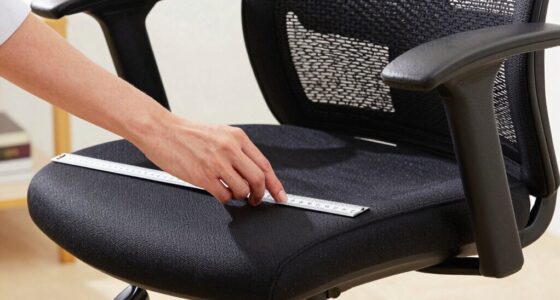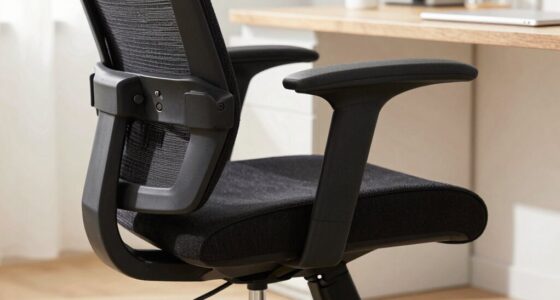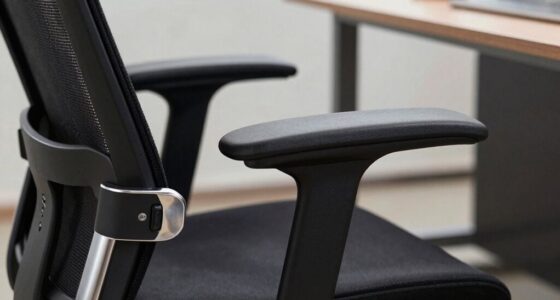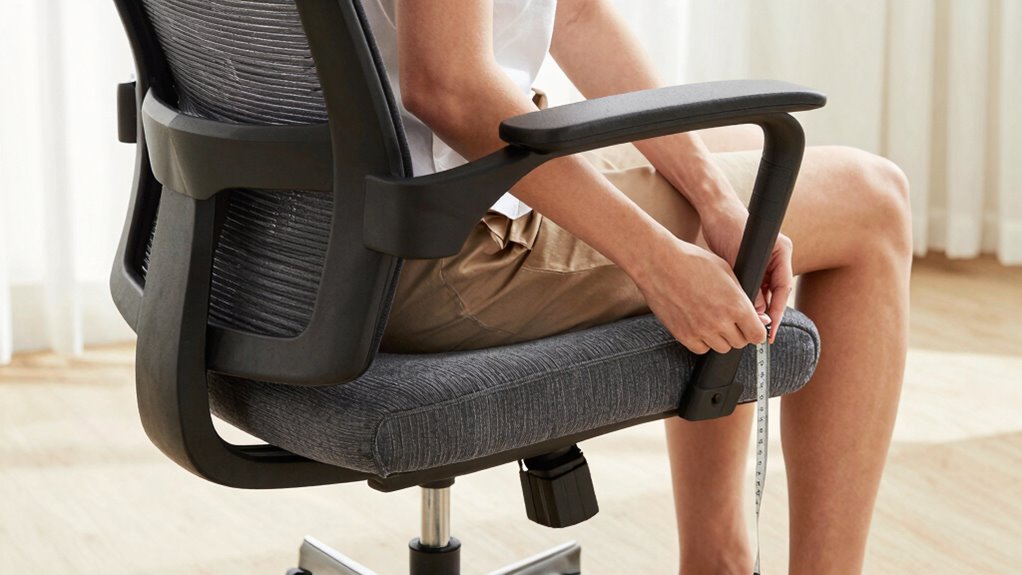

To measure your chair fit before buying online, start by sitting with your feet flat on the ground. Use a tape measure to find your seated height, hip width, and thigh depth. Measure your torso length from your seat to your shoulder blades. Check if the chair’s dimensions match your measurements, especially seat height, width, and lumbar support. Ensuring proper armrest height and adjustable features helps, and if you keep exploring, you’ll discover even more tips for a perfect fit.

Get comfort and recovery gear delivered free with Prime
- Fast, free delivery on millions of items
- Prime Video, Amazon Music and more included
- Member-only deals all year
Key Takeaways
- Measure seated height, hip width, thigh depth, and torso length while sitting with feet flat on the ground.
- Use a tape measure to ensure accurate, consistent measurements for seat and backrest dimensions.
- Compare your measurements to the chair’s specifications, focusing on seat height, width, depth, and lumbar support.
- Verify adjustable features like seat height and armrest position for a customized fit.
- Prioritize ergonomic support, ensuring the chair aligns with natural spine curves and promotes proper posture.
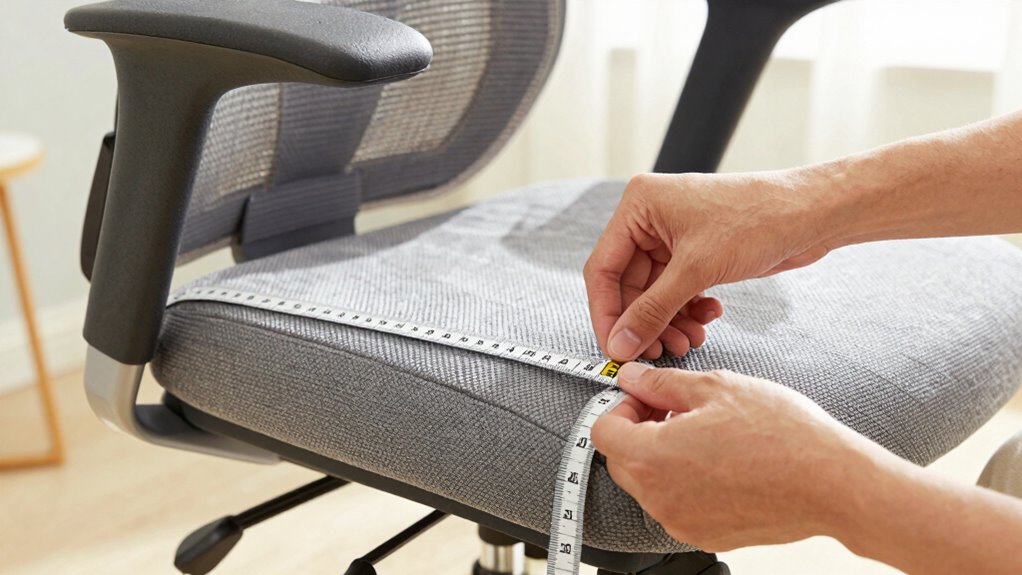
Buying a chair online can be tricky if you don’t know how to guarantee it’ll fit your body comfortably. The key to ensuring a good fit lies in understanding your body’s specific measurements and how they translate to the chair’s design. When shopping, focus on aspects that promote ergonomic posture, which is essential for long-term comfort and health. A well-fitted chair should support your natural spine curve and encourage proper alignment. To achieve this, pay close attention to the lumbar support, which is the curve in the lower back area. Adequate lumbar support helps reduce strain, prevents back pain, and promotes good posture, making it a crucial feature when choosing an office chair online.
Start by measuring your seated height, which is the distance from the floor to the top of your thighs when sitting. Use a ruler or tape measure, and sit in a chair with your feet flat on the ground. This measurement helps determine if the chair’s seat height is adjustable enough to keep your knees at a 90-degree angle, preventing pressure on your lower legs. Next, measure your hip width and thigh depth. Hip width is the distance across the widest part of your hips, and thigh depth is from the back of your pelvis to your knees. These measurements ensure the seat width and depth of the chair are appropriate, so you don’t feel cramped or unsupported.
Your torso length is also crucial, especially for evaluating whether the chair back will support your upper back and shoulders. Sit upright and measure from the seat to your shoulder blades. This helps you determine if the chair’s backrest will provide enough support for your entire back, especially in the lumbar region. When checking the lumbar support, see if the chair’s lower back curve matches the natural inward curve of your spine. If it’s adjustable, test whether you can position it to fit snugly against your lumbar area, promoting proper ergonomic posture. Additionally, considering ergonomic features and adjustable settings can enhance overall comfort and support during long working hours. Being aware of the body measurements that impact chair fit can further improve your selection process. It’s also helpful to compare these measurements with the chair specifications provided by the manufacturer to ensure a proper fit. Understanding the importance of proper fit can make your online purchase more successful and comfortable.
Finally, consider the armrest height and width, ensuring they allow your arms to rest comfortably without lifting your shoulders. When all these measurements align with the chair’s specifications, you’re more likely to find a model that supports your body’s natural shape. Taking the time to measure and compare will help you avoid discomfort and invest in a chair that promotes healthy, ergonomic posture, even when shopping online.
ergonomic office chair with adjustable lumbar support
As an affiliate, we earn on qualifying purchases.
As an affiliate, we earn on qualifying purchases.
Frequently Asked Questions
How Do I Measure My Back Curvature for Ergonomic Comfort?
To measure your back curvature for ergonomic comfort, start with a posture assessment while seated. Use a mirror or ask someone to observe your spine’s natural curve. Focus on your lumbar support needs, guaranteeing the chair aligns with your lower back’s natural inward curve. You can also measure your lumbar curvature with a flexible measuring tape along your lower back. This guarantees proper support, reducing strain and improving comfort.
What Tools Are Best for Measuring Seat Depth Accurately?
Measuring seat depth accurately is like carving a perfect sculpture—you need the right tools. Use a flexible measuring tape, guaranteeing it contours smoothly from the backrest to the edge of the seat. Choose a tape with clear markings for precision. When selecting your chair, consider material durability for long-lasting comfort and color options that match your style. Proper measurement ensures your seat supports you well, making your workspace both functional and visually appealing.
How Do I Determine the Ideal Armrest Height?
To determine the ideal armrest height, sit comfortably with your shoulders relaxed and elbows bent at about 90 degrees. Adjust the armrests so they support your forearms without raising or lowering your shoulders, promoting ergonomic posture. Proper armrest height reduces strain on your shoulders and neck, making your seating more comfortable. Make sure the armrests align with your desk height for maximum support and to maintain ergonomic health.
Can I Use My Existing Chair Measurements for Online Purchase?
Yes, you can use your existing chair measurements as a starting point, like tracing the outline of a familiar map. But remember, color preferences and material options are your new compass for comfort and style in online shopping. Measure carefully, considering your height, armrest height, and seat depth, then compare these to the product details. This way, you’ll navigate toward a chair that fits your needs perfectly.
How Do I Account for Different Chair Styles When Measuring?
To account for different chair styles, you need to take into account material differences and style variations. Measure your existing chair’s seat height, depth, and width, then compare these with the new chair’s specifications, adjusting for style. For example, a lounge chair may have different proportions than an ergonomic office chair. Keep in mind that different materials can also affect comfort and fit, so prioritize style-specific features during measurement.
office chair with customizable seat height and armrests
As an affiliate, we earn on qualifying purchases.
As an affiliate, we earn on qualifying purchases.
Conclusion
By taking precise measurements and paying attention to your body’s unique needs, you guarantee your new chair becomes your perfect sanctuary, not a source of discomfort. Don’t settle for anything less than absolute comfort—your happiness and health depend on it. Think of your ideal chair as a loyal companion, transforming your daily routines into moments of pure bliss. Measure wisely, choose confidently, and experience the chair that feels like it was made just for you.
ergonomic mesh chair for proper posture
As an affiliate, we earn on qualifying purchases.
As an affiliate, we earn on qualifying purchases.
As an affiliate, we earn on qualifying purchases.
Fall Picks
fall essentials
As an affiliate, we earn on qualifying purchases.