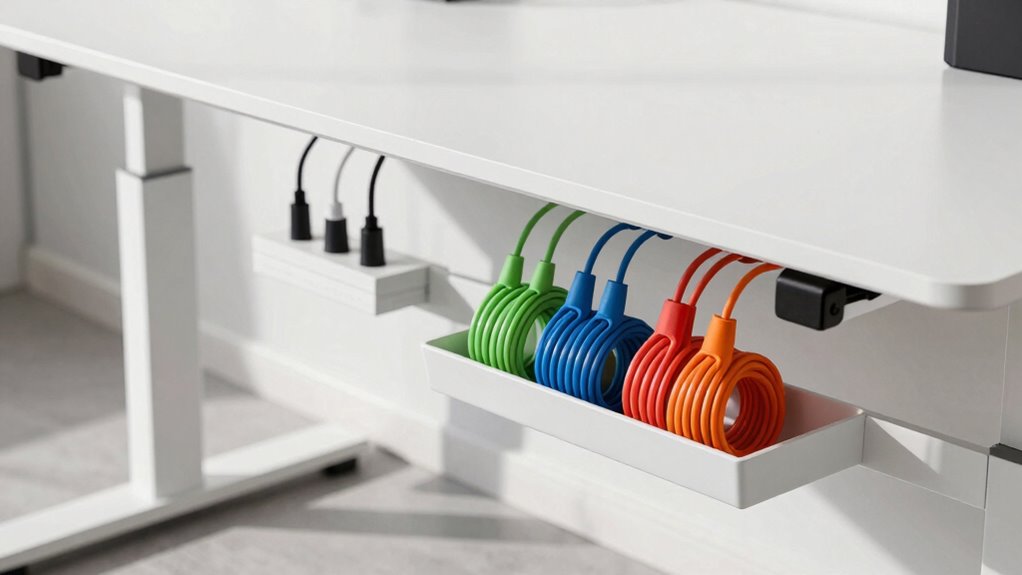

Before buying a standing desk, assess your device needs and consider wireless options to reduce cables. Look for desks with built-in cable management features like channels or grommets, and plan for accessories like cable clips or sleeves to keep cords tidy. Think about placement of power strips and how you’ll route cables to prevent clutter and hazards. Focusing on these details now helps create a safe, organized workspace—if you keep exploring, you’ll find even more tips to optimize your setup.
Key Takeaways
- Evaluate your device types and choose wireless options to minimize cable clutter from the start.
- Check if the standing desk has built-in cable management features like channels and grommets.
- Plan cable routes and lengths to keep cords organized, safe, and easily accessible.
- Select accessories such as cable clips and Velcro strips for flexible, tidy arrangements.
- Position power outlets and strips strategically to ensure safety and reduce visible cable mess.
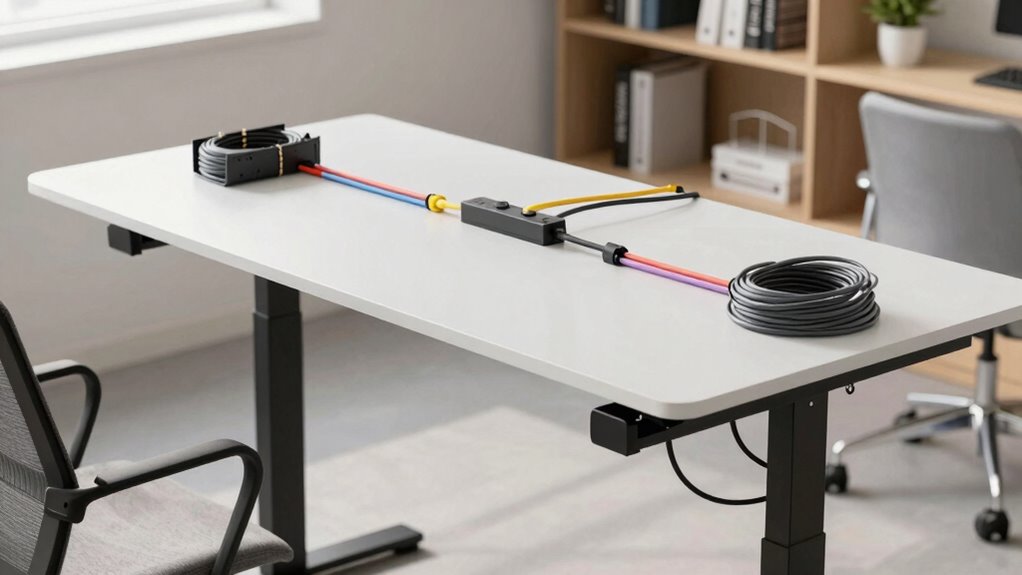
Before you invest in a standing desk, it’s vital to plan how you’ll manage your cables. Proper cable management not only keeps your workspace tidy but also guarantees safety and efficiency. Start by evaluating the devices you’ll connect to your desk—laptops, monitors, chargers, and other accessories. Consider whether you’ll use wireless alternatives for some devices, which can considerably reduce the clutter of cables. Wireless keyboards and mice, for example, eliminate the need for extra cords and make your setup more flexible. If you rely on wired connections, think about the length and placement of cables to prevent tangling and tripping hazards.
Plan your device connections and consider wireless options to keep your workspace safe and clutter-free.
Next, look into ergonomic accessories that can help streamline your cable setup. Cable clips, sleeves, and raceways are inexpensive tools that keep cords organized along the edges or underneath your desk. These accessories help prevent cables from dangling, which can interfere with your movement and cause wear over time. Position power strips strategically—ideally mounted underneath the desk or along the back edge—to keep outlets accessible but out of sight. This not only reduces visual clutter but also makes plugging in devices easier without crawling under your desk each time.
When choosing your standing desk, consider models that offer built-in cable management features. Many desks now come with integrated channels or grommets designed to route cables neatly. If you opt for a desk without these features, plan to add external cable management accessories or DIY solutions. You might also want to invest in adjustable cable ties or Velcro strips; they’re reusable and allow you to easily reconfigure your setup as needed. Additionally, understanding biodiversity and sustainable practices can inspire eco-friendly choices in your workspace setup, such as selecting sustainable materials or recycling old cables and accessories. Incorporating eco-friendly workspace solutions can contribute positively to the environment while maintaining a clean workspace. Furthermore, choosing ergonomic accessories that promote healthy posture can enhance overall comfort during long working hours.
Another key aspect is planning your workspace layout. Keep frequently used devices within easy reach to minimize unnecessary cable movement. Use wireless alternatives where possible to cut down on the number of cords trailing across your workspace. This not only simplifies cable management but also makes it easier to move your desk or adjust your position without disconnecting everything. Additionally, consider cable length optimization as a crucial step, ensuring cables are just long enough to reach their destinations without excess slack, which can cause clutter or accidental disconnections. Remember, the goal is to create a clean, ergonomic environment that enhances productivity and safety.
wireless keyboard and mouse combo
As an affiliate, we earn on qualifying purchases.
As an affiliate, we earn on qualifying purchases.
Frequently Asked Questions
Can Cable Management Accessories Be Added After Purchasing the Desk?
Yes, you can add cable management accessories after purchasing your standing desk. You might consider wireless options to reduce clutter and ergonomic accessories like cable clips or sleeves to organize cords neatly. These additions help create a clean workspace and can be easily installed without needing to replace your desk. Upgrading your setup later allows you to customize your workspace for both comfort and efficiency.
What Are the Best Cable Types for Standing Desks?
The best cable types for standing desks feature good cable insulation to prevent damage and interference, especially for power cables. Opt for thick, flexible cables with durable insulation. Keep your power strip in a central, accessible location to minimize cable clutter and make adjustments easier. Using high-quality cables with proper insulation guarantees safety and longevity, while strategic power strip placement streamlines your workspace and enhances overall cable management.
How Much Space Should I Leave for Cable Routing?
You should leave at least 2-3 inches of space behind your standing desk for cable routing to prevent congestion. Consider using cable organizers or clips to optimize space and keep cords tidy. Adequate space for cable routing enhances ease of access for adjustments and maintenance, promoting better space optimization. Remember, leaving enough room helps avoid tangling and makes your workspace safer and more efficient.
Are There Eco-Friendly Cable Management Options Available?
Yes, eco-friendly cable management options are available. You can choose solutions made from sustainable materials like bamboo or recycled plastics, which reduce your environmental impact. Look for cable clips, sleeves, or trays that are recyclable or made from recycled materials. These options help you organize your cables effectively while supporting recycling initiatives, ensuring your workspace stays neat without compromising your commitment to sustainability.
How Do I Prevent Cable Damage Over Time?
To prevent cable damage over time, focus on proper cable organization by avoiding tight bends and excessive tension. Use cable clips or sleeves to keep cables neat and secure, reducing wear and tear. Regularly inspect your cables for signs of damage, and replace any frayed or worn ones promptly. Ensuring damage prevention through careful organization helps extend your cables’ lifespan and keeps your workspace safe and efficient.
As an affiliate, we earn on qualifying purchases.
Conclusion
By planning your cable management before buying your standing desk, you set yourself up for success. You reduce clutter, streamline your workspace, and prevent frustration. You create a clean environment that’s safe and functional. You simplify your setup, enhance your productivity, and enjoy a more comfortable working experience. So, think ahead, prepare your cables, and choose wisely—because a well-managed workspace isn’t just a goal, it’s a game-changer.
As an affiliate, we earn on qualifying purchases.
adjustable cable clips for desks
As an affiliate, we earn on qualifying purchases.
As an affiliate, we earn on qualifying purchases.