
TL;DR
The traditional edge of building your own AI workstation has faded. Today, prebuilt systems often offer faster deployment, validated thermal management, and better support — especially with supply shortages and rising component prices. Decide based on your need for speed, control, and budget.
If you’re eyeing an AI workstation, the question isn’t just about hardware anymore. It’s about what you get — speed, control, cost, and risk.
For years, building was the clear winner on price. But recent supply chain shocks and skyrocketing component prices have flipped the script. Now, a prebuilt system can be just as cheap or even cheaper, with less hassle and more reliability.
This article helps you weigh the real tradeoffs — the time to deploy, total costs, and how much control you want over your machine. Whether you’re a hobbyist, startup, or enterprise, understanding these shifts will help you make a smarter choice in 2026. Learn more about building versus buying AI workstations.
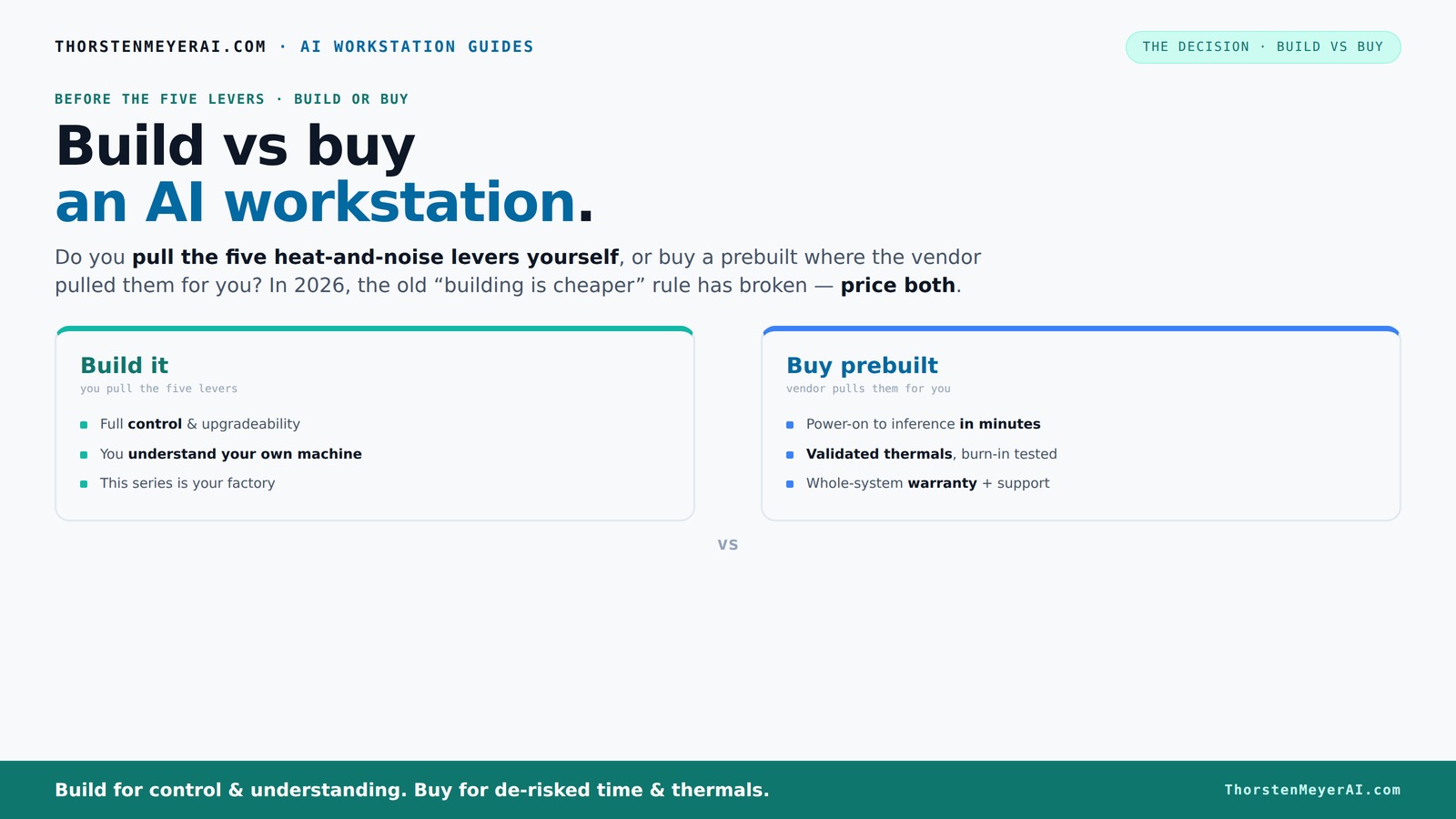
Build vs buy
an AI workstation.
The real question behind this whole series: do you pull the five heat-and-noise levers yourself, or buy a prebuilt where the vendor pulled them for you? And in 2026, the old “building is cheaper” rule has broken. Match your situation in Part 3.
Key Takeaways
- Component shortages and rising prices make prebuilt AI workstations often more cost-effective than DIY setups in 2026. Explore build vs buy options for AI workstations.
- Fast deployment and validated thermals favor buying, especially for time-sensitive projects or multi-GPU systems.
- Building offers unmatched control, customization, and future upgradeability — ideal for specialized, research, or high-security needs.
- Hybrid models allow you to buy a reliable base and customize your workflows, balancing speed and control.
- Decide based on your priorities: speed and simplicity or control and differentiation.

WIWB Gaming PC Desktop Core I9-14900HX, RTX 5060 Ti 8G, 1TB NVME SSD
- Powerful Processor: Intel Core i9-14900HX with 24 Cores
- High-Performance Graphics: GeForce RTX 5060 Ti 8GB GDDR7
- Fast Memory & Storage: 16GB DDR5 RAM with 1TB NVMe SSD
As an affiliate, we earn on qualifying purchases.
As an affiliate, we earn on qualifying purchases.
Why the old 'build is cheaper' rule no longer applies
In 2026, building your own AI workstation isn’t automatically cheaper. Component shortages and price spikes have made DIY parts more costly than ever.
Once, you could assemble a rig for under $1,000. Today, similar setups often push $1,250 or more, thanks to rising prices for GPUs, RAM, and SSDs. Bulk buying by prebuilt vendors means they often pay less per component, passing savings to you. See why prebuilt systems can be more affordable.
In fact, some prebuilt systems now cost less than piecing together the same hardware yourself. For example, a preconfigured AI workstation with dual GPUs, 128GB RAM, and enterprise-grade cooling might cost around $4,000 from a vendor, while sourcing all components separately could easily total $4,500 or more, especially if you encounter delays or inflated prices during supply shortages. This shift means that the decision about build versus buy is now more about speed, reliability, and risk management rather than just upfront cost.
Understanding this economic shift is crucial because it challenges the traditional assumption that DIY always saves money. Instead, it’s now about whether you prioritize quick deployment, guaranteed performance, or the flexibility to customize. The increased costs and delays associated with sourcing individual components mean that building can sometimes become a more complex, time-consuming, and expensive process than simply purchasing a preconfigured system.
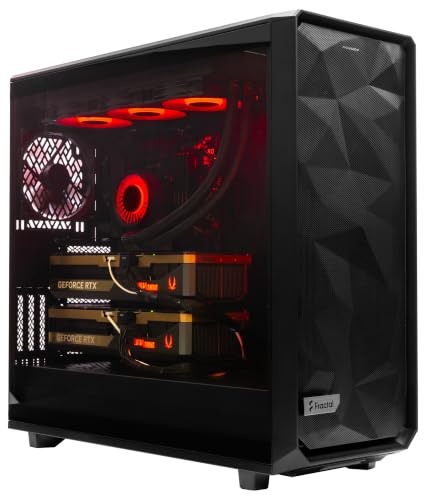
ArsenalPC MES2X Dual GPU AI Workstation - AMD Ryzen 9-9950X3D2 16 core 4.3GHz - Dual GPU GeForce RTX 5090-8TB (2x4TB RAID) NVMe SSD - 256GB DDR5-1600W - Windows 11 Pro - Liquid Cooled
- Processor: AMD Ryzen 9-9950X3D2 16-core 4.3GHz
- Memory: 256GB DDR5 RAM
- Graphics: Dual NVIDIA GeForce RTX 5090 64GB
As an affiliate, we earn on qualifying purchases.
As an affiliate, we earn on qualifying purchases.
Who really pulls the levers? Building versus buying in 2026
The core question: do you want to pull the five levers that control heat, noise, and stability? Or do you want the vendor to do it for you?
Imagine you’re setting up a high-performance AI system for a research lab. If you build it yourself, you choose each component—selecting a powerful GPU like the NVIDIA A100, custom cooling solutions, and tailored airflow paths. You spend days tuning fan curves and thermal settings, running stress tests, and adjusting configurations to ensure the system stays cool during long training sessions. This is akin to customizing a race car engine for peak performance—complex but precisely tailored to your needs.
Alternatively, if you buy a prebuilt system from a vendor like Lambda or Puget, they handle thermal tuning, fan curves, and validation before shipping. For example, their systems come with pre-optimized cooling setups that can handle sustained workloads, reducing your need for ongoing adjustments. It's similar to buying a high-end sports car that’s already finely tuned—saving you the hassle but offering less room for personalization.
If you build, you gain complete control over thermal performance, noise levels, and system stability—perfect if you need a customized setup for a unique workload or experimental setup. But it requires technical skills, ongoing maintenance, and time investment, like fine-tuning a sophisticated instrument.
Both options involve tradeoffs: buying reduces effort and risk but limits customization, while building offers maximum control at the expense of time, expertise, and maintenance. Recognizing these tradeoffs helps you decide whether you want to be hands-on or prefer a ready-to-run system. Explore how to choose the right AI workstation for your needs. Learn more about the build vs buy dilemma.

msi Aegis R2 AI Gaming Desktop: Intel Core Ultra 9 285, Geforce RTX 5070Ti, 32GB DDR5, 2TB M.2 NVMe SSD, Air Cooling, USB Type C, VR-Ready, Window 11 Home: C2NVR9-1452US
- Processor: Intel Core Ultra 9 285
- Design: Sleek, modern aesthetic
- Operating System: Windows 11 Home
As an affiliate, we earn on qualifying purchases.
As an affiliate, we earn on qualifying purchases.
When a prebuilt system makes sense in 2026
If your priority is quick deployment, a prebuilt AI workstation can be ready in days, not months. It arrives with the OS, drivers, and AI stack pre-installed, meaning you can start training or inference almost immediately.
Picture a startup needing to rapidly prototype models for a new product. Instead of waiting several weeks to source parts, assemble, and troubleshoot a custom build, they can order a preconfigured system from a vendor like Lambda, which arrives ready to use within a week. This rapid setup is especially valuable for teams working under tight project deadlines or lacking specialized hardware expertise.
Prebuilts also come with validated thermal management, ensuring the system remains cool under sustained high loads—crucial for AI training that often runs for hours. Support and warranty services further reduce operational risk. For instance, if a GPU fails during a training run, the vendor’s support team can quickly replace or repair the component, minimizing downtime. Discover prebuilt AI workstations with optimized thermal management.
High-end, multi-GPU workstations are particularly complex to tune manually. Vendors like Lambda or Puget invest heavily in optimizing cooling, power delivery, and noise reduction. For example, their systems might feature custom liquid cooling loops or advanced airflow designs, providing more reliable and quieter operation under load. This can be especially beneficial when deploying AI workloads that demand high GPU density and sustained performance, such as large language models or multi-model training scenarios.

MINISFORUM MS-S1 MAX Mini AI Workstation PC, AMD Ryzen AI Max+ 395 (16C/32T),RDNA3.5 GPU,64GB LPDDR5 2TB SSD Mini PC,Dual M.2 PCIe 4.0, PCIe x16 Slot, USB4 V2(80Gbps)& Dual 10GbE, 320W PSU,Wi-Fi 7
- High-Performance AMD Ryzen AI Max+ 395: 16C/32T CPU with RDNA 3.5 GPU and NPU
- Powerful AI Computing Capabilities: 126 TOPS system output for demanding AI tasks
- Large Unified Memory and Storage: 64GB LPDDR5x-8000MT/s and 2TB PCIe SSD
As an affiliate, we earn on qualifying purchases.
As an affiliate, we earn on qualifying purchases.
Frequently Asked Questions
Is it cheaper to buy a prebuilt AI workstation or build one?
In 2026, prebuilt systems can often match or beat DIY costs due to bulk buying and component shortages. Always price both options for your specific configuration before deciding.How much faster can a prebuilt system be deployed?
Prebuilts are typically ready in days, with OS and AI stacks pre-installed. Building your own can take weeks to months, depending on parts and setup complexity.What hidden costs come with building from scratch?
Building involves costs for your time, trial-and-error, troubleshooting, ongoing maintenance, and potential upgrade expenses. These can add up quickly compared to buying a validated system.Will a prebuilt workstation be powerful enough for my models?
Most prebuilt high-end workstations now include multiple GPUs, large RAM, and fast storage, suitable for demanding AI workloads. Check specs carefully to match your needs.How do I avoid vendor lock-in with a prebuilt?
Choose vendors who support flexible upgrade paths, open standards, and allow customizations. Many also offer hybrid options so you can adapt over time.Conclusion
In 2026, the question isn’t just about hardware — it’s about what fits your priorities for speed, control, and future-proofing. Buying a prebuilt often saves time, reduces risk, and offers validated performance, especially with the supply chain turbulence impacting costs.
If you crave complete control or have unique needs, building still makes sense — but be ready for the effort and expertise required. Either way, this shift means you should carefully weigh your goals before making a move.