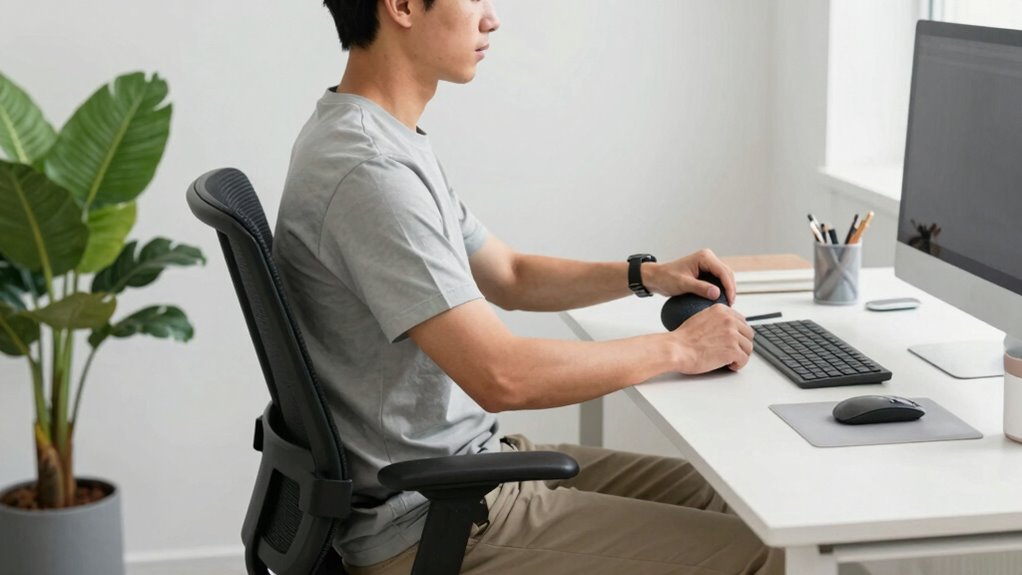

To really move the needle on your comfort and focus, focus on small, intentional ergonomic tweaks like keeping your monitor at eye level, supporting your lower back, and staying mindful of your posture through quick checks. Make sure your keyboard and mouse are close enough to avoid reaching, and use portable tools like adjustable stands if you’re on the go. These simple habits can make a big difference, and if you keep up with them, you’ll discover even more ways to stay comfortable throughout your busy day.

Get comfort and recovery gear delivered free — and shop member deals
- Fast, free delivery on millions of items
- Access to Prime Big Deal Days deals on October 6–7
- Prime Video, Amazon Music and more included
Key Takeaways
- Prioritize quick, regular posture checks to prevent strain without disrupting your workflow.
- Optimize your workstation with simple adjustments like monitor height and keyboard placement.
- Use portable ergonomic tools, such as adjustable laptop stands and travel mice, to maintain comfort on the go.
- Incorporate brief routine tweaks and reminders for consistent ergonomic habits.
- Focus on small, intentional changes that enhance focus, reduce fatigue, and improve overall comfort efficiently.
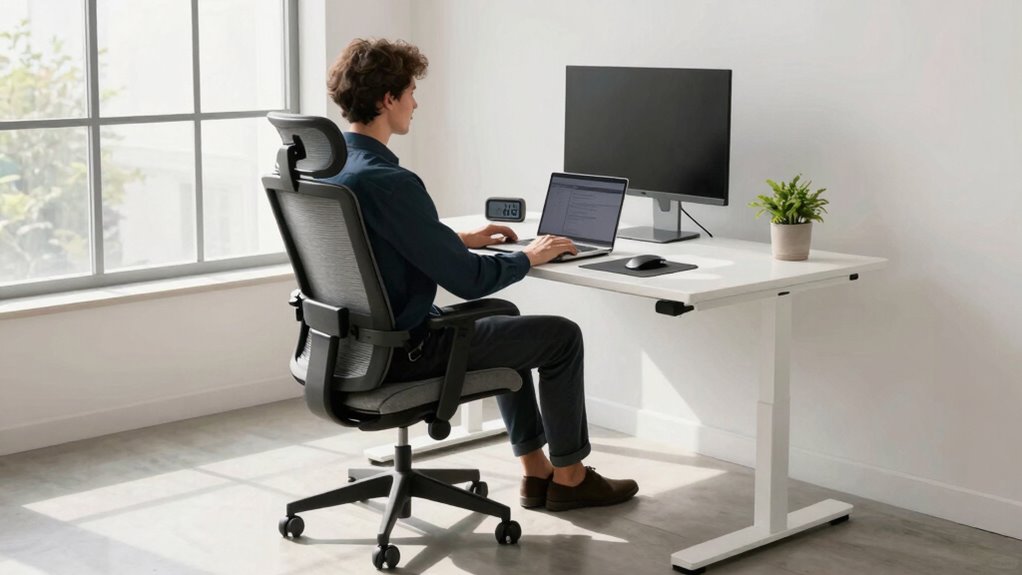
Are you constantly on the go and struggling to find time for proper ergonomic setups? If so, you’re not alone. Busy schedules often mean sacrificing ideal workspace conditions, but small changes can make a big difference. When it comes to ergonomics, focus on simple posture adjustments and optimizing your workstation setup. These tweaks are the most effective way to reduce fatigue, prevent discomfort, and boost productivity without demanding extra time or effort.
Start by paying attention to your posture. It’s tempting to hunch over your phone or lean forward at your desk, but maintaining a neutral spine is essential. Sit back in your chair with your lower back supported, keep your shoulders relaxed, and ensure your feet are flat on the floor or on a footrest. Adjust your chair height so your knees are roughly level with your hips. This may seem minor, but consistent posture adjustments prevent strain on your neck, back, and shoulders, even during short breaks. Making these micro-adjustments throughout the day trains your body to stay aligned and minimizes long-term discomfort.
Next, consider your workstation setup. The key is to position your monitor at eye level so you don’t strain your neck by looking down or up. If you use a laptop, invest in a stand or stack some books underneath it to elevate the screen. Keep your keyboard and mouse close enough so you don’t have to reach excessively, which can cause shoulder tension. Your wrists should be straight and relaxed, not bent unnaturally. For those who work on the go, portable ergonomic tools like adjustable laptop stands or ergonomic travel mice can be game changers. Even in tight spaces, small adjustments—like aligning your monitor with your eye line, keeping your keyboard at a comfortable height, and sitting with proper support—can significantly improve your ergonomic posture. Incorporating ergonomic principles into your workspace can further enhance comfort and efficiency. Additionally, being aware of ergonomic tools available can help you tailor your workspace to better suit your needs. Remember that understanding ergonomic fundamentals can help you make smarter choices about your setup and prevent common issues. Developing an awareness of ergonomic design can contribute to creating a healthier work environment over time.
The real secret is consistency. Incorporate quick posture checks into your routine—set reminders if needed—and make small workstation tweaks whenever possible. When you’re in a rush, it’s easy to neglect these details, but even brief attention to your posture and setup can stave off fatigue and discomfort. Remember, ergonomic improvements don’t have to be extensive or time-consuming. They’re about making smart, strategic adjustments that fit into your busy lifestyle. By doing so, you’ll not only feel better but also stay more focused and energized throughout your hectic day. Small, intentional posture adjustments and a mindful workstation setup are the moves that actually move the needle for busy people.
As an affiliate, we earn on qualifying purchases.
Frequently Asked Questions
How Quickly Can Ergonomic Changes Improve My Productivity?
You can see a productivity boost within days after implementing ergonomic changes. An ergonomic assessment quickly identifies issues, allowing you to make targeted adjustments to your workspace. Small tweaks, like proper chair height or monitor placement, often produce immediate comfort and efficiency improvements. The key is acting promptly on assessment recommendations, so you don’t wait long to experience the benefits of a more ergonomic setup.
Are There Cost-Effective Ergonomic Solutions for Small Offices?
Yes, there are cost-effective ergonomic solutions for small offices. You can invest in affordable solutions like adjustable chairs, keyboard risers, and footrests to enhance comfort without breaking the bank. Space-saving furniture, such as compact desks and wall-mounted storage, helps maximize limited space. These simple upgrades boost productivity and comfort, making your small office more efficient without significant expense.
How Do I Maintain Ergonomics While Working Remotely?
To maintain ergonomics while working remotely, focus on posture adjustments and workspace organization. Keep your monitor at eye level, sit with your back supported, and use a chair that promotes good posture. Arrange your workspace so everything you need is within reach, reducing strain. Take regular breaks to stretch, and stay mindful of your posture throughout the day. These simple steps help prevent discomfort and boost your productivity.
What Are Simple Stretches to Reduce Muscle Strain During Work?
You can reduce muscle strain during work by doing simple neck stretches, like gently tilting your head side to side and forward, to ease tension. Incorporate wrist exercises, such as rotating your wrists clockwise and counterclockwise or stretching your fingers, to prevent strain. Take short breaks every hour to stretch these areas. These quick moves keep your muscles relaxed, boost circulation, and help you stay comfortable throughout your busy workday.
Can Ergonomic Chairs Prevent Long-Term Back Problems?
A good ergonomic chair can prevent long-term back problems, and it’s like having a personal back protector. It offers essential lumbar support and encourages proper posture correction, reducing strain and discomfort. When you sit correctly, you’re less likely to develop chronic issues. Investing in the right ergonomic chair helps maintain your spinal health, so you can work comfortably for years to come without risking long-term back pain.
As an affiliate, we earn on qualifying purchases.
Conclusion
So, if you ignore these simple ergonomics tips, you might as well strap a rocket to your back and blast through your day with a shattered spine and endless fatigue! But if you take just a few minutes to optimize your workspace, you’ll release superhuman focus, skyrocket your productivity, and feel unstoppable—like you’ve got a secret weapon against burnout. Don’t wait for chaos to strike—make these small changes today and conquer your busy world with ease!
As an affiliate, we earn on qualifying purchases.
ergonomic keyboard and mouse set
As an affiliate, we earn on qualifying purchases.
As an affiliate, we earn on qualifying purchases.
Fall Picks
fall essentials
As an affiliate, we earn on qualifying purchases.