TL;DR

Get comfort and recovery gear delivered free with Prime
- Fast, free delivery on millions of items
- Prime Video, Amazon Music and more included
- Member-only deals all year
A blogger identified as Bosscher reports running a collection of lightweight self-hosted services on a $10 OpenStick, a small ARM device with 512 MB of RAM and 4 GB of storage. The setup runs Debian and includes DNS filtering, service monitoring, an RSS reader and other tools; performance, power use and the reported costs are the author’s account, not independent tests.
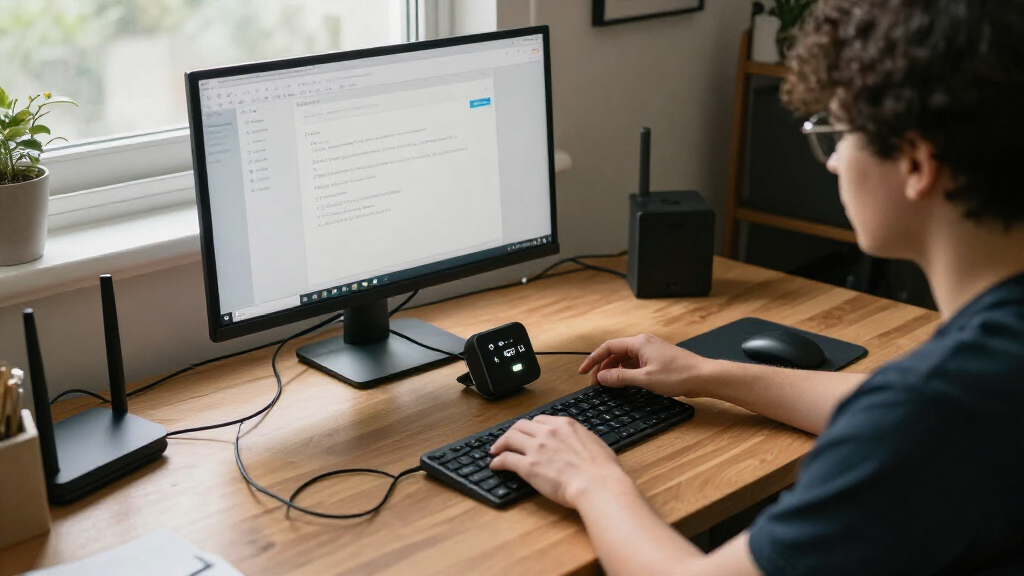
In a first-person report, blogger Bosscher describes using a $10 OpenStick as a quiet, low-cost homelab for running Debian-based services including DNS filtering, monitoring, an RSS reader and a bookmark archive. The account offers a practical example of how a low-spec device can support small self-hosting tasks, while its results and cost figures have not been independently verified.
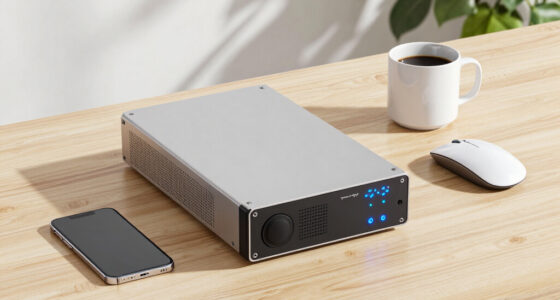
Bosscher says the device cost $10 including shipping and has 512 MB of RAM (about 450 MB usable), four 1 GHz ARM Cortex-A53 cores and 4 GB of eMMC storage. The report also lists Wi-Fi, a 4G modem, GPS and a programmable LED. Bosscher describes the unit as passively cooled and silent. Installation takes some work, the author says, but the device runs Debian, allowing services to be managed with tools such as systemd and Podman.
The listed applications are chosen for low resource use. Bosscher says an AdGuard Home fork uses about 40 MB of memory and reports that roughly 60% of DNS queries are blocked after adding blocklists. That percentage is the author’s observation; the report does not provide a measurement period or independent validation. The official AdGuard Home version is also mentioned, with the author cautioning readers against running binaries from untrusted sources.
Other services include Zeroclaw, an AI agent harness that Bosscher says uses about 3 MB of memory when idle; Cloudflare Tunnel, estimated at 8–20 MB; and Beszel, listed at about 20 MB for monitoring and alerts. The setup also includes Dozzle for viewing Podman logs, Gatus for checking whether services are available, Fusion for RSS reading at 22 MB, and Shiori for bookmarks and web-page archiving at roughly 10–20 MB. These figures are estimates from the post, not a controlled comparison or a guarantee that every service will use the same amount on another setup.
Small Hardware, Useful Services
The report matters to readers interested in self-hosting on a budget because it gives concrete examples of services that can fit within a device with limited memory and storage. Rather than requiring a larger server or a full monitoring stack, Bosscher describes selecting small applications for specific needs, from DNS-level blocking to service alerts and personal feeds.
There are trade-offs. The OpenStick’s 512 MB of RAM and 4 GB of storage constrain what it can run, and resource use can vary with settings, traffic and software updates. Bosscher calls the setup silent and low-power, but provides no measured power-consumption figures. The article is best read as one user’s configuration, not as a benchmark or a claim that the device suits every home-server workload.
The account also highlights security choices that matter when services are reachable remotely. Bosscher says Cloudflare Tunnel exposes services without opening ports, while acknowledging reliance on a third-party provider. The author also gives Zeroclaw access to the device, effectively a root shell, but says that access is limited to the OpenStick. Those choices illustrate risks readers would need to weigh before adopting a similar setup.
Products Worth Considering

Shark IQ Robot Self-Empty XL Robot Vacuum with Home Mapping, Self-Cleaning Brushroll, and Wi-Fi, Black

Levoit Vital 100 Air Purifier for Home Bedroom

Roborock Q7 M5+ Robot Vacuum and Mop with Self-Emptying Dock
As an affiliate, we earn on qualifying purchases.
From Novelty Device to Debian Server
Bosscher says the OpenStick was bought on a whim as a novelty, then became a small server after Debian was installed. The post presents it as an entry point to self-hosting, where users operate software on hardware they control rather than relying entirely on hosted services. The installation is described as involved, but the source does not provide a full installation guide or details about the operating system image and configuration.
The author compares Zeroclaw favorably with a previous experience running OpenClaw on a Kubernetes cluster, saying OpenClaw used more than 1 GB of memory and that updates and functionality changes caused problems. Bosscher says Zeroclaw better fits the tasks needed on the small device. This is an account of the author’s experience, not a broad technical comparison of the projects.
The services cover distinct jobs: AdGuard Home filters DNS requests, Beszel tracks host resources, Gatus checks service availability, and Dozzle provides a container-log interface. Fusion and Shiori handle reading and bookmarks. Together, the list shows how the device is used as a collection of small services, rather than for one demanding application.
“After adding a few blocklists, 60% of my queries are now blocked.”
— Bosscher, describing AdGuard Home
Limits of the Published Account
The source is a single user’s report, and it does not include independent testing, measured electricity use, network-performance results or long-term reliability data. It is also unclear how much free storage remains after installing Debian and all the listed services, or whether every service runs at the same time under typical workloads.
Several figures are approximate and configuration-dependent. The reported 60% DNS-blocking rate has no stated time window or comparison baseline, and the post does not establish that all blocked requests were harmful. The article also does not detail the OpenStick’s exact model or provide a complete setup and security audit. Readers should not treat the author’s software choices or remote-access arrangements as verified security recommendations.
Further Testing Would Clarify Fit
The post describes the current setup but does not announce a product launch, formal test or scheduled follow-up. Bosscher says a future Zeroclaw version may include richer Telegram message support, with the author’s proposed change tracked in a pull request; the source does not confirm when it will be released or whether it will be accepted.
For readers weighing a similar build, the next useful evidence would be measured power consumption, storage use, memory under load and reliability over time. Those results could show which services remain comfortable on the device as usage grows. Until then, the reported configuration is a personal example, and the exact performance will depend on hardware, software versions, settings and workload.
Key Questions
What is the OpenStick homelab in the report?
It is Bosscher’s $10 OpenStick, which the author says runs Debian and several self-hosted applications. The reported specifications include 512 MB of RAM, four 1 GHz ARM Cortex-A53 cores and 4 GB of eMMC storage.
Which services does Bosscher run on it?
The post lists AdGuard Home, Zeroclaw, Cloudflare Tunnel, Beszel, Dozzle, Gatus, Fusion and Shiori, among other tools. They are used for tasks such as DNS filtering, remote access, monitoring, container logs, service checks, RSS reading and bookmark archiving.
Are the memory figures independently tested?
No independent testing is provided in the source. The figures—including Zeroclaw at about 3 MB idle and Beszel at about 20 MB—are estimates reported by the author and may differ with configuration and workload.
Does the report show how much electricity the device uses?
No. Bosscher describes the setup as low-power and silent but gives no measured electricity-consumption figure. The source also does not provide a long-term reliability test.
Is the setup suitable for everyone?
The post presents one user’s configuration, not a universal recommendation. The device has limited memory and storage, and the author describes granting an AI agent root-level access to the OpenStick. Anyone considering a similar setup would need to weigh workload limits and security risks for themselves.
Source: blog.bosscher.ch