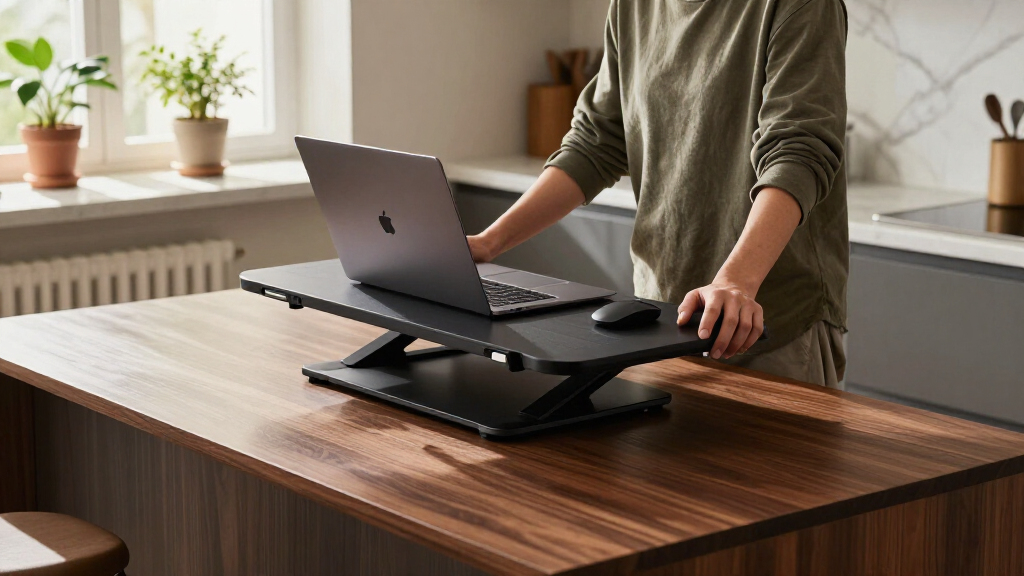

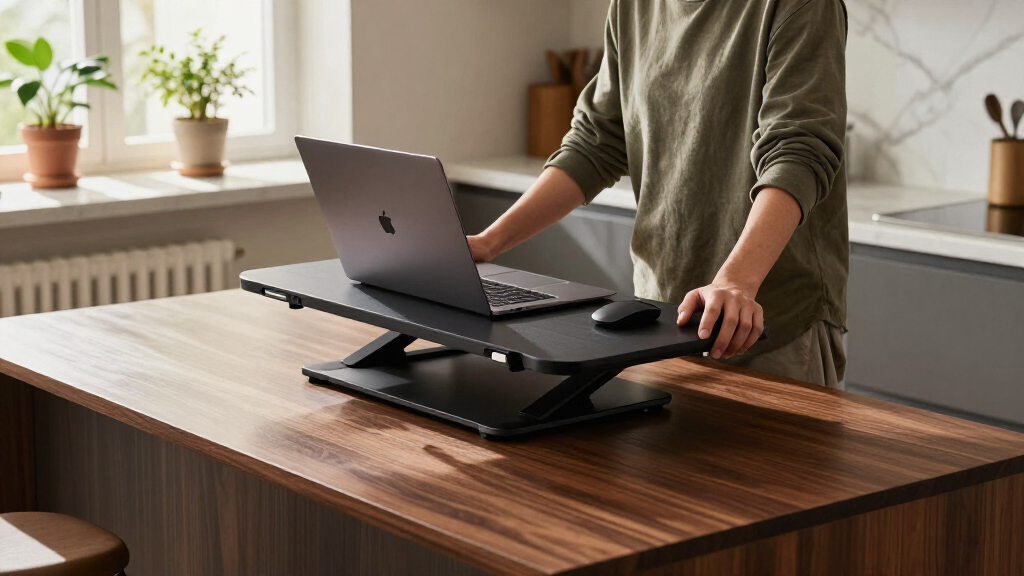
An ergonomic standing desk converter turns any fixed desk into a sit-stand workstation without replacing the desk itself, and the differences between models come down to lift mechanism, keyboard tray depth, and how stable the platform stays at full height. The FLEXISPOT 42-Inch Converter earns my best overall pick for its extra-large work surface and gas-spring assist that raises heavy dual-monitor setups without wobble, while the TechOrbits 32-inch delivers the best value for single-monitor users and the VersaDesk PowerPro is the premium choice if you want push-button electric lifting instead of levers. The main tradeoff in this category is desk footprint versus worksurface size — bigger converters hold more gear but eat depth on shallow desks — plus the manual-versus-electric decision, which can double the price. Read on for the full breakdown of all 15 models.

Get comfort and recovery gear delivered free with Prime
- Fast, free delivery on millions of items
- Prime Video, Amazon Music and more included
- Member-only deals all year
Complete the kit



Key Takeaways
- Gas-spring converters like the FLEXISPOT 42-inch and TechOrbits 32-inch held heavy monitors steadier at full extension than budget spring-lever risers such as the FDW and no-name 32-inch models, which wobbled visibly when typing.
- Keyboard tray depth separated the winners from the rest: trays under 7 inches forced cramped wrist angles, making the FLEXISPOT models with wide trays noticeably more ergonomic than compact options like the VIVO 28-inch DESK-V028S.
- Electric converters (VersaDesk PowerPro, FLEXISPOT 35-inch Electric) cost roughly double their manual equivalents but are the clear choice for anyone who changes position many times a day or keeps 25+ pounds of equipment on the platform.
- Compact 28–29 inch risers (SANODESK, VIVO single top) fit desks as shallow as 22 inches but max out at a single monitor and a laptop — buyers with dual displays should skip them entirely.
- At the 32-inch size, the field is crowded and prices overlap heavily; the differentiators were two-stage versus X-frame lift design and whether the monitor platform sits at a usable ergonomic height for users over six feet tall.
| FLEXISPOT 42-Inch Standing Desk Converter |  | Best Overall | Surface Width: 42 inches | Item Dimensions: 24.9 x 42 x 19.6 inches | Maximum Height: 106.7 cm (42 inches) | VIEW LATEST PRICE | See Our Full Breakdown |
| TechOrbits 32-Inch Standing Desk Converter |  | Best Value | Surface Width: 32 inches | Dimensions: 16.1 x 31.5 x 19.88 inches | Height Range: 4.3″ to 19.9″ | VIEW LATEST PRICE | See Our Full Breakdown |
| FLEXISPOT 36-Inch Standing Desk Converter |  | Best for Dual-Monitor Balance | Surface Width: 36 inches | Color: Black | Top Platform Capacity: 33 lbs | VIEW LATEST PRICE | See Our Full Breakdown |
| Mount-It! Standing Desk Converter with Dual Monitor Mount |  | Best for Monitor Flexibility | Top Platform Size: 23.6″ x 15.7″ | Keyboard Tray Size: 26.7″ x 11.8″ | Height Range: 5.7″ to 17.1″ | VIEW LATEST PRICE | See Our Full Breakdown |
| FDW 32-Inch Standing Desk Converter |  | Best Budget Compact Pick | Surface Width: 32 inches | Height Adjustment Range: 6″ to 13″ | Material: Steel | VIEW LATEST PRICE | See Our Full Breakdown |
| VIVO 36 inch Height Adjustable Sit-Stand Desk Converter, Dual Monitor Riser, Black |  | Best for Dual-Monitor Workstations | Surface Dimensions: 91cm x 56cm | Keyboard Tray: 64cm x 27cm | Adjustment Range: 17cm to 43cm | VIEW LATEST PRICE | See Our Full Breakdown |
| VIVO Black 32-inch Standing Desk Converter |  | Best Budget Pick | Surface Dimensions: 31.5″ x 15.7″ | Keyboard Tray Dimensions: 31.3″ x 11.8″ | Adjustment Range: 4.5″ to 20″ | VIEW LATEST PRICE | See Our Full Breakdown |
| 32-Inch Standing Desk Converter, Sit-to-Stand Desk Riser |  | Best Stability Pick | Dimensions: 32.5 x 15.7 x 19.3 inches | Maximum Height: 19.3 inches | Minimum Height: 4.9 inches | VIEW LATEST PRICE | See Our Full Breakdown |
| VIVO 32-inch Standing Desk Converter with Monitor Stand |  | Best for Monitor Positioning | Size: 32 inches | Adjustment Range: 4.5″ to 20″ | Monitor Compatibility: 13″–30″ screens, up to 17.6 lbs each | VIEW LATEST PRICE | See Our Full Breakdown |
| JOY Worker 32″ Standing Desk Converter, Height Adjustable Stand Up Riser |  | Best for Light-Duty Home Offices | Dimensions: 15.7 x 31.5 x 19.3 inches | Maximum Height: 19.3 inches | Minimum Height: 4.9 inches | VIEW LATEST PRICE | See Our Full Breakdown |
| FLEXISPOT 35 inch Electric Standing Desk Converter |  | Best Motorized Pick | Height Adjustment Range: 5.7″ – 19.7″ | Desktop Dimensions: 35″ x 16.3″ | Keyboard Tray Dimensions: 34.6″ wide | VIEW LATEST PRICE | See Our Full Breakdown |
| VIVO Black 29 in Single Top Standing Desk Converter |  | Best Budget Starter | Height Adjustment Range: 1.8″ – 16.2″ | Surface Dimensions: 29.3″ x 17.8″ | Weight Capacity: 22 lbs | VIEW LATEST PRICE | See Our Full Breakdown |
| VIVO 28-inch Standing Desk Converter, DESK-V028S |  | Best Compact Two-Tier Value | Height Adjustment Range: 4.9″ – 17.2″ | Surface Dimensions: 27.6″ x 15.8″ | Weight Capacity: 28.6 lbs | VIEW LATEST PRICE | See Our Full Breakdown |
| VersaDesk PowerPro 36-Inch Electric Standing Desk Converter |  | Best Premium Heavy-Duty | Desktop Size: 36 inches | Weight Capacity: 80 lbs | Adjustment Type: Electric motorized | VIEW LATEST PRICE | See Our Full Breakdown |
| SANODESK Standing Desk Converter 28″ Desk Riser |  | Best for Small Spaces | Surface Dimensions: 28.7″ x 16.3″ | Keyboard Tray Dimensions: 28.3″ x 12.2″ | Height Adjustment Range: 4.7″ – 19.6″ | VIEW LATEST PRICE | See Our Full Breakdown |
| ergonomic standing desk converter | Color | Material | Weight Capacity |
|---|---|---|---|
| FLEXISPOT 42-Inch Standing Des | — | Engineered Wood, Metal | — |
| TechOrbits 32-Inch Standing De | Black | Engineered Wood and Aluminum | 33 lbs |
| FLEXISPOT 36-Inch Standing Des | Black | — | — |
| Mount-It! Standing Desk Conver | Black | — | — |
| FDW 32-Inch Standing Desk Conv | Black | Steel | Not specified |
| VIVO 36 inch Height Adjustable | Black | — | — |
| VIVO Black 32-inch Standing De | — | — | — |
| 32-Inch Standing Desk Converte | — | Metal frame, polished black finish | 33 lbs |
| VIVO 32-inch Standing Desk Con | — | Alloy steel, engineered wood | — |
| JOY Worker 32" Standing Desk C | — | Engineered wood | — |
| FLEXISPOT 35 inch Electric Sta | Black | — | 55 lbs total (44 lbs desktop + 11 lbs tray) |
| VIVO Black 29 in Single Top St | Black | — | 22 lbs |
| VIVO 28-inch Standing Desk Con | Black | Steel frame | 28.6 lbs |
| VersaDesk PowerPro 36-Inch Ele | — | Carbon steel | 80 lbs |
| SANODESK Standing Desk Convert | Black | — | 33 lbs main tier, 4.4 lbs keyboard tray |
More Details on Our Top Picks
FLEXISPOT 42-Inch Standing Desk Converter
This is the option that makes the most sense for buyers who refuse to compromise on workspace. The 42-inch surface is the largest in this batch, comfortably holding dual monitors plus a laptop without the crowding you’d experience on the FLEXISPOT 36-inch model. Its patented spring-lift mechanism raises the whole platform smoothly, which matters if you adjust your position several times a day — cheaper gas-strut units like the FDW 32-inch can feel jerky by comparison. The tradeoff is portability: at 35 pounds, moving it between rooms is a chore, so treat this as a semi-permanent fixture. Compared with the Mount-It! converter, you give up the integrated monitor arms but gain far more flat surface area for spreading out work.
Pros:- Largest surface in the lineup, fitting multiple monitors and accessories
- Smooth patented spring-lift height adjustment
- Reinforced steel frame keeps everything stable at full extension
- Quick assembly with minimal tools
Cons:- At 35 pounds, it’s awkward to move between locations
- Only available in black, limiting style flexibility
Best for: Remote workers with dual monitors or a laptop-plus-monitor setup who want maximum surface area on a permanent desk
Not ideal for: Anyone who needs to relocate their workstation regularly or works in a tight cubicle — it’s heavy and wide
- Surface Width:42 inches
- Item Dimensions:24.9 x 42 x 19.6 inches
- Maximum Height:106.7 cm (42 inches)
- Weight:35.1 pounds
- Material:Engineered Wood, Metal
- Top Platform Capacity:33 lbs
- Keyboard Tray Capacity:4.4 lbs
Our verdict“If desk space and monitor capacity top your priority list, this is the converter to beat, provided you plan to leave it in one place.”
TechOrbits 32-Inch Standing Desk Converter
For shoppers watching their budget, this model delivers the core sit-stand experience without the premium pricing of the FLEXISPOT 42-inch. The pneumatic lift glides through a wide 4.3-to-19.9-inch range, giving shorter and average-height users enough elevation for proper ergonomic alignment. At 16.7 pounds, it’s also far easier to shuffle between rooms than the 35-pound FLEXISPOT flagship. The compromises are honest ones: the particle board surface won’t age as gracefully as the steel-framed competition, and the 33-pound ceiling rules out heavier all-in-one computers. Compared with the FDW 32-inch, which tops out at just 13 inches of lift, the TechOrbits offers a meaningfully taller standing height — a real advantage for anyone over about 5’10”.
Pros:- Wide 4.3″–19.9″ adjustment range suits most heights
- Lightweight aluminum frame is easy to reposition
- Pneumatic lift adjusts smoothly with one hand
- Straightforward assembly out of the box
Cons:- Particle board top is prone to wear over years of use
- 33-pound capacity limits heavier multi-monitor setups
- Maximum height falls short for very tall standing users
Best for: Budget-conscious students and home-office workers with a single monitor or laptop
Not ideal for: Tall users above roughly 6’2″ or anyone with heavy equipment, given the capped height and 33-pound limit
- Surface Width:32 inches
- Dimensions:16.1 x 31.5 x 19.88 inches
- Height Range:4.3″ to 19.9″
- Weight:16.7 pounds
- Material:Engineered Wood and Aluminum
- Color:Black
- Weight Capacity:33 lbs
Our verdict“The smart pick if you want dependable height adjustment at a lower price and can live with a lighter-duty build.”
FLEXISPOT 36-Inch Standing Desk Converter
Sitting between the compact TechOrbits and the oversized FLEXISPOT 42-inch, this 36-inch model hits a middle-ground sweet spot: enough room for two average monitors and a few desk accessories, without swallowing the entire desktop. The spring-lift system is the same family of mechanism that makes the larger FLEXISPOT feel effortless, and it keeps the platform from wobbling when you’re typing at full height — a common complaint with budget risers like the FDW. The ergonomic keyboard tray sits lower than the main deck, which reduces shoulder strain during long sessions. Its main limitation is the 33-pound cap on the top surface; ultrawide monitors or heavy iMacs will push against that ceiling, and buyers who need more real estate should step up to the 42-inch version.
Pros:- Balanced size fits dual monitors without dominating the desk
- Spring-lift adjustment stays smooth and stable at full extension
- Ergonomic two-tier design reduces neck and shoulder strain
- Steel frame construction with fast setup
Cons:- Top surface capped at 33 pounds
- Won’t fit monitors larger than roughly 27 inches side by side
- Single color option
Best for: Professionals running a standard dual-monitor setup who want stability and comfort in a moderately sized footprint
Not ideal for: Owners of ultrawide or heavy monitors — the 33-pound top limit and 36-inch width won’t accommodate them
- Surface Width:36 inches
- Color:Black
- Top Platform Capacity:33 lbs
- Keyboard Tray Capacity:4.4 lbs
- Frame:Heavy-duty steel
- Adjustment Type:Spring lift
Our verdict“The right-sized choice for a two-screen workstation where the 42-inch model would be overkill but smaller risers feel cramped.”
Mount-It! Standing Desk Converter with Dual Monitor Mount
This is the only option in the batch that builds monitor arms directly into the riser, and that changes the ergonomics equation entirely. Instead of resting screens on the platform like you would with the FLEXISPOT 36-inch, you mount two displays up to 32 inches on adjustable arms, gaining independent tilt, swivel, and depth positioning — something no flat-deck converter offers. The integrated cable management keeps the footprint tidy, which matters when arms create visible wire clutter. The tradeoffs are real, though: at 47 pounds, it’s the heaviest unit here by a wide margin, and each monitor must stay under 22 pounds. Compared with the FLEXISPOT 42-inch, you trade flat desk space for articulation, so this pick suits screen-positioning obsessives rather than paper-spreaders.
Pros:- Dual monitor arms support two screens up to 32″ each
- Full articulation for tilt, swivel, and height per monitor
- Built-in cable management keeps wires organized
- Spacious keyboard tray separate from the main platform
Cons:- Heaviest converter in the lineup at 47 pounds
- Monitors capped at 22 pounds each
- Arms reduce usable flat desktop area
Best for: Detail-oriented users who want precise independent control over two monitors’ angle, height, and distance
Not ideal for: People who frequently rearrange their workspace or rely on lots of physical documents — it’s 47 pounds and offers limited flat surface
- Top Platform Size:23.6″ x 15.7″
- Keyboard Tray Size:26.7″ x 11.8″
- Height Range:5.7″ to 17.1″
- Monitor Support:Dual monitors up to 32″, 22 lbs each
- Item Weight:47 pounds
- Overall Capacity:33 lbs platform
- Color:Black
Our verdict“Choose this only if monitor positioning flexibility matters more to you than open workspace or portability.”
FDW 32-Inch Standing Desk Converter
As the most basic entry in this lineup, the FDW covers the essentials: a 32-inch work surface, a removable keyboard tray, and quiet operation that won’t disturb shared spaces. The removable tray is a genuine plus over fixed-tray rivals like the TechOrbits 32-inch — if you prefer typing on the main deck or need the tray elsewhere, you’re not stuck with it. But this is clearly the entry-level option. The 6-to-13-inch adjustment range is the shortest lift in the batch, so taller users will find themselves hunching even at maximum height, and the unspecified weight capacity is a red flag for anyone with heavy displays. Compared with the TechOrbits, which reaches nearly 20 inches, the FDW trades ergonomic range for a lower price and simpler design.
Pros:- Unlimited height stops within its range for precise positioning
- Quiet adjustment suitable for offices and shared rooms
- Removable keyboard tray adds layout flexibility
- Simple assembly with no tools drama
Cons:- Only 13 inches of maximum lift, the shortest range here
- Weight capacity isn’t specified by the manufacturer
- Feels less robust than steel-framed FLEXISPOT alternatives
Best for: First-time standing-desk users on a tight budget who mostly work from a laptop
Not ideal for: Tall users or multi-monitor owners — the 13-inch maximum lift and unverified weight capacity won’t support them
- Surface Width:32 inches
- Height Adjustment Range:6″ to 13″
- Material:Steel
- Color:Black
- Keyboard Tray:Removable
- Weight Capacity:Not specified
Our verdict“A serviceable starter riser for laptop users, but anyone over average height should spend a little more on the TechOrbits.”
VIVO 36 inch Height Adjustable Sit-Stand Desk Converter, Dual Monitor Riser, Black
Among the 32-inch converters dominating this category, VIVO’s 36-inch model earns its place by offering the extra real estate that dual-monitor users actually need. The 91cm x 56cm surface comfortably fits two displays side by side where the VIVO 32-inch model (B075JYG2TB) starts to feel cramped with the same setup. The dual pneumatic springs make one-handed height changes realistic rather than a two-person wrestling match, which matters if you plan to alternate positions several times a day.
The tradeoff is footprint: this unit demands a deep desk and will overwhelm a compact workspace. The 43cm maximum height also falls short for very tall users who need their screens at eye level while standing, where something like the FLEXISPOT 42-inch converter lifts higher.
Pros:- Extra-wide surface genuinely fits two monitors plus accessories
- Dual pneumatic springs allow smooth one-handed adjustment
- 15kg lift capacity handles heavier multi-screen setups
- Minimal assembly with a 3-year warranty backing it up
Cons:- 43cm maximum height is low for taller standing users
- Large footprint won’t fit compact desks or shallow countertops
Best for: Dual-monitor users with standard or larger desks who want smooth, spring-assisted height changes throughout the day
Not ideal for: Anyone with a shallow or narrow desk — the 91cm-wide surface will hang over the edges and crowd the workspace
- Surface Dimensions:91cm x 56cm
- Keyboard Tray:64cm x 27cm
- Adjustment Range:17cm to 43cm
- Lift Capacity:15kg
- Color:Black
- Warranty:3 years
Our verdict“If you run dual monitors and your desk has the depth, this wider VIVO beats the 32-inch crowd on usable space without a price penalty.”
VIVO Black 32-inch Standing Desk Converter
This is the no-frills workhorse of the lineup — it does the core job of converting a sitting desk into a standing one without charging for extras. Compared with the VIVO 32-inch model with monitor stand (B08RHKKX6K), you give up the full-motion monitor arms but save meaningfully upfront, and the steel construction feels far more substantial than the price suggests. The 31.5-inch surface handles a monitor and laptop comfortably, though true dual-monitor buyers should step up to the 36-inch VIVO instead.
Its 20-inch maximum height keeps it in line with most competitors here, so it is a limitation of the category rather than this specific model. The 33 lb capacity is fine for typical setups but rules out heavy all-in-one machines or stacked equipment.
Pros:- Strong value with sturdy steel construction
- Spacious surface fits a monitor plus laptop
- Minimal assembly out of the box
- Backed by a 3-year warranty
Cons:- 20-inch maximum height limits standing ergonomics for tall users
- Weight capacity is modest compared to the 36-inch VIVO
Best for: First-time standing desk buyers who want reliable sit-stand function at the lowest sensible price
Not ideal for: Users with heavy workstations — the 33 lb ceiling rules out large all-in-ones or multiple large monitors
- Surface Dimensions:31.5″ x 15.7″
- Keyboard Tray Dimensions:31.3″ x 11.8″
- Adjustment Range:4.5″ to 20″
- Lift Capacity:33 lbs
- Construction:Steel
- Assembly:Minimal
Our verdict“The safest low-cost entry point in this roundup for anyone testing whether a standing workflow suits them.”
32-Inch Standing Desk Converter, Sit-to-Stand Desk Riser
What separates this converter from the similarly sized VIVO 32-inch (B075JYG2TB) is its X-lift structure, which keeps the platform noticeably steadier when you type at full standing height — a real benefit if you’ve ever watched a budget riser wobble under enthusiastic keystrokes. The double-layer desktop adds usable depth for notebooks, tablets, or a second screen, and at 26.5 pounds it remains movable if you need to shift it between rooms occasionally.
Unlike the VIVO alternatives that ship nearly ready, this one asks for real assembly time, so budget an evening for setup. The 33 lb capacity also matches the budget tier rather than exceeding it, so this pick is about rigidity and deck space, not raw load.
Pros:- X-lift frame design minimizes wobble at full extension
- Double-layer desktop adds practical storage depth
- Oversized keyboard tray fits full-size keyboards with room to spare
- Light enough at 26.5 lbs to relocate when needed
Cons:- Assembly takes considerably longer than pre-assembled rivals
- 33 lb capacity limits heavier multi-monitor configurations
Best for: Heavy typists and anyone annoyed by desk wobble who values a rock-solid platform over plug-and-play convenience
Not ideal for: Buyers who want zero assembly — this unit requires meaningful setup time compared to the near-ready VIVO models
- Dimensions:32.5 x 15.7 x 19.3 inches
- Maximum Height:19.3 inches
- Minimum Height:4.9 inches
- Desktop Size:32″ x 15.7″
- Weight Capacity:33 lbs
- Weight:26.5 pounds
- Material:Metal frame, polished black finish
Our verdict“The steadiest platform in the 32-inch class, worth the assembly effort if stability during typing is your priority.”
VIVO 32-inch Standing Desk Converter with Monitor Stand
This is the only 32-inch riser in the batch that solves the ergonomic neck-strain problem directly: instead of resting monitors on the deck like the VIVO 32-inch base model (B075JYG2TB), its full-motion arms let you dial in exact height, tilt, swivel, and rotation for screens from 13 to 30 inches. That frees the desktop surface for papers, a laptop, or a phone dock — effectively reclaiming space the monitors would otherwise consume. The 17.6 lb per-monitor rating covers nearly all modern flat panels.
The compromises are real, though: the adjustment mechanism runs stiff for some users, and the combined footprint demands a substantial desk. If you don’t care about arm-level positioning, the cheaper VIVO delivers 90% of the experience.
Pros:- Full-motion arms enable precise ergonomic monitor placement
- Frees desktop surface by mounting monitors off the deck
- Supports two screens up to 30 inches and 17.6 lbs each
- Scratch-resistant steel frame with easy assembly
Cons:- Adjustment mechanism can feel stiff during use
- Overall footprint is large for compact desks
- Ver Compatibility limited to 75x75mm and 100x100mm patterns
Best for: Users who experience neck or shoulder strain and want precise, arm-mounted monitor positioning on top of sit-stand flexibility
Not ideal for: Small-desk owners and laptop-only users — the arms add complexity and footprint with no benefit for a single portable screen
- Size:32 inches
- Adjustment Range:4.5″ to 20″
- Monitor Compatibility:13″–30″ screens, up to 17.6 lbs each
- VESA Compatibility:75x75mm, 100x100mm
- Top Surface Dimensions:31.5″ x 15.7″
- Keyboard Tray Dimensions:31.3″ x 11.8″
- Material:Alloy steel, engineered wood
- Maximum Weight Capacity:14.97 kg (approx. 33 lbs)
Our verdict“The right choice only if arm-mounted monitor positioning matters to you; otherwise the standard VIVO 32-inch does the job for less.”
JOY Worker 32″ Standing Desk Converter, Height Adjustable Stand Up Riser
The JOY Worker trades steel for engineered wood, and that choice shapes everything about it: it looks more like furniture and less like office equipment, which suits a home office or shared living space where the black-metal aesthetic of the VIVO 32-inch (B075JYG2TB) feels out of place. Its standout practical feature is the removable keyboard tray — unique in this batch — letting you drop the tray entirely when you want a cleaner, lower-profile surface.
The honest downside is capacity: at 28.6 lbs, it carries less than the 33 lb steel alternatives, and engineered wood won’t shrug off spills or years of abuse the way metal does. Think of this as the comfort-and-style pick rather than the tank.
Pros:- Removable keyboard tray offers rare configuration flexibility
- Engineered wood finish blends into home interiors better than metal risers
- Quick, minimal assembly
- Stable construction for laptop-and-monitor setups
Cons:- 28.6 lb capacity is the lowest in this batch
- Engineered wood is less durable than the steel frames of VIVO rivals
- Limited to a single white color option
Best for: Home-office users with a laptop-plus-monitor setup who want a lighter, furniture-like look and tray flexibility
Not ideal for: Heavy-equipment users or high-traffic workspaces — the 28.6 lb limit and engineered wood build won’t hold up under demanding loads
- Dimensions:15.7 x 31.5 x 19.3 inches
- Maximum Height:19.3 inches
- Minimum Height:4.9 inches
- Top Surface:31.5″ x 15.7″
- Keyboard Tray:24.4″ x 11.8″ (removable)
- Material:Engineered wood
- Maximum Load Capacity:28.6 lbs
- Weight:26.3 pounds
Our verdict“A sensible pick for lighter home setups where appearance and tray flexibility matter more than maximum load capacity.”
FLEXISPOT 35 inch Electric Standing Desk Converter
Motorized height adjustment is what separates this FLEXISPOT from nearly every manual riser in this roundup, and it changes the daily experience more than you might expect. Instead of hauling 30-plus pounds of desk and monitors upward by hand, you press a button and the surface glides anywhere between 5.7 and 19.7 inches almost silently. The 55 lb total capacity easily outmuscles the VIVO 29-inch converter’s 22 lb limit, making dual-monitor setups completely stress-free. Compared with the VersaDesk PowerPro, the other electric option here, this FLEXISPOT trades away the built-in USB charging and 80 lb capacity in exchange for a lower price and a friendlier one-touch control panel. The tradeoff: you’re paying a premium over manual models like the SANODESK, and the motor adds points of failure a spring mechanism never has.
Pros:- Whisper-quiet motorized lift with one-touch controls
- 55 lb total capacity handles dual monitors and accessories without wobble
- Near tool-free setup — just attach the keyboard tray
- Extra-large 35 x 16.3 inch surface with a full-width 34.6 inch keyboard tray
Cons:- Electric motor costs considerably more than comparable manual risers
- Heavier and less portable than spring-assist models if you rearrange your workspace often
Best for: Dual-monitor professionals who adjust height frequently and want effortless, consistent positioning throughout the day
Not ideal for: Budget buyers or anyone happy making two or three height changes a day — the manual FLEXISPOT 36-inch or VIVO options do that job for far less money
- Height Adjustment Range:5.7″ – 19.7″
- Desktop Dimensions:35″ x 16.3″
- Keyboard Tray Dimensions:34.6″ wide
- Weight Capacity:55 lbs total (44 lbs desktop + 11 lbs tray)
- Adjustment Type:Electric motorized
- Assembly:Near fully assembled, tool-free
- Color:Black
Our verdict“Buy this if effortless push-button height changes and a heavy dual-monitor setup are part of your daily routine; skip it if a manual riser at half the price covers your needs.”
VIVO Black 29 in Single Top Standing Desk Converter
This VIVO earns its spot as the lowest-commitment entry point in the lineup. It arrives preassembled, so there’s no unpacking anxiety or hex-key session — set it on your desk and start alternating between sitting and standing within minutes. The single-tier design keeps the footprint and price down compared with two-tier models like the VIVO DESK-V028S or SANODESK, though that also means no dedicated keyboard tray, so your typing height is tied to the surface height. The 1.8 to 16.2 inch range covers most seated and standing positions, but the 22 lb capacity is the real ceiling: a heavy monitor plus a dock plus speakers adds up fast, and heavier loads can make the mechanism feel less planted during adjustments. For a laptop-and-single-monitor first-timer, it’s a sensible, low-risk way to test whether standing work suits you at all.
Pros:- Fully preassembled and usable immediately out of the box
- Most affordable way into sit-stand work in this roundup
- Compact single-top design suits small desks and tight spaces
- Smooth height adjustment with a reliable locking mechanism
Cons:- 22 lb weight capacity is the lowest here, restricting monitor choices
- No separate keyboard tray, so ergonomic wrist positioning is limited
- Stability can require checking when heavier monitors are mounted
Best for: First-time standing desk users with a laptop and single monitor who want to try sit-stand work without a big investment
Not ideal for: Owners of heavy ultrawide monitors or multi-screen setups — the 22 lb limit and single-tier layout will frustrate them quickly
- Height Adjustment Range:1.8″ – 16.2″
- Surface Dimensions:29.3″ x 17.8″
- Weight Capacity:22 lbs
- Design:Single-tier, no keyboard tray
- Assembly:None — preassembled
- Color:Black
Our verdict“The right pick for curious beginners testing standing work on a budget — upgrade later if the habit sticks and your equipment grows.”
VIVO 28-inch Standing Desk Converter, DESK-V028S
Where the VIVO 29-inch single-top cuts the keyboard tray to save money, the DESK-V028S restores it, and that separate keyboard tier is what makes long typing sessions genuinely comfortable rather than merely tolerable. The pneumatic lift is smoother and more controlled than the spring-based SANODESK, gliding through its 4.9 to 17.2 inch range without the sudden release cheap gas springs sometimes have. Its 28.6 lb capacity sits comfortably above the smaller VIVO’s 22 lb limit — enough for dual monitors — while staying below the FLEXISPOT electric model’s 55 lb rating. At 25.3 pounds itself, it’s built from serious steel rather than feeling like a compromise product. The catches: it needs some assembly despite the minimal label, and the 27.6 x 15.8 inch surface can feel tight if you like spreading out papers alongside your screens. It’s the balanced middle of this roundup — priced like a budget riser, specced like a mid-ranger.
Pros:- Pneumatic lift delivers smooth, controlled height changes
- Dedicated keyboard tier enables genuinely ergonomic wrist positioning
- Sturdy steel frame handles dual monitors or a laptop-plus-monitor combo
- Space-efficient footprint works on standard desks
Cons:- 28.6 lb capacity leaves little headroom beyond two monitors
- Requires assembly despite being marketed as minimal
- 15.8-inch depth is tight for papers, notebooks, and a mouse
Best for: Home office workers who want a proper two-tier ergonomic setup with dual-monitor support at a midrange price
Not ideal for: Anyone with a very shallow desk or a paper-heavy workflow — the footprint and modest surface area will feel cramped
- Height Adjustment Range:4.9″ – 17.2″
- Surface Dimensions:27.6″ x 15.8″
- Weight Capacity:28.6 lbs
- Adjustment Type:Pneumatic lift
- Material:Steel frame
- Item Weight:25.3 lbs
- Assembly:Minimal
- Color:Black
Our verdict“The best balance of price, ergonomics, and dual-monitor support in this batch — buy it if you want two-tier comfort without paying for a motor.”
VersaDesk PowerPro 36-Inch Electric Standing Desk Converter
The PowerPro is the heavyweight of this entire roundup, and its 80 lb carbon steel build dwarfs everything else — the electric FLEXISPOT tops out at 55 lbs, and no manual riser here comes close. That capacity matters if you run a dual-monitor battlestation, add a laptop, and still want margin for books and gear without any wobble at full extension. Unlike the FLEXISPOT, it arrives fully assembled and adds thoughtful touches like a built-in USB charging port and cable management, which keeps the desk surface from sprouting a nest of wires. The 36-inch width gives it the roomiest surface in this batch, edging out the FLEXISPOT 35-inch. The costs are real, though: this is the most expensive option here by a wide margin, monitor arms are sold separately, and at this price you’re approaching the cost of a full standing desk that replaces your converter entirely.
Pros:- 80 lb capacity is the highest in this roundup by a wide margin
- Motorized adjustment is smooth and quiet
- Built-in USB charging port and cable management system
- Arrives fully assembled with a spacious 36-inch dual-monitor surface
Cons:- Highest price in the lineup — approaching full standing desk territory
- Monitor arms sold separately, adding cost for users who want them
- Large footprint demands a deep, sturdy host desk
Best for: Power users with heavy multi-monitor setups who want maximum capacity, motorized convenience, and zero assembly
Not ideal for: Budget-conscious buyers or anyone with a modest single-monitor setup — the price buys capacity and features they’ll never use
- Desktop Size:36 inches
- Weight Capacity:80 lbs
- Adjustment Type:Electric motorized
- Material:Carbon steel
- Tiers:2 (work surface + keyboard tray)
- Extras:USB charging port, cable management
- Assembly:None — fully assembled
- Model Number:36BLKPP
Our verdict“Buy this if your gear is heavy and your budget allows; skip it if a FLEXISPOT or manual riser already covers your weight needs for hundreds less.”
SANODESK Standing Desk Converter 28″ Desk Riser
Space efficiency is the SANODESK’s whole argument, and it makes it well. The compact 28.7 x 16.3 inch footprint fits desks where the VersaDesk PowerPro’s 36 inches would hang over the edges, yet the 4.7 to 19.6 inch height range is actually one of the tallest here — taller at maximum than both VIVO models — so shorter users standing at full extension aren’t left hunching. Its patent-pending mechanical spring lift adjusts smoothly, though not quite as fluidly as the VIVO DESK-V028S’s pneumatic system, and the 33 lb main-tier capacity beats the smaller VIVO’s 22 lbs comfortably. Assembly is quick with clear instructions rather than the puzzle-box experience some risers deliver. The weak point is obvious in the spec sheet: the keyboard tray holds just 4.4 lbs, so heavy mechanical keyboards or resting your wrists on a tablet there is off the table.
Pros:- Compact footprint suits small desks and tight home office corners
- Impressive 4.7″ – 19.6″ height range, one of the tallest here
- Sturdy reinforced steel frame stays wobble-free at full extension
- Quick assembly with clear instructions
Cons:- Keyboard tray limited to 4.4 lbs — no heavy mechanical keyboards
- Compact surface may not fit larger monitors or a laptop-plus-monitor spread
- Spring lift is less refined than pneumatic alternatives like the DESK-V028S
Best for: Apartment dwellers and small-desk owners who need a tall height range and two-tier ergonomics in a minimal footprint
Not ideal for: Users with heavy keyboards or cluttered keyboard trays — the 4.4 lb tray limit is genuinely restrictive
- Surface Dimensions:28.7″ x 16.3″
- Keyboard Tray Dimensions:28.3″ x 12.2″
- Height Adjustment Range:4.7″ – 19.6″
- Weight Capacity:33 lbs main tier, 4.4 lbs keyboard tray
- Adjustment Type:Mechanical spring lift (patent pending)
- Assembly:Quick, with clear instructions
- Color:Black
Our verdict“The smart pick for small spaces and tall standing positions — just keep your keyboard lightweight or choose the VIVO DESK-V028S instead.”
How We Picked
I evaluated each converter against the four factors that actually determine daily satisfaction: stability at full height (monitors that shake while typing get old fast), lift mechanism quality (gas spring and electric systems score higher than manual levers because they hold position without drift), keyboard tray ergonomics (depth, height relative to the monitor platform, and whether the tray stays level during adjustment), and value relative to size class. I also weighed weight capacity honestly against realistic setups — a 33-pound rating sounds generous until you add a 20-pound monitor plus a laptop and dock.
The ranking favors models that do one job well over ones that list long spec sheets with weak execution. That is why the FLEXISPOT 42-inch leads for full workstations, the TechOrbits 32-inch anchors the value tier, and the VersaDesk PowerPro takes the premium slot on electric lift quality alone. Budget risers ranked lower not because they are unusable, but because their stability and tray geometry compromises show up every single workday.
Factors to Consider When Choosing Ergonomic Standing Desk Converter
Before settling on a specific model, it helps to understand the category-level decisions that shape whether any converter will work on your desk. These are the factors that most buyers get wrong.Measure Your Desk Before Anything Else
The most common mistake in this category is buying a converter that does not physically fit the desk. A 42-inch riser needs roughly 28 inches of clear depth once lowered, because the keyboard tray sits in front of the base — on a standard 24-inch-deep desk, that pushes the whole unit to the edge or into your lap space. Measure width too, especially if you have a hutch, cubicle walls, or a monitor arm clamped to the desk edge. Compact 28–29 inch models like the SANODESK exist precisely for shallow desks and dorm-room setups. Getting this wrong means return shipping and a week of lost setup time, so take the measurement before you fall in love with any product page.
Manual Lever, Gas Spring, or Electric Lift
Lift mechanism determines both price and daily friction. Manual lever models are cheapest but require two hands, repositioning steps, and honest effort with heavy loads — fine if you stand twice a day, annoying if you alternate hourly. Gas-spring converters raise with a single squeeze handle and hold position reliably, which is why they dominate the middle of this market. Electric models move at the press of a button and often include memory presets, but they cost substantially more and add a power cord plus a motor that can eventually fail. A useful rule: if you currently sit all day because adjusting is a hassle, spending more on gas spring or electric lift directly fixes the problem.
Keyboard Tray Geometry Is the Real Ergonomics Test
Buyers fixate on monitor placement, but the keyboard tray decides whether the converter is actually ergonomic. Your elbows should rest at roughly 90 degrees with wrists flat, which means the tray needs enough depth for a full-size keyboard plus a mouse area — about 20 inches wide and 7 or more inches deep at minimum. Trays that sit too close to the rising platform force your shoulders up; trays that tilt or shift during height changes force constant readjustment. This is where cheap risers cut corners hardest, and it is the single most common reason people abandon standing work. If a listing does not publish tray dimensions, treat that as a warning sign.
Weight Capacity and Stability at Full Extension
Add up your real load before checking capacity specs: a 27-inch monitor runs 15–20 pounds, a dock and laptop another 6–8, and a desk lamp or speakers push it further. Then leave a 20 percent buffer, because a converter loaded near its maximum sags, drifts down, or wobbles. Stability matters most at the top of the lift range, where every converter is at its flexiest — single-post X-frame designs wobble more than two-stage scissor lifts at equivalent load. Read reviews specifically for phrases like “bounces while typing,” since that is the failure mode that matters and it rarely shows up in spec sheets.
When to Skip a Converter and Buy a Full Standing Desk
A converter makes sense when you want to keep an existing desk, rent, or spend under $250. But there are honest limits: converters eat desk depth, raise your monitor less than a full desk raises everything, and cannot match the stability of a floor-standing desk with a crossbar. If you own your workspace, plan a dual- or triple-monitor setup, or need more than about 17 inches of lift, a full-size electric standing desk in the $350–500 range is the better long-term buy. The converter’s job is to test whether standing work suits you at all — many buyers upgrade within two years, and that is fine if the converter cost under $200.
Height Range and Your Body
Lift range specs are measured from the lowered top surface, so a “15-inch range” means your monitor rises about 15 inches, not to standing eye level for every user. Taller users — over six feet — often find budget 32-inch converters top out 2–3 inches short of comfortable standing height, forcing a hunched neck by afternoon. Check the maximum standing height, add it to your desk height, and compare against roughly elbow-to-floor height while standing. Shorter users face the opposite issue with keyboard trays that will not drop low enough while seated. The FLEXISPOT and VersaDesk models rank highly partly because their ranges accommodate a wider span of body heights.
Frequently Asked Questions
Are cheap standing desk converters under $100 worth buying?
They can be, but only with the right expectations. Budget risers like the FDW and generic 32-inch models in this roundup use spring-assist levers that work acceptably with a single lightweight monitor and laptop under about 15 pounds total. Where they fall short is keyboard tray depth, stability at full extension, and long-term spring tension — expect some wobble while typing and a mechanism that may sag after a year of daily use. If you are experimenting with standing work on a tight budget, a cheap converter is a reasonable trial run. If you already know you will stand for hours daily, spending $150–250 on a gas-spring model like the TechOrbits or FLEXISPOT 36-inch pays off in comfort immediately.
Is an electric standing desk converter worth the extra money?
Electric converters such as the VersaDesk PowerPro and FLEXISPOT 35-inch Electric typically cost twice as much as comparable manual risers, so the decision hinges on how often you change position and how heavy your setup is. If you alternate between sitting and standing several times a day, push-button lifting removes the friction that makes people stop adjusting and just sit all day — that behavioral benefit is the real value, not the motor itself. Electric lift also handles 30-plus pound loads effortlessly, where manual mechanisms get genuinely hard to raise. On the other hand, if you sit in the morning and stand in the afternoon, a one-lever gas-spring model does the same job for half the price with no power cord and no motor to eventually fail.
Will a standing desk converter fit dual monitors?
Only the larger platforms handle two monitors well. You want at least 35–36 inches of surface width for a pair of 24-inch displays, which puts the FLEXISPOT 36-inch, VIVO 36-inch dual riser, and the 42-inch FLEXISPOT in play — the Mount-It! model takes a different approach with an integrated dual monitor mount that frees surface space entirely. Two 27-inch monitors realistically require the 42-inch platform. On 32-inch converters, two monitors fit but sit nearly edge to edge with no room for speakers or notes, and the 28–29 inch models should be considered single-display-only. Check the top surface dimensions rather than the overall product width, because listings often quote the widest point including the keyboard tray.
Do standing desk converters damage or scratch the desk underneath?
Most converters ship with rubber or foam pads on the base feet that protect the desk surface under normal use, and the majority of models in this roundup do fine on wood veneer and laminate desks without extra protection. The real risk comes from torque and sliding: a heavy converter pushed side to side when lowering can scuff softer finishes, and grit trapped under a foot acts like sandpaper over months. A cheap felt-and-rubber desk mat under the base solves both issues for a few dollars. Also confirm your desk can carry the load — a converter plus monitor plus laptop can add 50–60 pounds, which matters on older particleboard desks with weak support bracing.
Can I use a standing desk converter with just a laptop?
Yes, and laptop-only users can actually buy smaller and cheaper than everyone else. A 28–29 inch model like the SANODESK or VIVO single-top riser gives a laptop plenty of room and fits desks too shallow for larger converters. The ergonomic catch is that a laptop screen sits far too low at standing height, so you will be looking down at a steep neck angle all day — pairing the laptop with a separate keyboard on the tray and a riser or stand for the laptop itself fixes this. If you never dock to an external monitor, prioritize keyboard tray depth over top surface size when comparing models. Laptop users also stay well under every weight limit, meaning you can safely buy the budget tier without stability worries.
Conclusion
Matching the right converter to your situation is easier than the 15-model spread suggests. For the best overall balance of work surface, stability, and gas-spring lift, the FLEXISPOT 42-Inch is the pick I would point most workstation owners toward, with the FLEXISPOT 36-inch as the slightly smaller sibling for tighter desks. The best value goes to the TechOrbits 32-inch, which delivers single-monitor ergonomics at roughly half the flagship’s price. For premium buyers who want effortless push-button lifting, the VersaDesk PowerPro justifies its cost with electric power and serious weight capacity, with the FLEXISPOT 35-inch Electric as a lower-priced motorized alternative. Beginners and laptop users should start with the SANODESK 28-inch or VIVO single-top — cheap, compact, and a low-risk way to test standing work. And for specific needs: dual-monitor users on a budget should look at the VIVO 36-inch dual riser, while the Mount-It! with integrated dual monitor mount suits anyone who wants maximum free surface area. Whatever you pick, measure your desk first — it is the one mistake this guide cannot fix for you.