TL;DR

Get comfort and recovery gear delivered free with Prime
- Fast, free delivery on millions of items
- Prime Video, Amazon Music and more included
- Member-only deals all year
Ergonomic laptop stands help elevate your screen to eye level, reducing neck and shoulder strain. The best ones combine adjustability, durability, and portability, making your workspace healthier and more comfortable.
Picture this: after hours hunched over your laptop, your neck feels stiff, and your shoulders ache. It’s a familiar scene for many remote workers and students. But what if a simple tool could change that?
Ergonomic laptop stands aren’t just for tech enthusiasts—they’re a game-changer for anyone spending hours at a screen. They help you position your laptop in a way that promotes better posture, reduces strain, and even boosts focus. In this article, you’ll discover what makes a stand truly ergonomic, explore recent innovations, and learn how to pick the right one for your setup.
Choose a stand with adjustable height and tilt to match your unique posture needs.
Prioritize durability and portability based on where and how often you work.
Recent models incorporate smart tech and eco-friendly materials, blending health benefits with sustainability.
Measure your workspace and work habits before buying—one size doesn’t fit all.
Pair your stand with proper desk setup: ergonomic keyboard, mouse, and monitor height.
What Makes an Ergonomic Laptop Stand Really Good?
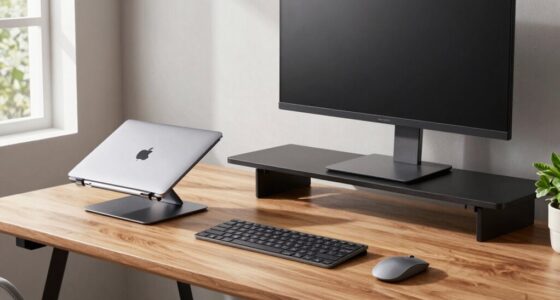
Think of an ergonomic laptop stand as your personal posture coach. It should let you raise your screen to eye level, tilt it for comfort, and keep your wrists neutral.
For example, a stand with multiple adjustable joints, like the Roost stand, lets you tweak height and angle precisely. This flexibility is crucial because it accommodates different body types, desk setups, and working positions, which vary widely among users. Without proper adjustability, you might still find yourself in awkward postures that cause discomfort over time. The ability to fine-tune your setup ensures sustained ergonomic benefits, reducing the risk of repetitive strain injuries.
Durability matters too. A stand made from aluminum feels solid and lasts longer, preventing wobbling or collapse that could compromise your posture. Lightweight options like plastic or carbon fiber stands are ideal for portability but must still maintain structural integrity. Choosing materials involves a tradeoff between weight and sturdiness, so consider your typical work environment and mobility needs. Remember: the best stands promote proper posture, are sturdy, and match your workspace’s style.
As an affiliate, we earn on qualifying purchases.
Why Adjustability and Flexibility Are Game Changers
Adjustability isn’t just a fancy feature. It’s the core of ergonomic design because human bodies and work environments are highly variable. A fixed-height stand might work well for one person but cause discomfort for another, especially if they have different chair heights or desk setups. This is where flexibility becomes essential, as it allows for personalized positioning that can adapt to changing needs throughout the day.
For instance, a 15-inch laptop on a fixed stand might be at the perfect height for a seated posture but disastrous if you switch to a standing desk or need to adjust for different tasks. An adjustable stand lets you set the optimal height—say, 18 inches for your eye line—ensuring your neck remains relaxed. This reduces the tendency to crane or hunch, which over time can lead to chronic pain.
Many modern stands boast features like multiple adjustable joints and spring-assisted mechanisms. These enable quick, effortless tweaks, making it easy to switch from sitting to standing or adjust for different tasks like typing or video calls. The key is that adjustability empowers you to maintain ergonomic principles in real-world scenarios, minimizing strain and maximizing comfort. According to ergonomic studies, proper monitor height can decrease neck flexion by up to 30%. That’s a significant reduction, directly translating into lower risk of neck stiffness, headaches, and long-term musculoskeletal issues, especially for those who spend many hours at their desks.
As an affiliate, we earn on qualifying purchases.
Comparison Table: Best Adjustable Laptop Stands of 2024
| Model | Adjustability | Weight | Material | Price Range |
|---|---|---|---|---|
| Roost | High (multiple joints) | 1 lb | Aluminum | $50-$80 |
| Nulaxy | Medium (height & tilt) | 2.2 lbs | Plastic & aluminum | $30-$50 |
| Rain Design mStand | Fixed (elevated) | 3.2 lbs | Aluminum | $70-$100 |
| VIVO | Full (height, tilt, rotation) | 4.4 lbs | Steel & plastic | $40-$60 |
This comparison shows that if you want precise, versatile adjustments, models like the Roost or VIVO are top choices. Budget options like Nulaxy still offer decent flexibility at a lower price. However, it’s important to consider that increased adjustability often comes with added complexity and sometimes higher cost. Striking a balance between ease of use, stability, and features ensures you get a stand that supports your ergonomic goals without unnecessary complication. The right choice depends on your specific needs—whether you prioritize maximum flexibility or a simple, reliable platform.
As an affiliate, we earn on qualifying purchases.
Latest Innovations in Ergonomic Laptop Stands
2024 has brought exciting new features to ergonomic stands. One trend is smart adjustments. Some stands now include sensors that detect your posture and remind you to sit straight. These intelligent features help reinforce ergonomic habits by providing real-time feedback, which can be especially useful for those prone to neglect posture during long work sessions. Furthermore, Bluetooth connectivity allows integration with apps that log your sitting and standing intervals, helping you develop healthier routines.
Another leap forward is the use of eco-friendly materials. Stands made from bamboo or recycled plastics are not only sustainable but also offer a sleek, modern aesthetic. These materials often have natural antimicrobial properties and are lighter yet durable, making them ideal for portable setups. Additionally, hybrid models that fold compactly while offering multiple adjustment points are increasing in popularity, providing portability without sacrificing ergonomic benefits. This means you can easily switch between different workspaces or carry your stand on the go, maintaining ergonomic standards wherever you are.
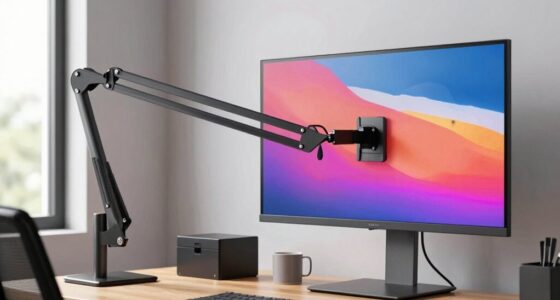
Finally, integration with external monitors and docking stations is making it easier to create a full ergonomic workstation—perfect for those working remotely or in shared spaces. Some stands now include adjustable platforms that align multiple screens at eye level, reducing visual fatigue and ensuring your entire workspace supports healthy posture. These innovations collectively aim to make ergonomic setups more accessible, intuitive, and adaptable to various work environments, ultimately promoting sustained comfort and productivity.
As an affiliate, we earn on qualifying purchases.
How to Pick the Perfect Stand for You
Here’s a simple step-by-step plan to find your ideal ergonomic stand:
- Measure your typical working height and eye level. Your screen should be roughly at eye level to prevent neck strain.
- Decide what features matter most. Is portability key? Do you need multiple adjustments? Or maybe cooling vents?
- Check compatibility with your laptop size. A 13-inch ultrabook needs a different platform than a 17-inch gaming laptop.
- Set a budget. There are good options from $30 to $150. Balance cost with features.
- Read reviews and see if the stand is sturdy, lightweight, and easy to adjust.
Understanding your specific work habits and environment is crucial. For example, if you frequently switch between sitting and standing, prioritize stands with quick, reliable adjustment mechanisms. If portability is essential, lightweight and foldable models will serve you best. Recognizing these needs helps avoid purchasing a stand that doesn’t fit your routine, which could lead to ergonomic compromises or frustration. Investing time in assessing your workspace and work style ensures you select a stand that truly enhances your comfort and health over the long term.
Creating a Work Setup That Keeps You Comfortable
Using a well-chosen ergonomic stand is just the start. Make sure your entire workspace supports good posture. Position your external keyboard and mouse at a height where your wrists stay straight, and your elbows are close to your sides.
Adjust your chair so your feet are flat on the floor, and your hips are level. Keep your monitor and stand at eye level, with a slight tilt if needed.
For example, a standing desk converter combined with a height-adjustable stand lets you switch between sitting and standing throughout the day, reducing fatigue and improving circulation. This flexibility is vital because static postures, even if ergonomic, can lead to discomfort over time. Incorporating movement and varied positions helps prevent musculoskeletal issues and keeps you alert.
Remember: your workspace should feel natural, not forced. Small changes, like adjusting your chair height or monitor angle, can make a significant difference in how you feel after hours of work. Creating a holistic ergonomic setup ensures that no single element causes strain, fostering sustained comfort and productivity.
Frequently Asked Questions
How do I know if my laptop stand is ergonomic enough?
Look for features like adjustable height, tilt, and sturdy build. The stand should allow you to position your screen at eye level and keep your wrists neutral. Testing it in your workspace is the best way to be sure.Can I use a regular stand for ergonomic benefits?
Not all regular stands promote good ergonomics. Many lack the adjustability needed for proper posture. Always choose a stand designed with ergonomic principles in mind.Are there risks with using adjustable stands?
If not used correctly, adjustable stands can cause strain—such as over-tilting or improper height. Take the time to set your stand properly and adjust it as needed for comfort.How do I maintain my stand’s stability and longevity?
Regularly check screws and joints, clean off dust, and avoid placing excessive weight on the platform. A sturdy, well-maintained stand will serve you better over time.Conclusion
Investing in an ergonomic laptop stand isn’t just about comfort—it’s a smart move for your long-term health. A well-chosen stand aligns your screen with your eyes, eases neck and shoulder tension, and even boosts your focus.
Think of it as giving your workspace a health boost. Small changes, like elevating your laptop, can turn hours of work into a more comfortable, productive experience. Why not start today?
Halloween Picks
halloween
As an affiliate, we earn on qualifying purchases.