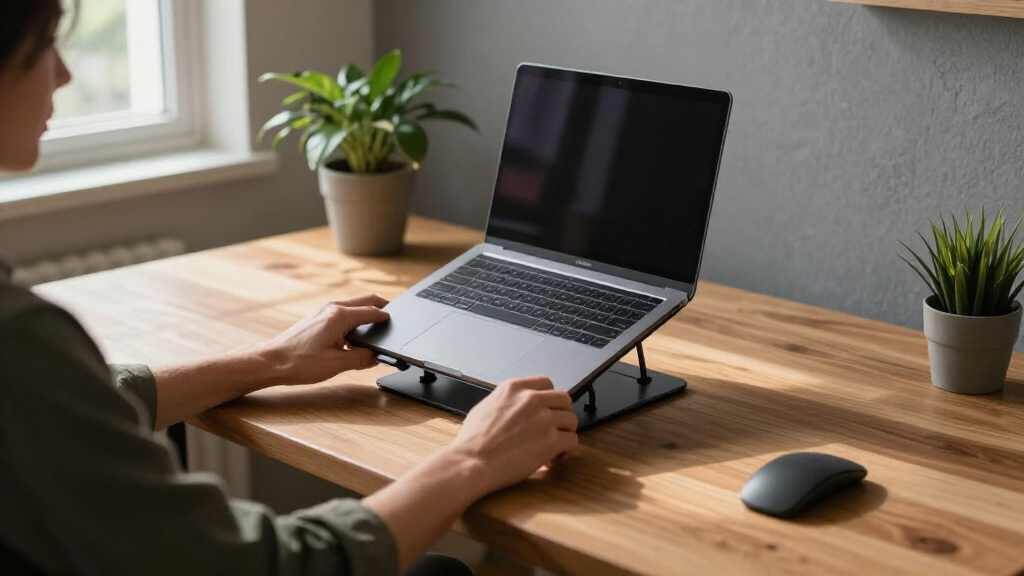

Ergonomic laptop stands solve one specific problem: raising your screen to eye level so your neck and shoulders stop paying for your workday. After comparing 12 popular models, the Lifelong Aluminum Adjustable Stand stands out as the best overall pick thanks to its extra-tall 20-inch height range and rock-solid aluminum build. For travelers, the Tounee Telescopic Stand with its 360° swivel base offers the best portability-to-flexibility ratio, while the Amazon Basics Adjustable Riser delivers surprising quality at a budget price. The main tradeoffs in this category come down to height range versus stability, foldability versus desk footprint, and whether a rotating base genuinely fits your workflow. Read on for the full breakdown of what each stand does well and who should skip it.

Get comfort and recovery gear delivered free with Prime
- Fast, free delivery on millions of items
- Prime Video, Amazon Music and more included
- Member-only deals all year
Complete the kit



Key Takeaways
- Height range was the biggest differentiator: only the amazon.com/dp/B08G3YGDJ1?tag=anulex-20&ascsubtag=dc-685459″ target=”_blank” rel=”nofollow sponsored noopener”>Lifelong Extra Tall (up to 20 inches) and the Tounee telescopic model could truly bring a laptop screen to eye level for taller users, while fixed-height options like the Besign LS03 fell short for anyone over about 5’10”.
- Rotating 360° bases came in two flavors — the Tounee’s base rotates the whole unit for easy screen sharing, while the Nulaxy and Riwuct rotatable models rotate only the top platform, which matters if you collaborate at your desk often.
- Foldable doesn’t always mean portable: the Nulaxy dual-foldable and Riwuct models collapse flat, but the Amazon Basics stand, despite its name, is bulkier folded than several full-size competitors.
- Aluminum construction with an open vent design (Lamicall, Besign, Lifelong) consistently ran cooler than metal risers with solid contact points — a real factor for thermally throttled laptops.
- The budget tier undercuts premium picks by $20-40 with only minor compromises, mostly in weight capacity and warranty support, making the Amazon Basics and generic metal risers the value plays of this roundup.
| Lifelong Aluminum Adjustable Laptop Stand, Extra Tall 20″ Riser, Grey |  | Best for Sit-Stand Workstations | Material: Aluminum | Maximum Height: 20 inches | Arm Extension: 13 inches | VIEW LATEST PRICE | See Our Full Breakdown |
| Tounee Telescopic Laptop Stand with 360° Swivel Base, Height Adjustable, Portable Riser for 10-17″ Laptops – Gray |  | Best Overall | Material: Aluminum alloy | Height Range: 2.1–21 inches | Maximum Load: 22 lbs | VIEW LATEST PRICE | See Our Full Breakdown |
| LOXP Laptop Stand for Desk, Aluminum Riser with Wrist Support |  | Best for Typing Comfort | Material: Aluminum alloy | Lift Height: 2.6 inches | Compatibility: Laptops 9.3–17.3 inches | VIEW LATEST PRICE | See Our Full Breakdown |
| Nulaxy Ergonomic Adjustable Laptop Stand for Desk, Dual Foldable Computer Riser with Heat-Vent |  | Best Value | Weight: 1.7 pounds | Dimensions: 11.81 x 11.02 x 2.76 inches | Compatibility: 10–16 inch laptops | VIEW LATEST PRICE | See Our Full Breakdown |
| Laptop Stand for Desk (360° Rotating), Aluminum Laptop Riser for 10-16 Inch Laptops |  | Best Compact Rotating Pick | Material: Aluminum alloy | Compatibility: Laptops and tablets 10–16 inches | Maximum Load: 11 lbs | VIEW LATEST PRICE | See Our Full Breakdown |
| Nulaxy 360° Rotating Ergonomic Laptop Stand for Desk, Dual Foldable Design |  | Best for Screen Sharing and Collaboration | Rotation: 360° rotating base | Load Capacity: 22 lbs | Compatibility: Laptops 10-16 inches (MacBook, ThinkPad, Dell XPS, Surface, and more) | VIEW LATEST PRICE | See Our Full Breakdown |
| Besign LS03 Aluminum Laptop Stand, Ergonomic Detachable Computer Stand for 10-15.6″ Laptops, Silver |  | Best Minimalist Desk Stand | Compatibility: 10-15.6 inch laptops | Material: Aluminum alloy | Maximum Support Weight: 8.8 lbs | VIEW LATEST PRICE | See Our Full Breakdown |
| Adjustable Laptop Stand for Desk, Metal Laptop Riser Holder |  | Best Value Adjustable Riser | Material: Metal | Support Weight: 17.6 lbs (8 kg) | Compatibility: Laptops 10-15.6 inches and tablets | VIEW LATEST PRICE | See Our Full Breakdown |
| Riwuct Aluminum Alloy Laptop Stand for Desk, Foldable and Adjustable |  | Best for Traveling Professionals | Material: Aluminum alloy | Maximum Height: 7.48 inches | Compatibility: Laptops 10 to 16 inches | VIEW LATEST PRICE | See Our Full Breakdown |
| Lamicall Aluminum Laptop Stand for Desk for MacBook Air Pro Neo 10-17.3” |  | Best for Large Laptops | Compatibility: Laptops 10-17.3 inches (MacBook, Surface, Dell XPS, HP, ASUS, Acer, Chromebook, Alienware) | Material: Aluminum alloy | Dimensions: 12 x 10 x 2 inches | VIEW LATEST PRICE | See Our Full Breakdown |
| Amazon Basics Sturdy and Portable Ergonomic Laptop Stand for Desk |  | Best Budget Pick | Height Adjustment: Up to 7 inches | Supported Devices: Laptops and tablets 10 to 15.6 inches | Material: Lightweight, rust-resistant aluminum | VIEW LATEST PRICE | See Our Full Breakdown |
| Riwuct 360° Rotatable Laptop Stand for Desk Adjustable Height | 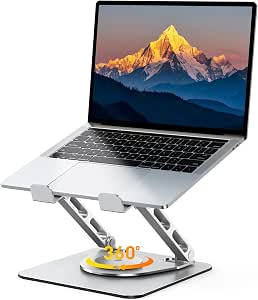 | Best for Collaboration and Screen Sharing | Rotation: 360° | Adjustable Height: 1.88″ – 9.88″ | Maximum Load: 8.8 lbs | VIEW LATEST PRICE | See Our Full Breakdown |
| ergonomic laptop stand | Material | Compatibility | Color | Weight |
|---|---|---|---|---|
| Lifelong Aluminum Adjustable L | Aluminum | — | Grey | — |
| Tounee Telescopic Laptop Stand | Aluminum alloy | Laptops 10–17 inches | Gray | — |
| LOXP Laptop Stand for Desk | Aluminum alloy | Laptops 9.3–17.3 inches | Black | 0.49 kg |
| Nulaxy Ergonomic Adjustable La | Metal with silicone pads | 10–16 inch laptops | — | 1.7 pounds |
| Laptop Stand for Desk | Aluminum alloy | Laptops and tablets 10–16 inches | Grey | — |
| Nulaxy 360° Rotating Ergonomic | — | Laptops 10-16 inches (MacBook, ThinkPad, Dell XPS, Surface, and more) | Black | 840 g |
| Besign LS03 Aluminum Laptop St | Aluminum alloy | 10-15.6 inch laptops | Silver | — |
| Adjustable Laptop Stand for De | Metal | Laptops 10-15.6 inches and tablets | — | 780 g |
| Riwuct Aluminum Alloy Laptop S | Aluminum alloy | Laptops 10 to 16 inches | Silver | 585 g |
| Lamicall Aluminum Laptop Stand | Aluminum alloy | Laptops 10-17.3 inches (MacBook, Surface, Dell XPS, HP, ASUS, Acer, Chromebook, Alienware) | Silver | — |
| Amazon Basics Sturdy and Porta | Lightweight, rust-resistant aluminum | — | — | 1.7 lbs (0.77 kg) |
| Riwuct 360° Rotatable Laptop S | Metal | Laptops 10–16 inches, MacBook, Surface, HP, Dell, Lenovo | — | 0.88 kg |
More Details on Our Top Picks
Lifelong Aluminum Adjustable Laptop Stand, Extra Tall 20″ Riser, Grey
If your goal is to actually work standing up without buying a full standing desk, this is the pick that gets you there. The 20-inch maximum height and 13-inch extendable arm put the Lifelong in a different category than desk-bound risers like the Nulaxy Ergonomic Adjustable Stand, which tops out at seated-eye level. Twenty arm positions mean you can dial in a precise screen height instead of settling for the nearest preset. The tradeoff is stability: that tall tower design introduces more flex than low-profile stands, so owners of heavier 17-inch gaming laptops may notice wobble at full extension. Compared with the Tounee Telescopic Stand, it reaches similar heights but gives up the 360° swivel base. For hot-deskers and anyone experimenting with standing work, though, the foldable design makes it easy to move between rooms or toss in a bag.
Pros:- Reaches true standing-desk height at 20 inches
- 20 arm positions allow precise ergonomic fine-tuning
- Folds flat for storage and travel
- Works with both laptops and tablets from 10 to 17 inches
Cons:- Less stable than low-profile stands when fully extended
- Extendable arm design limits compatibility with very heavy laptops
Best for: Remote workers building a sit-stand setup on a budget who want full desk height from a portable stand
Not ideal for: Owners of heavy gaming laptops — the tall tower geometry gets wobbly near maximum extension
- Material:Aluminum
- Maximum Height:20 inches
- Arm Extension:13 inches
- Arm Positions:20
- Compatible Devices:Laptops and tablets 10–17 inches
- Form Factor:Foldable tower
- Color:Grey
Our verdict“Buy this if you want genuine standing-height ergonomics from a portable stand; skip it if you run a heavy 17-inch machine.”
Tounee Telescopic Laptop Stand with 360° Swivel Base, Height Adjustable, Portable Riser for 10-17″ Laptops – Gray
This is the stand I’d point most people toward first, because it nails the two things that matter most in ergonomics: height range and positioning flexibility. The telescopic design spans 2.1 to 21 inches — lower than the Lifelong tower at the bottom end and equally tall at the top — while the 360° swivel base lets you rotate your screen toward a collaborator without repositioning the whole stand. The 22-pound load rating is the most generous in this batch, comfortably handling gaming laptops that would make lighter stands like the LOXP riser feel precarious. Tradeoffs exist: at this build quality it’s heavier than minimalist competitors like the Besign LS03, so it’s better as a semi-permanent desk fixture than a daily-travel companion, and gray is your only color choice. But for all-around ergonomic range and stability, nothing else here covers as much ground.
Pros:- Enormous 2.1″–21″ height range covers sitting and standing use
- 22 lbs load capacity handles heavy gaming laptops
- 360° rotating base makes screen-sharing effortless
- Folds down for occasional transport
Cons:- Heavier than dedicated travel stands
- Only available in gray
Best for: Anyone who wants one stand to handle sitting, standing, and screen-sharing across multiple laptop sizes
Not ideal for: Frequent travelers who prioritize minimum weight — this is built sturdier and heavier than travel-focused stands
- Material:Aluminum alloy
- Height Range:2.1–21 inches
- Maximum Load:22 lbs
- Rotation:360° swivel base
- Compatibility:Laptops 10–17 inches
- Color:Gray
Our verdict“The most versatile all-rounder here — buy it if you want one stand for every working position, skip it only if ultra-portability is your priority.”
LOXP Laptop Stand for Desk, Aluminum Riser with Wrist Support
Most stands in this roundup focus on raising the screen; the LOXP is the only one that also thinks about your hands. The integrated wrist support, paired with a modest 2.6-inch lift, targets a specific ergonomic problem competitors ignore: the neck and shoulder benefits of taller stands like the Tounee often come at the cost of angled, strained typing. By keeping the laptop closer to desk level, this stand keeps your wrists neutral while still lifting the screen enough to take the edge off neck flex. The open aluminum frame dumps heat effectively, and rubber pads keep everything planted. The obvious limitation is no adjustability whatsoever — no height or angle changes, which is a real drawback if you’re tall or want a standing option. Think of this as the set-and-forget choice for people who type all day at a fixed desk, not the flexible centerpiece of a dynamic workspace.
Pros:- Built-in wrist support is unique in this lineup
- Open aluminum frame dissipates heat well
- Non-slip rubber pads keep laptops stable
- Lightweight at 0.49 kg and easy to assemble
Cons:- Fixed height and angle with no adjustment
- Modest lift may not raise the screen enough for taller users
Best for: Writers, coders, and all-day typists who want wrist relief without a steep typing angle
Not ideal for: Tall users or sit-stand workers — the fixed 2.6-inch height offers zero flexibility
- Material:Aluminum alloy
- Lift Height:2.6 inches
- Compatibility:Laptops 9.3–17.3 inches
- Special Feature:Wrist support
- Weight:0.49 kg
- Color:Black
- Warranty:Amazon 30-Day Return Guarantee
Our verdict“The pick for typing-heavy desk work where wrist comfort matters more than screen height; everyone else should opt for an adjustable model.”
Nulaxy Ergonomic Adjustable Laptop Stand for Desk, Dual Foldable Computer Riser with Heat-Vent
For shoppers who want solid seated ergonomics without paying for standing-height engineering, the Nulaxy hits the sweet spot. Its dual-rod stability system eliminates the wobble that plagues cheaper single-pole risers, and the heat-vent cutouts keep throttling-prone machines cool during long sessions — a feature the LOXP matches but the taller Lifelong tower can’t deliver as effectively at height. At 1.7 pounds and fully foldable, it slots into a laptop bag more easily than the heavier Tounee, making it the better commuter option among the adjustable picks. The compromises are mostly about range: it caps out at seated-eye-level rather than the 20+ inch heights of the sit-stand models, and 16-inch-plus laptops fall outside its compatibility window. If your ergonomics problem is ‘my screen is too low at my desk,’ this solves it for less money than nearly everything else here.
Pros:- Dual-rod design is rock-steady with no wobble
- Heat-vent construction keeps laptops cool
- Folds flat and weighs only 1.7 lbs for commuting
- Strong ergonomics per dollar compared with sit-stand models
Cons:- No standing-height capability
- Limited to laptops 16 inches and smaller
Best for: Students and office workers who need reliable seated posture correction and portability at a lower price
Not ideal for: Standing-desk converts and 17-inch laptop owners — the height ceiling and size limit rule both out
- Weight:1.7 pounds
- Dimensions:11.81 x 11.02 x 2.76 inches
- Compatibility:10–16 inch laptops
- Material:Metal with silicone pads
- Key Features:Adjustable, foldable, heat-vent, dual-rod stability
Our verdict“The smart budget pick for seated desk work — buy it if you commute with a 16-inch-or-smaller laptop and don’t need standing height.”
Laptop Stand for Desk (360° Rotating), Aluminum Laptop Riser for 10-16 Inch Laptops
Think of this as the middle ground between the budget Nulaxy and the full-size Tounee: you get the 360° rotation and adjustable height of the pricier telescopic model, but in a footprint and price closer to a basic folding riser. The 11.81-inch maximum height won’t get you to a standing position, but it’s plenty for fixing a hunched neck at a desk, and the heavy base keeps things planted through height changes — something lighter budget stands struggle with. The open aluminum structure handles heat well enough for sustained workloads. Real drawbacks: the 11-pound load limit rules out chunky gaming laptops, some assembly is required out of the box, and the rotating base eats more desk real estate than fixed risers like the LOXP. For shared desks, client meetings, and couch-adjacent work where you’re constantly re-aiming your screen, the swivel earns its keep.
Pros:- 360° rotation for easy screen sharing at a mid-range price
- Adjustable height and angle for customized ergonomics
- Heavy base delivers stability during adjustments
- Foldable design for portability
Cons:- 11 lbs maximum load can’t handle heavier gaming laptops
- Rotating base takes up more desk space than fixed risers
- Requires assembly before first use
Best for: Multi-person desks and shared workspaces where rotating the screen between users happens constantly
Not ideal for: Gaming laptop owners and tiny-desk setups — the 11 lbs load limit and rotating base footprint are dealbreakers
- Material:Aluminum alloy
- Compatibility:Laptops and tablets 10–16 inches
- Maximum Load:11 lbs
- Height Adjustment:Up to 11.81 inches
- Rotation:360°
- Dimensions:10 x 2 x 2.7 inches
- Color:Grey
Our verdict“The affordable way to get 360° flexibility — ideal for shared desks, provided your laptop weighs under 11 pounds.”
Nulaxy 360° Rotating Ergonomic Laptop Stand for Desk, Dual Foldable Design
What sets this stand apart from the rest of this lineup is its 360° rotating base, which no fixed riser like the Besign LS03 can match. If your workday involves turning your screen toward a colleague, a client across the desk, or a second monitor setup, that swivel saves you from constantly picking up and repositioning your laptop. The 22 lb load capacity is the highest here — comfortably above the Besign and Riwuct models at 8.8 lbs — so heavy 16-inch workstations sit rock-solid, and the dual damping hinges hold their position without sagging. The tradeoff: the unspecified material is a legitimate question mark if you care about long-term build quality, and there’s no dedicated cable management or cooling geometry. Compared with the foldable metal riser from the same roundup, it’s heavier at 840 g, so it’s better as a desk resident than a travel companion.
Pros:- 360° rotating base makes screen sharing effortless without lifting the laptop
- 22 lb weight capacity handles heavy gaming and workstation laptops without wobble
- Dual damping hinges keep height and angle locked firmly in place
- Folds down for occasional transport despite the sturdy build
Cons:- Material is not specified, making long-term durability hard to judge
- No cable management or dedicated cooling features
- At 840 g it’s one of the heavier portable options in this roundup
Best for: Desk-based professionals who share their screen in meetings or collaborate face-to-face and use heavier 16-inch laptops
Not ideal for: Frequent travelers and anyone obsessive about material quality — it’s heavier than folding rivals and the build materials aren’t documented
- Rotation:360° rotating base
- Load Capacity:22 lbs
- Compatibility:Laptops 10-16 inches (MacBook, ThinkPad, Dell XPS, Surface, and more)
- Hinges:Dual damping hinges
- Weight:840 g
- Dimensions:9.7 x 9.5 x 2.7 inches
- Color:Black
Our verdict“The pick for shared desks and meeting-heavy workflows where the rotating base and high weight capacity earn their keep, though travelers should look elsewhere.”
Besign LS03 Aluminum Laptop Stand, Ergonomic Detachable Computer Stand for 10-15.6″ Laptops, Silver
The Besign LS03 is the simplest proposition in this batch: a fixed-height aluminum riser that does one job and does it cleanly. Unlike the Riwuct or the adjustable metal riser, there are no hinges to fiddle with — you set your laptop on it and get a consistent 5.7 inches of elevation every single day, which is exactly what many people with a stable desk routine actually need. The open aluminum frame doubles as a passive heat sink, and the detachable design packs flat into a drawer or bag. The honest limitation is that fixed height: if you’re tall, or you want to pair it with different chairs and desks, the fully adjustable Riwuct gives you 7.48 inches of range the Besign simply can’t. Its 8.8 lb limit also rules out heavier gaming laptops, where the Nulaxy 360° is the safer bet.
Pros:- Set-and-forget elevation of 5.7 inches raises the screen to a comfortable eye level
- Aluminum alloy frame acts as a passive heat sink for cooler performance
- Detachable design assembles in minutes and stores flat
- Rock-solid stability with zero moving parts to wear out
Cons:- Fixed height with no adjustability to suit different chairs, desks, or body sizes
- Capped at 8.8 lbs, ruling out heavier workstation and gaming laptops
- Limited to 10-15.6 inch laptops, so 16-inch and 17-inch models won’t fit
Best for: People with a consistent desk setup who want a no-adjustment, set-and-forget riser that reduces neck strain
Not ideal for: Taller users or multi-workstation types who need height flexibility, and owners of heavy laptops above 8.8 lbs
- Compatibility:10-15.6 inch laptops
- Material:Aluminum alloy
- Maximum Support Weight:8.8 lbs
- Elevation Height:Up to 14.5 cm / 5.7 inches
- Design:Detachable, easy assembly
- Color:Silver
Our verdict“A dependable, no-nonsense riser for anyone whose desk ergonomics don’t change from day to day — skip it if you need adjustable height.”
Adjustable Laptop Stand for Desk, Metal Laptop Riser Holder
This stand covers the fundamentals that pricier options charge for: adjustable height and angle, a sturdy metal frame, ventilation holes, and a folding design — all at a budget-friendly price point. Compared with the Besign LS03, you gain real flexibility: instead of a single fixed elevation, you can dial in the angle that suits your neck and shoulders, which matters if you alternate between sitting and standing or share the desk with someone else. The 17.6 lb support weight also doubles the Besign’s capacity and handles most 15.6-inch laptops with ease. It doesn’t rotate like the Nulaxy 360°, so screen sharing still means physically moving the stand, and long-term hinge durability is a fair concern — folding mechanisms at this price tend to loosen over months of daily folding. For a desk that mostly stays put, that’s a tradeoff worth accepting.
Pros:- Height and angle adjustment at a price where most rivals are fixed
- 17.6 lb metal frame comfortably supports mainstream 15.6-inch laptops
- Ventilation holes keep temperatures down during long sessions
- Folds flat for storage or occasional travel
Cons:- No rotating base, so screen sharing requires moving the whole stand
- Foldable hinges may loosen with frequent daily folding
- Limited to 10-15.6 inch laptops — larger machines won’t fit
Best for: Budget-conscious buyers who want adjustable ergonomics and strong load support without paying premium aluminum prices
Not ideal for: Anyone who folds and unfolds their stand daily on the road — the hinge mechanism may loosen over time
- Material:Metal
- Support Weight:17.6 lbs (8 kg)
- Compatibility:Laptops 10-15.6 inches and tablets
- Weight:780 g
- Adjustability:Height and angle adjustable
- Cooling:Ventilation holes
- Portability:Foldable design
Our verdict“The smart money pick if you want adjustable ergonomics on a budget, provided the stand lives on your desk rather than in your bag.”
Riwuct Aluminum Alloy Laptop Stand for Desk, Foldable and Adjustable
At 585 g, the Riwuct is the lightest meaningful stand in this batch, and that changes how you use it. Where the Nulaxy 360° (840 g) and the metal riser (780 g) feel like desk residents that tolerate occasional travel, this one earns its place in a carry-on. The 7.48-inch maximum height beats the Besign LS03’s fixed 5.7 inches, and the adjustable incline lets you fine-tune the viewing angle in a hotel room, café, or hot desk. A clever bonus is the bottom storage slot for small items like a dongle or SD cards — a genuinely useful touch none of the other picks offer. The catch is the 8.8 lb capacity, which is fine for ultrabooks and MacBooks but marginal for gaming laptops; the Nulaxy or the adjustable metal riser are safer there. And like every tall riser, serious typing requires an external keyboard.
Pros:- Lightest stand in this batch at 585 g, genuinely travel-friendly
- Up to 7.48 inches of height adjustment exceeds fixed risers like the Besign LS03
- Open aluminum design dissipates heat effectively
- Bottom storage slot keeps small accessories like dongles handy
Cons:- 8.8 lb weight capacity is too low for gaming or workstation laptops
- Requires an external keyboard for any extended typing at full elevation
- No rotating base for screen-sharing workflows
Best for: Remote workers and frequent travelers with ultrabooks or MacBooks who need real ergonomics on the road
Not ideal for: Gaming laptop owners and heavy workstation users — the 8.8 lb limit leaves no safety margin
- Material:Aluminum alloy
- Maximum Height:7.48 inches
- Compatibility:Laptops 10 to 16 inches
- Weight Capacity:8.8 lbs (4 kg)
- Weight:585 g
- Dimensions:9 x 9.2 x 1 inches
- Extra Feature:Bottom storage slot for small items
- Color:Silver
Our verdict“The travel pick for laptop-toting professionals who refuse to hunch over café tables, as long as their machine is lightweight.”
Lamicall Aluminum Laptop Stand for Desk for MacBook Air Pro Neo 10-17.3”
While every other stand in this batch tops out at 15.6 or 16 inches, the Lamicall accommodates machines up to 17.3 inches — including Alienware rigs and 16-inch MacBook Pros that overhang the Besign LS03 or Riwuct. That wide compatibility comes paired with a large aluminum base that keeps bigger, heavier machines steady, plus ventilation holes that matter more on larger laptops with more heat to shed. Adjustability covers both height and angle, putting it closer to the metal riser in flexibility than to fixed options. The downsides are real: buyers report no assembly instructions in the box, which is annoying on a stand that needs setting up, and the wide footprint demands a generous desk. Stability can also suffer on uneven surfaces — a consideration if your workspace doubles as a kitchen table. Silver is your only color choice.
Pros:- Widest compatibility in this roundup, fitting laptops from 10 to 17.3 inches
- Large aluminum base keeps big machines stable during use
- Adjustable height and angle for proper ergonomic positioning
- Ventilation holes improve airflow on heat-prone larger laptops
Cons:- No assembly instructions included, making first setup frustrating
- Large footprint demands significant desk real estate
- Less stable on uneven surfaces like kitchen tables
Best for: Owners of 17-inch gaming laptops or large 16-inch MacBooks who can’t use smaller stands
Not ideal for: Compact desk setups and frequent travelers — the large footprint takes up serious space and it’s less stable on uneven surfaces
- Compatibility:Laptops 10-17.3 inches (MacBook, Surface, Dell XPS, HP, ASUS, Acer, Chromebook, Alienware)
- Material:Aluminum alloy
- Dimensions:12 x 10 x 2 inches
- Mounting Type:Tabletop
- Features:Adjustable height and angle, foldable, ventilated base
- Color:Silver
Our verdict“If your laptop is too big for every other stand here, this is the one that fits — just make sure your desk has room for it.”
Amazon Basics Sturdy and Portable Ergonomic Laptop Stand for Desk
Amazon Basics delivers the fundamentals of an ergonomic riser at a price that undercuts nearly everything else in this lineup. With height adjustment up to 7 inches, it lifts a laptop screen far enough to make a real difference in neck posture — something fixed-height options like the Besign LS03 can’t match without stacking books underneath. The ventilated aluminum shelf also helps with heat, a small but real benefit during long work sessions.
The tradeoffs are honest ones for a budget model. Compared with the Riwuct 360° Rotatable, there’s no swivel base, so sharing your screen with a colleague means physically moving the stand. Heavier 17-inch gaming laptops exceed both its size limit and its 11 lb capacity, and wobble becomes noticeable on anything but a flat, solid desk. Still, for the price, the adjustability and fold-flat portability are hard to beat.
Pros:- Height adjustable up to 7 inches for real posture improvement at a low price
- Folds flat to 1.8 inches thick, slipping easily into a backpack
- Ventilated aluminum shelf helps dissipate heat during long sessions
- Lightweight 1.7 lb build with rust-resistant construction
Cons:- No rotating base, so screen sharing requires moving the whole stand
- Stability suffers with heavier devices or on soft, uneven surfaces
- Caps out at 15.6-inch laptops
Best for: Students and home-office workers who want genuine height adjustability and a foldable stand for under twenty dollars
Not ideal for: Owners of 17-inch or heavy gaming laptops — the 15.6-inch size cap and 11 lb limit rule them out
- Height Adjustment:Up to 7 inches
- Supported Devices:Laptops and tablets 10 to 15.6 inches
- Material:Lightweight, rust-resistant aluminum
- Load Capacity:11 lbs (5 kg)
- Folded Size:10 x 8.7 x 1.8 inches
- Weight:1.7 lbs (0.77 kg)
Our verdict“This is the sensible no-frills choice for anyone who wants adjustable ergonomics and portability without paying for extras like rotation or premium materials.”
Riwuct 360° Rotatable Laptop Stand for Desk Adjustable Height
The standout feature here is the 360° rotating base, which turns the stand into a mini presentation hub — spin your laptop toward a client or teammate without lifting anything. The 1.88 to 9.88 inch height range is also one of the widest in this roundup, letting you dial in an exact eye-level position that the Amazon Basics stand’s simpler 7-inch ceiling can’t quite reach for taller users.
It’s not without compromise. The 8.8 lb load limit is lower than several competitors, so chunky gaming rigs are off the menu. And like the Nulaxy 360° Rotating stand it competes with, the raised screen position means you’ll want an external keyboard and mouse — typing on the raised laptop itself defeats the ergonomic point. The fold-flat design and 0.88 kg weight make it a genuinely travel-friendly pick, though the silver-only finish limits style matching.
Pros:- 360° rotation makes one-on-one screen sharing effortless
- Wide 1.88–9.88 inch height range suits taller users and eye-level setups
- Folds flat and weighs under 1 kg for easy travel
- Open metal construction with heat dissipation keeps laptops cooler
Cons:- 8.8 lb maximum load excludes heavier laptops
- Requires an external keyboard and mouse for comfortable typing
- Available only in silver
Best for: Hybrid workers and consultants who frequently share their screen in meetings and want precise height control plus travel portability
Not ideal for: Heavy workstation or gaming laptop owners — the 8.8 lb capacity is the lowest rotation-focused option here
- Rotation:360°
- Adjustable Height:1.88″ – 9.88″
- Maximum Load:8.8 lbs
- Material:Metal
- Weight:0.88 kg
- Compatibility:Laptops 10–16 inches, MacBook, Surface, HP, Dell, Lenovo
- Features:Ergonomic, foldable, portable, heat dissipation
Our verdict“Buy this if screen-sharing and fine height tuning matter more than raw load capacity; skip it if you run a heavy laptop or type directly on the keyboard.”
How We Picked
I evaluated each stand against five criteria that directly affect ergonomic outcomes and daily usability: height and angle adjustability (can it actually position a screen at eye level?), stability and weight capacity (does it wobble when typing?), build quality and materials, portability and desk footprint, and value for money. A stand that raises your laptop but flexes under typing pressure fails its core purpose, so stability carried heavy weight in the rankings.
Ranking also reflected distinct buyer needs rather than a single scoresheet. The Lifelong earned the top spot because its 20-inch range covers the widest range of body heights and desk setups. Rotating models were judged on whether the swivel added genuine value or just a marketing bullet. Budget picks had to justify their price with no deal-breaking flaws — flimsy hinges or shallow laptop lips were automatic demotions regardless of cost.
| ergonomic laptop stand | Material | Color |
|---|---|---|
| Lifelong Aluminum Adjustable L | Aluminum | Grey |
| Tounee Telescopic Laptop Stand | Aluminum alloy | Gray |
| LOXP Laptop Stand for Desk | Aluminum alloy | Black |
| Nulaxy Ergonomic Adjustable La | Metal with silicone pads | — |
| Laptop Stand for Desk | Aluminum alloy | Grey |
| Nulaxy 360° Rotating Ergonomic | — | Black |
| Besign LS03 Aluminum Laptop St | Aluminum alloy | Silver |
| Adjustable Laptop Stand for De | Metal | — |
| Riwuct Aluminum Alloy Laptop S | Aluminum alloy | Silver |
| Lamicall Aluminum Laptop Stand | Aluminum alloy | Silver |
| Amazon Basics Sturdy and Porta | Lightweight, rust-resistant aluminum | — |
| Riwuct 360° Rotatable Laptop S | Metal | — |
Factors to Consider When Choosing Ergonomic Laptop Stands
Before picking a stand from the list above, it helps to understand what actually makes a laptop stand ergonomic — and where buyers commonly go wrong.Height Range: The Number That Matters Most
The single most common mistake is buying a stand that raises a laptop only 4-6 inches, which is nowhere near eye level for most seated adults — you need roughly 8-12 inches of lift depending on your torso height and chair. Fixed-angle stands like the Lamicall look sleek but lock you into one elevation, while telescopic and multi-stage designs like the Lifelong and Tounee adapt if you switch between sitting and standing desks. Taller users (over 6 feet) should treat anything under 10 inches of adjustability as a non-starter. Remember that proper screen height means the top of the display sits at or slightly below eye level — measure your current screen position before shopping, not after. If a stand can’t reach that height, every other feature is irrelevant.
Stability Versus Portability Tradeoff
There’s an unavoidable physics problem here: lighter stands are easier to carry but flex more under typing pressure, and a bouncing screen defeats the ergonomic benefit by forcing your eyes to constantly refocus. Heavier aluminum models with wide bases (the Lifelong, Besign LS03) feel planted but weigh two to three pounds — fine for a permanent desk, annoying in a backpack. Dual-hinge foldable designs like the Nulaxy split the difference but introduce pivot points that can loosen over months of daily folding. My advice: only pay a portability premium if you actually move between locations weekly. Otherwise, buy the sturdiest stand your desk can hold and spend the difference elsewhere.
Your Keyboard Plan Changes Everything
Here’s what most first-time buyers miss: once a laptop is at proper eye level, its built-in keyboard becomes unusable at a neutral wrist angle. A truly ergonomic setup pairs the stand with an external keyboard and mouse, which adds $30-80 to the real cost. If you refuse to use external peripherals, a tall stand will make your posture worse, not better — your neck improves but your wrists hyperextend. In that case, a lower riser with built-in wrist support, like the LOXP model, is the honest choice. Buyers who already own peripherals can prioritize pure height and ignore wrist-friendly features entirely. Decide this before comparing stands, because it eliminates half the field immediately.
Rotating Bases: Useful Feature or Gimmick?
Four stands in this roundup advertise 360° rotation, but they’re not equal. Base-rotating designs like the Tounee turn the entire unit, which is genuinely useful for showing a screen to someone across the desk during meetings or pair work. Platform-only rotators spin just the laptop tray, which mainly helps with cable management and slight angle tweaks. If you never share your screen in person, rotation adds a failure point and often a slightly wobblier platform for zero benefit. Frequent presenters and shared-workspace users should treat base rotation as a must-have; everyone else can safely ignore the spec and save money on a fixed model.
Cooling, Materials, and Laptop Size Compatibility
Laptop stands affect thermals more than most buyers expect. Open-frame aluminum designs act as passive heat sinks and keep intake fans unobstructed, while stands with solid contact pads can trap heat against the chassis — a real issue for thin gaming laptops that throttle early. Check the laptop size rating carefully: the Besign LS03 tops out at 15.6 inches, so a 16-inch MacBook Pro or 17-inch gaming machine will overhang dangerously. Also verify the front lip depth, since laptops with rounded front edges (notably MacBooks) can slip on shallow lips, especially when the stand is tilted steeply. Weight capacity matters mainly for heavier machines — anything rated under 8 pounds deserves scrutiny if you run a gaming or workstation laptop.
When to Pay More — and When Not To
The price band in this category runs roughly $20 to $60, and the honest truth is that diminishing returns kick in early. Above $40, you’re mostly paying for premium finishes, tighter manufacturing tolerances, and better warranties rather than improved ergonomics. The Amazon Basics stand proves a sub-$30 product can deliver full height adjustability and solid construction, so budget buyers aren’t sacrificing posture — just polish. Where spending more pays off: extreme height needs (the Lifelong’s 20-inch range), frequent travel durability, and heavier laptops that stress cheap hinges. Skip premium pricing on features you won’t use, like rotation on a single-user desk or aircraft-grade aluminum branding on a stand that never leaves home.
Frequently Asked Questions
How high should an ergonomic laptop stand raise my screen?
The target is the top of your screen at or slightly below eye level when seated (or standing) upright, which typically means raising a laptop 8-12 inches above the desk for average-height adults. Measure the gap between your current screen top and your natural eye line before buying — this single number eliminates unsuitable stands faster than any spec sheet. Taller users and standing-desk converts often need 12+ inches, which only multi-stage models like the Lifelong Extra Tall can reach. If your stand maxes out lower, you’ll still crane your neck downward, just less severely, and the ergonomic benefit shrinks accordingly.
Are 360° rotating stands worth the extra cost?
Only if you regularly share your screen with someone physically next to you. Base-rotating models like the Tounee let you swing the whole unit toward a colleague or client in a meeting, which fixed stands can’t replicate without lifting and repositioning. If you work alone or present exclusively through video calls, rotation adds nothing — screen sharing software handles that — and the swivel mechanism can introduce slight platform wobble. Platform-only rotators are even less useful day to day, mainly helping with cable routing. Save the premium unless collaboration at your desk is a weekly reality.
Will a laptop stand work without an external keyboard?
It works mechanically, but not ergonomically — this is the category’s most common setup mistake. Once the screen sits at eye level, typing on the raised built-in keyboard forces your wrists into steep upward angles, trading neck strain for wrist strain. If you won’t use external peripherals, choose a low-profile riser with integrated wrist support like the LOXP, which improves things modestly without creating new problems. The genuinely correct setup is a stand plus external keyboard and mouse, so budget for those ($30-80 total) as part of the real cost. Anyone claiming a tall stand alone fixes posture is skipping this step.
Which stand in this roundup is best for a standing desk?
Standing desks change the math because your eye level relative to the desktop rises too, so you need maximum lift. The Lifelong Extra Tall, with its 20-inch range, is the clear choice here — most competing stands max out between 6 and 12 inches and leave standing users still looking down. The Tounee telescopic model is the runner-up if you alternate between a standing desk at home and sitting elsewhere, since it collapses for transport. Stability matters even more when standing, as you shift weight and bump the desk more often, so flimsy hinge-based designs are worth avoiding in this scenario.
Do aluminum stands actually keep laptops cooler?
Yes, though the effect varies by design. Open-frame aluminum stands like the Lamicall and Besign expose the laptop’s bottom surface to air and let the metal act as a passive heat spreader, typically dropping chassis temperatures by several degrees. Solid-contact designs and stands with thick silicone pads can insulate instead, trapping heat — noticeable on thin gaming laptops that throttle around 90°C. None of these are substitutes for active cooling if you run sustained heavy loads, but for everyday office and browsing workloads, the passive benefit is real and free. If your laptop fans run constantly on a flat desk, an open ventilated stand is one of the cheapest fixes available.
Conclusion
The right pick depends less on price and more on your body, your desk, and your keyboard habits. For the best overall choice, the Lifelong Aluminum Adjustable Stand’s unmatched 20-inch height range and stable aluminum build make it the safest bet for the widest range of users. Value seekers should grab the Amazon Basics Adjustable Riser, which delivers full height adjustment and ventilated cooling for under $30 with only minor polish compromises. For premium buyers who want refinement and long-term durability, the Lamicall aluminum stand offers the best build quality in the lineup, provided its fixed height fits your measurements. Beginners setting up their first ergonomic workstation will find the Nulaxy dual-foldable the easiest entry point — adjustable, affordable, and forgiving of trial-and-error positioning. Finally, for specific needs: the Tounee telescopic swivel for travelers and presenters, the LOXP for anyone sticking with the built-in keyboard, and the Besign LS03 for a permanently anchored desk setup under 15.6 inches. Whatever you choose, pair it with an external keyboard — that combination, not the stand alone, is what actually fixes your posture.
Halloween Picks
halloween
As an affiliate, we earn on qualifying purchases.