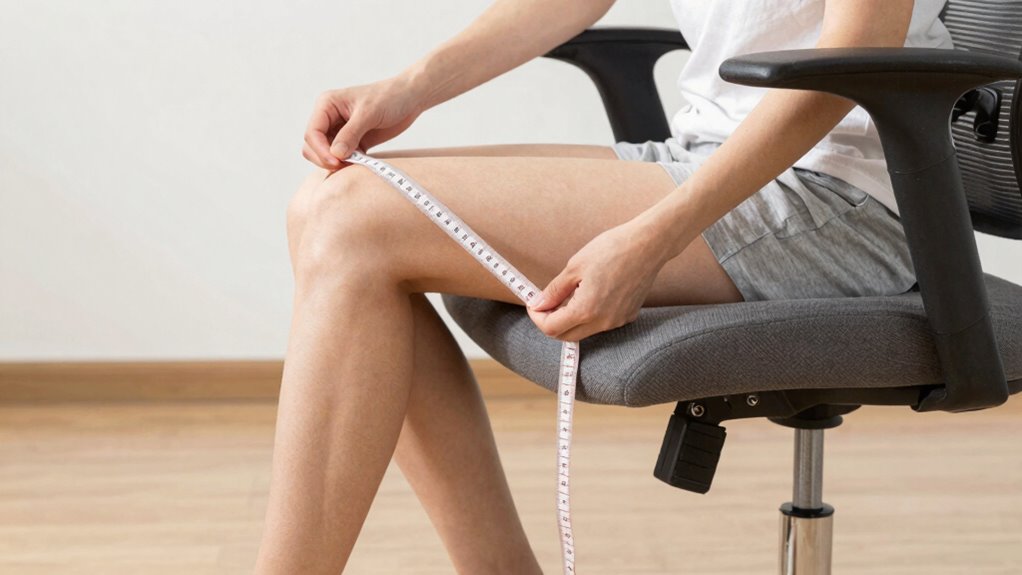

To find the right chair fit, start by measuring your seated thigh height from the floor to the underside of your thigh with feet flat and knees at 90°. Check your back support needs by measuring your lumbar curve height. Adjust for armrest height by measuring from elbow to wrist with relaxed arms. Confirm the seat depth supports most of your thigh without pressing behind your knees. Want to perfect your setup? Keep exploring for more tips.
Open a free Amazon Business account
Business pricing, bulk buying and tax-exempt orders.
As an affiliate, we earn on qualifying purchases.
Key Takeaways
- Measure your seated thigh length from the floor to the underside of your thigh with feet flat and knees at 90°.
- Determine your ideal chair height by aligning hips with or slightly above knees for proper support.
- Assess lumbar support height by measuring the natural curve of your lower back to ensure proper backrest fit.
- Measure elbow-to-wrist distance with relaxed arms at 90° to select suitable armrest height and width.
- Choose adjustable features like seat depth, height, lumbar support, and armrests for personalized ergonomic comfort.
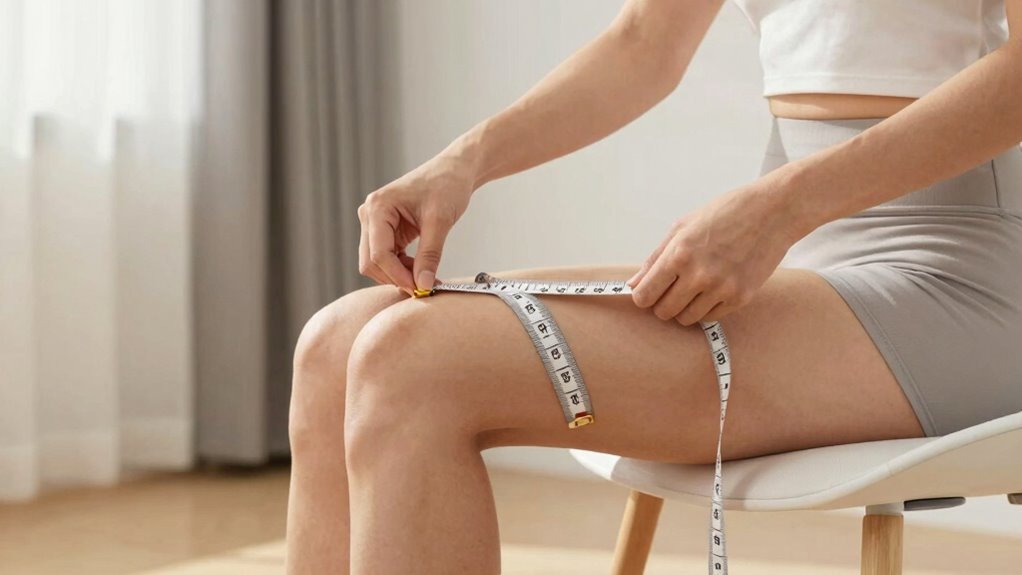
Finding the right chair can make all the difference in your comfort and productivity, but choosing one without proper measurements can lead to discomfort or poor posture. To ensure you select a chair that fits perfectly, you need to focus on key measurements and features that promote ergonomic comfort and material durability. The goal is to find a seat that supports your body’s natural posture, reduces strain, and lasts over time.
Start by measuring your seat height. Sit comfortably with your feet flat on the ground and your knees bent at roughly a 90-degree angle. Use a tape measure to determine the distance from the floor to the underside of your thigh. The ideal chair height allows your hips to be level with or slightly higher than your knees, providing proper leg support. When shopping, look for adjustable height options to fine-tune the fit and maintain ergonomic comfort. Proper seat height prevents pressure on your thighs and improves circulation.
Measure your seat height for optimal leg support and choose adjustable options to ensure ergonomic comfort.
Next, measure your seat depth. Sit back in the chair and note the distance from your lower back to your knees. The seat should support most of your thigh without pressing against the back of your knees. A seat that’s too deep can restrict blood flow and cause discomfort, while one that’s too shallow won’t provide enough support. When choosing a chair, check if it offers adjustable seat depth or a waterfall edge design to accommodate your body size comfortably. Ergonomic features such as adjustable lumbar support and breathable materials can significantly enhance long-term comfort. Additionally, selecting a durable material ensures your chair maintains its support and appearance over time, even with frequent use.
Your back support is equally important. Measure the height of your lumbar curve and compare it to the chair’s backrest. An ergonomic chair should have adjustable lumbar support that fits into your lower back’s natural curve. Proper lumbar support maintains spinal alignment, reducing the risk of back pain. Also, consider the material durability of the backrest; it should be made from sturdy, high-quality materials that won’t sag or break over time. Material durability is a crucial factor in ensuring your chair remains supportive and functional over the years. Ergonomic features such as adjustable lumbar support and breathable materials can significantly enhance long-term comfort.
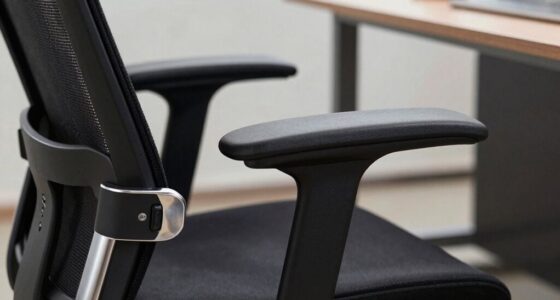
Finally, don’t forget to check armrest height and width. Measure the distance from your elbow to your wrist when your arm is relaxed at a 90-degree angle. The armrests should support your arms without elevating your shoulders or restricting movement. Adjustable armrests are a plus, as they let you customize support based on your body. Remember, a well-fitted chair not only improves comfort but also contributes to a healthier sitting posture.
ergonomic adjustable office chair
As an affiliate, we earn on qualifying purchases.
As an affiliate, we earn on qualifying purchases.
Frequently Asked Questions
How Often Should I Re-Measure My Chair Fit?
You should re-measure your chair fit whenever your furniture materials change, like after a repair or reupholstering, or if you notice discomfort. Regularly checking guarantees proper support. Use assembly tips, such as adjusting height or tilt, to maintain comfort. Re-measure at least once a year or if your body size or posture shifts. This keeps your chair fitting just right and prevents long-term discomfort.
Can I Use Online Sizing Charts for Accurate Measurements?
You can use online sizing charts, but they might not be entirely accurate because material durability and aesthetic preferences vary. Make certain to measure yourself precisely, considering how the material feels and looks, rather than relying solely on charts. For the best fit, compare your measurements with the chart, but also read reviews and descriptions to ensure the chair matches your comfort and style needs.
What Tools Do I Need to Measure Chair Fit Properly?
You’ll need a measuring tape, a notepad, and a pen to measure chair fit properly. Coincidentally, these tools also help you consider material considerations and style preferences. Use the tape to check seat height, depth, and backrest angle, ensuring comfort. Keep notes on your measurements, and compare them with your desired style and material needs. This way, you’re equipped to find a chair that truly fits your body and decor.
How Do I Measure for Ergonomic Comfort Specifically?
To measure for ergonomic comfort, start by evaluating lumbar support; guarantee the chair’s lumbar curve fits the natural curve of your lower back. Check seat depth by sitting back and ensuring there’s a finger-width gap between the edge of the seat and the back of your knees. Adjust the height so your feet rest flat, thighs are parallel to the ground, and your hips are slightly higher than your knees for ideal comfort.
Are There Differences in Measuring for Office Versus Gaming Chairs?
Think of it as tailoring a suit—you need the right fit for each occasion. When measuring for office versus gaming chairs, material differences and design considerations matter. Office chairs prioritize lumbar support and adjustability, so measure your back length and seat depth. Gaming chairs often have broader seats and racing-style designs, requiring you to check shoulder width and overall height. Customizing your measurements guarantees comfort, no matter the chair’s purpose.
As an affiliate, we earn on qualifying purchases.
Conclusion
Now that you know how to measure your chair fit accurately, you’re all set to find a perfect match. Remember, getting it right the first time saves you from future headaches and unnecessary returns. Don’t just wing it—measure twice, buy once. It’s better to be safe than sorry, especially when investing in something as important as your comfort. With these tips, you’ll sit pretty, knowing you’ve made the right choice from the get-go.
seat depth adjustable office chair
As an affiliate, we earn on qualifying purchases.
As an affiliate, we earn on qualifying purchases.
ergonomic chair with adjustable armrests
As an affiliate, we earn on qualifying purchases.
As an affiliate, we earn on qualifying purchases.
Flea & tick season Picks
flea and tick prevention
As an affiliate, we earn on qualifying purchases.