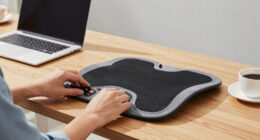
Your keyboard’s placement impacts your comfort and productivity far more than its type. Proper positioning helps reduce strain, keeps your wrists neutral, and encourages good posture, preventing long-term musculoskeletal issues. When your keyboard is aligned with your body and at the right angle, you can type more efficiently and with less fatigue. Investing time in ergonomic setup pays off, ensuring lasting comfort and efficiency—and there’s more to discover about optimizing your workspace.
Key Takeaways
- Proper placement ensures ergonomic benefits, reducing strain and fatigue regardless of keyboard type.
- Correct positioning promotes musculoskeletal comfort and prevents long-term injuries.
- Optimal placement enhances typing efficiency by enabling natural hand and wrist movements.
- Adjusting keyboard angle and alignment improves comfort and reduces strain during extended use.
- Good workspace organization from proper placement boosts focus, productivity, and overall health.

While choosing the right keyboard type can enhance your typing experience, proper placement of the keyboard is actually more critical for your comfort and productivity. You might have invested in a mechanical or ergonomic keyboard, but if it’s not positioned correctly, you won’t fully benefit from its features. Proper placement helps maximize ergonomic benefits, reducing strain and fatigue, and it plays an essential role in improving your typing efficiency. When your keyboard is aligned correctly with your body, you can type more comfortably and accurately, which ultimately boosts your overall work performance.
Your keyboard’s position influences how your wrists, arms, and shoulders feel throughout the day. If it’s too high or too low, your muscles may strain to compensate, leading to discomfort or even repetitive strain injuries. Placing the keyboard at a height where your elbows are bent at roughly 90 degrees and your wrists remain in a neutral position ensures minimal stress on your joints. This alignment allows your muscles to work more naturally, delivering ergonomic benefits that can prevent long-term issues. Additionally, keeping the keyboard directly in front of you, rather than off to the side, helps maintain good posture, reducing neck and back pain. Proper keyboard placement also encourages better overall workspace organization, which can enhance your focus and efficiency. Being mindful of workspace ergonomics can further optimize your setup for comfort and productivity. Moreover, adjusting your keyboard tilt can help you find the most natural and comfortable typing angle, further reducing strain.
Beyond comfort, proper placement directly impacts your typing efficiency. When your keyboard is positioned correctly, your hands move more smoothly and with less effort, which speeds up your typing rhythm and reduces mistakes. You’ll find that you can type longer sessions without fatigue, and your accuracy improves because your muscles aren’t overexerted trying to reach awkward positions. Proper placement also minimizes unnecessary movements, so your fingers stay closer to the home row, enabling quicker access to all keys. This streamlined setup makes your workflow more efficient, especially when you’re working intensively or on tight deadlines. Moreover, understanding keyboard ergonomics can help you optimize your workspace for better comfort and performance. It’s not just about the height or distance from your body—consider the tilt and angle of your keyboard as well. Adjusting these to suit your ergonomic needs can further reduce strain and improve your typing posture. Remember, the goal is to create a setup where your hands, wrists, and forearms form a natural, relaxed position. Regularly reassessing your keyboard placement and ergonomic principles ensures you maintain these ergonomic benefits and keep your productivity high. Ultimately, investing time in proper placement pays off by making your typing more comfortable, efficient, and injury-free, regardless of the keyboard type you choose.
As an affiliate, we earn on qualifying purchases.
Frequently Asked Questions
How Can I Determine the Best Keyboard Placement for Myself?
You can determine the best keyboard placement by experimenting with your personal comfort and desk organization. Adjust your keyboard so your elbows stay close to your sides and your wrists remain straight. Keep it at a height where your forearms are parallel to the ground. Pay attention to how your body feels during use, and make small changes to find the position that minimizes strain. Regularly reassess to maintain ideal ergonomic setup.
Does Keyboard Placement Affect Typing Speed Significantly?
A stitch in time saves nine, and proper keyboard placement can substantially boost your typing speed. Ergonomic design reduces muscle fatigue, letting you type faster and more comfortably. When your keyboard is positioned correctly, your fingers move naturally, decreasing errors and increasing efficiency. Poor placement, on the other hand, can slow you down and cause strain. So yes, keyboard placement greatly impacts your typing speed and overall comfort.
Are There Ergonomic Benefits to Specific Keyboard Positions?
Yes, specific keyboard positions offer ergonomic benefits. Proper hand positioning and wrist alignment reduce strain, preventing discomfort and injuries like repetitive strain injuries (RSIs). Keeping your keyboard at elbow height encourages natural wrist angles, minimizing pressure. By adjusting your keyboard’s placement, you promote better posture, enhance comfort during long typing sessions, and support overall musculoskeletal health. Prioritizing ergonomic positioning helps you type more efficiently and sustain productivity without pain.
How Does Desk Setup Influence Keyboard Placement Effectiveness?
Your desk setup directly impacts keyboard placement effectiveness by promoting proper desk organization and comfort optimization. When you arrange your workspace thoughtfully, your keyboard is positioned at a natural, accessible height, reducing strain. A clutter-free desk allows for better ergonomic alignment, preventing discomfort and injury. By prioritizing a well-organized desk, you guarantee your keyboard placement supports your posture and productivity, making your work more comfortable and efficient.
Can Improper Placement Cause Long-Term Health Issues?
Improper keyboard placement can cause long-term health issues like muscle strain and poor posture. When your keyboard isn’t aligned correctly, you may hunch or stretch awkwardly, leading to discomfort and strain over time. By correcting your posture and ensuring your keyboard is positioned properly, you reduce these risks. Consistent posture correction and proper placement help prevent chronic issues, keeping your muscles relaxed and your body aligned during long hours at your desk.

HUANUO Under Desk Keyboard Tray, 360 Degree Adjustable Mouse Platform
- Large Size: 25” x 9.84” keyboard tray
- Full Motion: Swivels 180° and tilts 6° up, 22° down
- Height Adjustable: 6.3-inch height adjustment range
As an affiliate, we earn on qualifying purchases.
As an affiliate, we earn on qualifying purchases.
Conclusion
Remember, proper keyboard placement can substantially reduce strain and boost your comfort, often more than just choosing the right keyboard type. Studies show that 78% of users experience less discomfort when their keyboard is correctly positioned, highlighting its importance. So, take the time to adjust your setup; it’s a simple change that can make a big difference in your daily productivity and long-term health. Prioritize placement—you’ll feel the difference every day.
As an affiliate, we earn on qualifying purchases.

Vaydeer Wrist Rest for Keyboard and Mouse, Computer Ergonomic Wrist Support Pad, Soft Memory Foam Arm Cushion for Desk, Palm Hand Office Laptop Typing
- Comfortable Memory Foam Material: Soft, high-quality memory foam with silky lycra cover
- Ergonomic Design: Concave shape fits wrist joints, reduces strain
- Suitable Size for Keyboard and Mouse: Keyboard pad: 17.32×3.15×0.83 inches, Mouse support: 5.94×3.15×0.83 inches
As an affiliate, we earn on qualifying purchases.
As an affiliate, we earn on qualifying purchases.