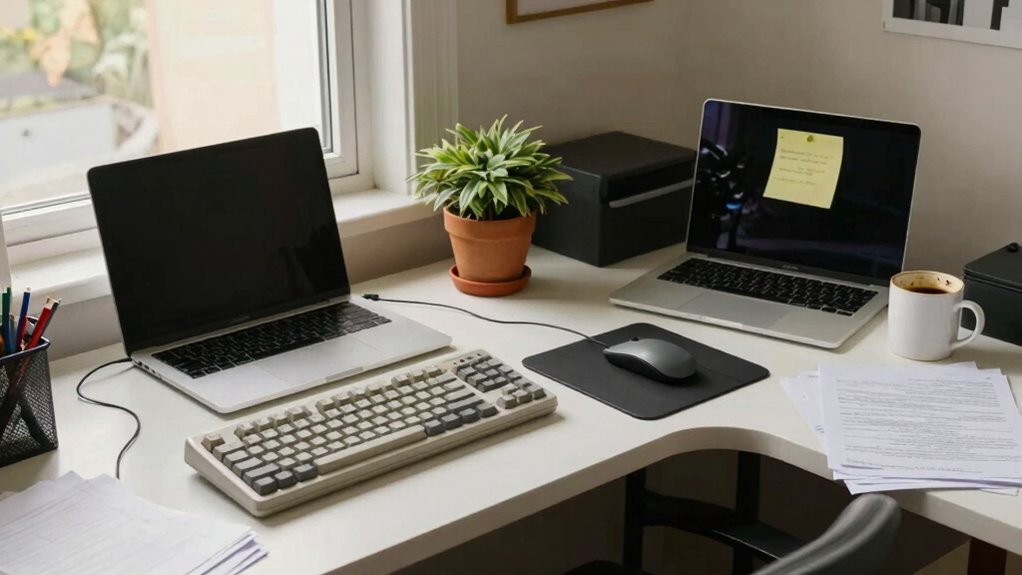
To build a “less bad” setup, start with small, manageable changes like adjusting chair height or adding cushions for comfort. Use budget-friendly storage to clear clutter, and maximize natural light while upgrading with affordable LED lamps. Reassess your tech needs periodically and make gradual improvements over time. Focus on flexibility and ongoing tweaks, knowing every small step counts. Keep exploring ways to enhance your space—your better setup is within reach.

Get comfort and recovery gear delivered free — and shop member deals
- Fast, free delivery on millions of items
- Access to Prime Big Deal Days deals on October 6–7
- Prime Video, Amazon Music and more included
Key Takeaways
- Prioritize small ergonomic fixes like cushions and monitor adjustments to improve comfort gradually.
- Use affordable storage solutions to reduce clutter and create a more organized workspace.
- Maximize natural light and add inexpensive lighting to reduce eye strain and enhance focus.
- Implement incremental tech upgrades, such as second-hand accessories or better chairs over time.
- Regularly reassess and tweak your setup to adapt to changing needs and improve gradually.
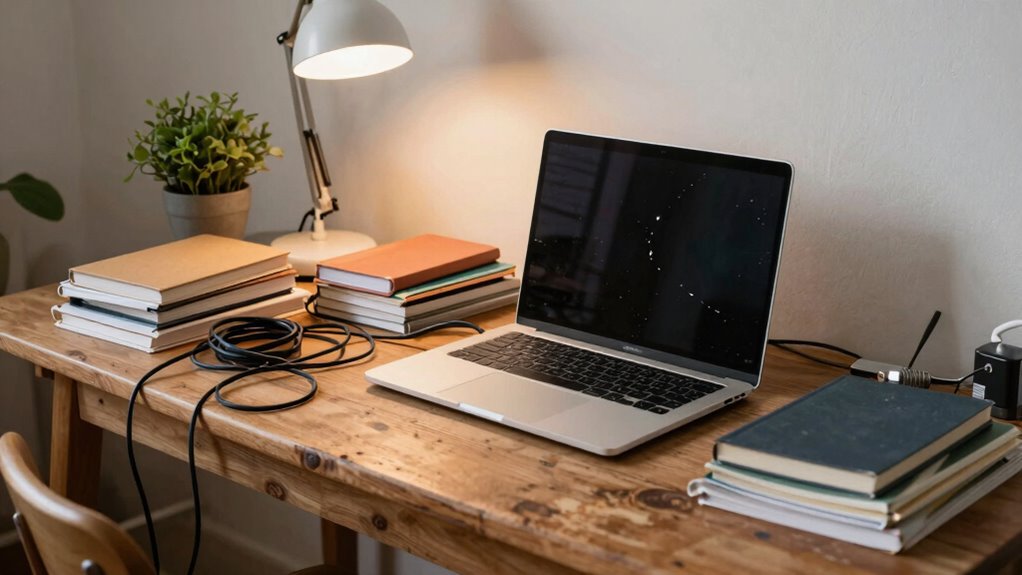
When perfect setups aren’t an option, aiming for a “less bad” alternative can still make a notable difference in your productivity and comfort. You don’t need a top-of-the-line workstation to work efficiently or feel comfortable. Instead, focus on implementing cost-effective solutions that prioritize practicality over perfection. Small, manageable changes can lead to noticeable improvements over time, especially when you commit to gradual improvements. This approach allows you to work within your budget while steadily enhancing your space.
Start by identifying the most urgent issues affecting your setup. Is your chair uncomfortable? Does your screen sit too low or too high? Address these pain points first with simple fixes—perhaps a cushion or a stack of books to elevate your monitor. These small adjustments are cost-effective solutions that can instantly improve ergonomics without a hefty investment. As you notice what works, you can gradually refine your setup, making incremental improvements that fit your evolving needs and budget.
Another key step is to prioritize organization. Clutter can hamper focus and productivity, so invest in affordable storage solutions like bins, shelves, or cable organizers. Clearing your workspace creates a more inviting environment and reduces distractions. Over time, you can refine your organization system, adding or removing elements as needed. This process of gradual improvements ensures you’re not overwhelmed or overspending but steadily creating a more functional workspace. Incorporating cost-effective storage options can help maximize space without significant expense. Additionally, considering workspace ergonomics can further enhance comfort and reduce strain during long hours at your desk. Regularly reassessing your setup can help you identify new ergonomic adjustments that fit your evolving needs and budget.
Lighting is often overlooked but plays an essential role in your comfort and focus. Instead of costly lighting fixtures, consider using natural light as much as possible. If that’s limited, inexpensive desk lamps or LED bulbs can make a big difference. Proper lighting reduces eye strain and helps maintain alertness throughout the day. Making small changes like repositioning your workspace to maximize daylight or swapping out bulbs for brighter, more energy-efficient ones can greatly enhance your environment without breaking the bank.
Additionally, exploring affordable tech upgrades like ergonomic accessories or second-hand electronics can further improve your setup without stretching your budget. Finally, don’t forget to reassess your setup regularly. As your work habits or budget change, you can continue making small, cost-effective updates. Maybe you’ll add a better chair eventually or invest in a monitor stand. The key is to stay flexible and focus on gradual improvements rather than waiting for the perfect setup. Over time, these small tweaks accumulate, transforming your workspace into a more productive and comfortable environment—even if it’s never perfect.
As an affiliate, we earn on qualifying purchases.
Frequently Asked Questions
How Do I Identify the Most Critical Aspects to Improve First?
You identify the most critical aspects by applying prioritization strategies that focus on impact and urgency. Start by listing issues and evaluating which problems cause the biggest setbacks. Allocate your resources to those areas first, ensuring you’re tackling the highest-impact tasks with the most immediate need. This approach helps you make meaningful improvements efficiently, even if you can’t fix everything at once.
What Are Common Compromises When Settling for Less?
Imagine sacrificing high-end components to stick within your budget. Common trade-off dilemmas include choosing durability over performance or simplicity over customization. Minimalist strategies help you prioritize essentials, but you might compromise on features or aesthetics. For example, opting for a basic setup might save money but limit future upgrades. Recognizing these compromises helps you balance your needs versus wants, ensuring you create a functional, less frustrating setup even when perfection isn’t achievable.
How Can I Stay Motivated During Incremental Improvements?
To stay motivated during incremental improvements, focus on mindset shifts that celebrate small wins and progress, not perfection. Embrace habit formation by setting manageable goals and consistently practicing them, which builds momentum. Remind yourself that these small steps lead to meaningful change over time. Keep your eyes on the long-term vision, and recognize each effort as a crucial part of your growth, fueling continued motivation and resilience.
What Tools Can Help Measure Progress Effectively?
You can use data visualization tools like charts or dashboards to track your progress effectively. These tools help you see patterns and measure incremental improvements over time, keeping you motivated. Progress tracking apps or spreadsheets also provide visual feedback, making it easier to stay focused on your goals. Regularly reviewing these visuals helps you recognize achievements, adjust strategies, and maintain momentum even when perfection isn’t achievable.
How Do I Handle Setbacks or Regressions?
Think of setbacks as potholes on your journey—they happen, but don’t derail you. When regressions occur, adopt a mindset adjustment by viewing them as opportunities for resilience building. Remember, every stumble offers insight into what needs refining. Stay flexible, learn from each setback, and keep moving forward. You’ll strengthen your resilience, making it easier to navigate future challenges and maintain progress, even when perfection isn’t within reach.
As an affiliate, we earn on qualifying purchases.
Conclusion
Remember, building a less bad setup isn’t about perfection; it’s about progress. It’s about choosing clarity over chaos, stability over struggle, and practicality over perfection. Each small adjustment is a step forward, a brick in your foundation, a brushstroke in your masterpiece. Keep refining, keep adapting, keep moving forward — because a better setup isn’t built overnight, but with patience, persistence, and purpose, you’re shaping a space that works for you.
As an affiliate, we earn on qualifying purchases.
As an affiliate, we earn on qualifying purchases.
Fall Picks
fall essentials
As an affiliate, we earn on qualifying purchases.