Standing more only benefits you if you stand smarter by adjusting your workspace ergonomically, like setting your monitor at eye level and keeping your arms close to your sides. Avoid staying in one position for too long and keep moving regularly to prevent stiffness and circulation problems. Engaging your core, relaxing your shoulders, and shifting your weight help reduce fatigue. To truly stand well, it takes conscious effort—stick around to learn how to do it effectively.

Get comfort and recovery gear delivered free with Prime
- Fast, free delivery on millions of items
- Prime Video, Amazon Music and more included
- Member-only deals all year
Key Takeaways
- Proper ergonomic setup prevents strain and discomfort during extended standing.
- Regular movement and posture shifts reduce muscle fatigue and circulation issues.
- Awareness of body alignment ensures standing benefits without causing musculoskeletal problems.
- Incorporating breaks and active adjustments maximizes comfort and reduces stiffness.
- Standing smarter involves balancing standing time with ergonomic practices and mindful body mechanics.
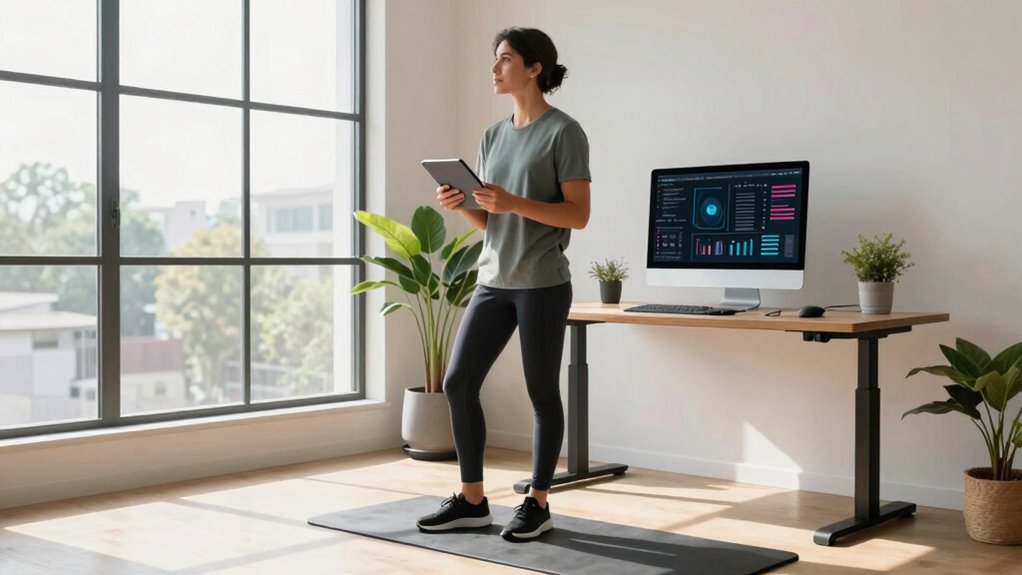
Standing more might seem like a simple way to improve your health, but without a smarter approach, it can do more harm than good. If you’re simply replacing sitting with standing all day without any adjustments, you risk developing discomfort, fatigue,, and even musculoskeletal issues. The key isn’t just to stand more, but to do it smarter. That means making ergonomic adjustments to your workspace and cultivating posture awareness, so your body can handle the increased standing time without unnecessary strain.
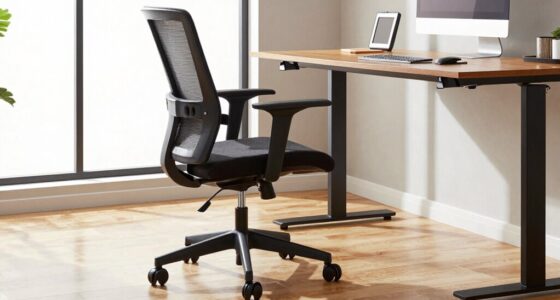
Start by evaluating your workspace. An ergonomic adjustment involves setting your desk, monitor, keyboard, and mouse at the right heights to promote proper alignment. Your monitor should be at eye level, so you avoid craning your neck forward or downward. Your keyboard and mouse should be positioned so your elbows stay close to your sides and your wrists remain neutral. When your workstation is set up correctly, standing becomes less taxing on your body, and you’re more likely to maintain good posture over longer periods. Additionally, paying attention to ergonomic principles can help prevent common discomforts associated with prolonged standing.
Set your desk and monitor at eye level for comfortable, sustainable standing and better posture.
Posture awareness is equally important. It’s easy to fall into the trap of standing in one position all day, which can lead to muscle fatigue and discomfort. Instead, aim to shift your weight regularly, keep your shoulders relaxed, and engage your core muscles to support your spine. Keep your feet flat on the ground, and try to avoid locking your knees, which can cause circulation issues and fatigue. Picture yourself as a vertical stack of aligned segments—head, shoulders, hips, knees, and ankles—and make a conscious effort to keep this alignment consistent. Incorporating movement and breaks into your routine is also essential to prevent stiffness and promote circulation. Recognizing the importance of body mechanics can further enhance your standing posture and overall comfort.
As an affiliate, we earn on qualifying purchases.
Frequently Asked Questions
How Long Should I Stand Each Day for Health Benefits?
You should aim to stand for about 2 to 4 hours a day for health benefits, gradually increasing as comfortable. Use an ergonomic footwear to support your feet and reduce fatigue. Incorporate a standing desk into your routine, alternating between sitting and standing. Remember, standing smarter means not just more, but better; take breaks, stretch, and pay attention to your posture to maximize health benefits.
Does Standing More Reduce Overall Sitting Time Effectively?
Standing more can effectively reduce your overall sitting time, especially when combined with ergonomic adjustments and standing desk options. Studies show that alternating between sitting and standing can lower health risks linked to prolonged sitting. To maximize benefits, you should incorporate movement and choose adjustable standing desks. By standing smarter and making these adjustments, you actively decrease sitting duration and boost your overall well-being.
Can Standing Too Much Cause New Health Issues?
Yes, standing too much can cause new health issues like muscle fatigue and joint discomfort. To avoid this, you should make ergonomic adjustments, such as using an adjustable desk and supportive footwear. Alternating between sitting and standing helps reduce strain and prevents fatigue. Remember, standing smarter means listening to your body and incorporating movement, rather than just increasing standing time indiscriminately.
What Type of Footwear Is Best for Prolonged Standing?
For prolonged standing, choose footwear with proper arch support and a comfortable fit. Your footwear selection should prioritize cushioned insoles and a supportive arch to reduce fatigue and prevent discomfort. Look for shoes with a sturdy sole, good shock absorption, and adjustable features like straps or laces for a secure fit. Avoid high heels or flats with little support, as they can cause strain and long-term foot issues.
How Can I Improve Posture While Standing?
Imagine your spine as a tall, sturdy tree. To keep it upright and healthy, you need to practice posture correction and make ergonomic adjustments. Stand with your shoulders relaxed, ears aligned over your hips, and distribute your weight evenly. Engage your core gently, avoid locking your knees, and take frequent breaks. These small shifts help you stand smarter, keeping your posture strong and your body energized throughout the day.
As an affiliate, we earn on qualifying purchases.
Conclusion
So, remember, standing more isn’t about turning into a human flagpole overnight. You’ve got to stand smarter—adjust your posture, take breaks, and move around like a modern-day Renaissance man, not a medieval knight. Think of it like tuning a vintage radio; if you don’t fine-tune, you won’t hear the sweet symphony clearly. By standing wisely, you’ll keep your body happy and your mind sharp—no need to be a statue in the town square.
As an affiliate, we earn on qualifying purchases.
As an affiliate, we earn on qualifying purchases.
Halloween Picks
halloween
As an affiliate, we earn on qualifying purchases.